Mechanical Rigging in Blender - A Beginner Course 🦾
 DemNikoArt



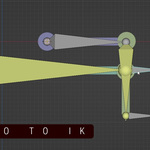
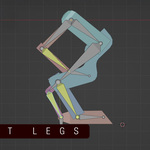
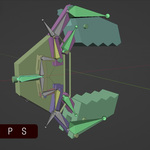
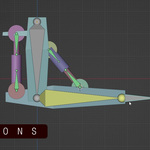
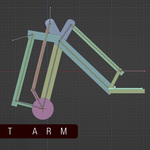
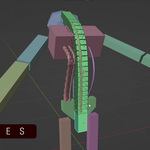
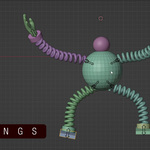
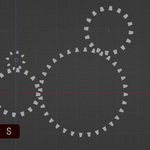
FILES:
- All project files are included in the zip-file which you can download with the purchase of this course
- Additionally each video has a direct link to the according file in its description
- all files include unrigged geometry for you to follow along but also a fully rigged version for you to analyze and learn from
MODES:
For rigging, there are the three modes necessary to understand:
- Object mode: This mode is the regular mode where you can move, rotate and scale the whole armature and not edit it in any other way. No access to individual bones.
- Edit mode (orange outlines of bones when selected): In this mode you create the bones. You also parent them to each other. Scaling, rotating and moving the bones is also possible. This is the mode where you create the starting position and look for your rig.
- Pose mode (blue outlines of bones when selected): This is the mode where you animate the bones. You also apply constraints and other additional modifiers to give your bones certain properties.
IMPORTANT SHORTCUTS:
- Tab: Switch from Object mode to Edit Mode
- Ctrl+Tab: Switch from Object mode to Pose Mode
- E: extrude new bone from the selected one
- Alt + P: Unparent bone
- Ctrl + P Parent one bone to another bone
- Shift + I (when having two bones selected in pose mode): Add IK constraint to the last selected bone
- Shift + S: 3D cursor menu when you can choose to put the 3D cursor to a specific position
- Alt + G: Reset the position of the bone
- Alt + R: Reset the rotation of the bone
- Alt + S: Reset the scale of the bone
- Ctrl + M: Mirror selected object
- Shift + D: Duplicate bone
- Shift + H: Hide all objects except the selected
- Alt + H: Unhide all hidden objects
MY CUSTOM SHORTCUTS:
- B: Hide and unhide armatures (good for inspecting the geometry to see if it works properly when rigged correctly)
Have questions about this product?
Login to message
| Sales | 400+ |
| Rating | 2 ratings |
| Published | 12 months ago |
| Blender Version | 3.0 - 4.5 |
| Render Engine Used | Cycles, Eevee |
| License | Royalty Free |
Discover more products like this
rigging tutorial cables Blender Rigging mechanical rigging extendable springs arm robot beginner blender course 3D rigging rigging course robot leg