 loviz
loviz



MediaFlow Studio
Transform your Blender workflow with MediaFlowStudio – a powerful add-on that brings professional video compression, format conversion, and batch processing directly into Blender.
Not for MAC OS
MediaFlowStudio in Action
Watch how MediaFlowStudio streamlines your media workflow with powerful batch processing and comparison tools
Batch Video Compression
The Problem
Video files too large for web or client delivery.
You jump between apps to compress/convert.
Results are slow, inconsistent, oversized.
The Solution
Run FFmpeg in Blender — no app switching.
One panel: compress, convert, batch.
See live size & quality and compare outputs.
Three Processing Modes
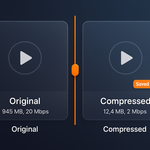
Convert & Compress
Advanced video and image compression with intelligent size optimization. Reduce file sizes by up to 90% while maintaining visual quality. Features H.264 & H.265 (HEVC) codec support, CRF quality control (0-51), custom bitrate settings, and 6 compression levels.
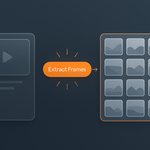
Extract Frames
Convert videos to high-quality image sequences with frame-perfect precision. Perfect for motion graphics and animation workflows. Supports multiple image formats (PNG, JPG, TIFF, EXR), custom frame rates and ranges, batch video processing, and quality preservation.
Create Video
Combine image sequences into professional video files with customizable encoding settings and format options. Includes image sequence to video conversion, custom frame rates and codecs, multiple output formats, and professional encoding presets.
Intuitive Interface
Experience MediaFlowStudio's streamlined interface designed for professional media workflows. Every element is crafted for efficiency and ease of use.
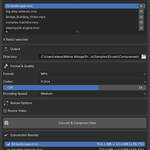
Control Center
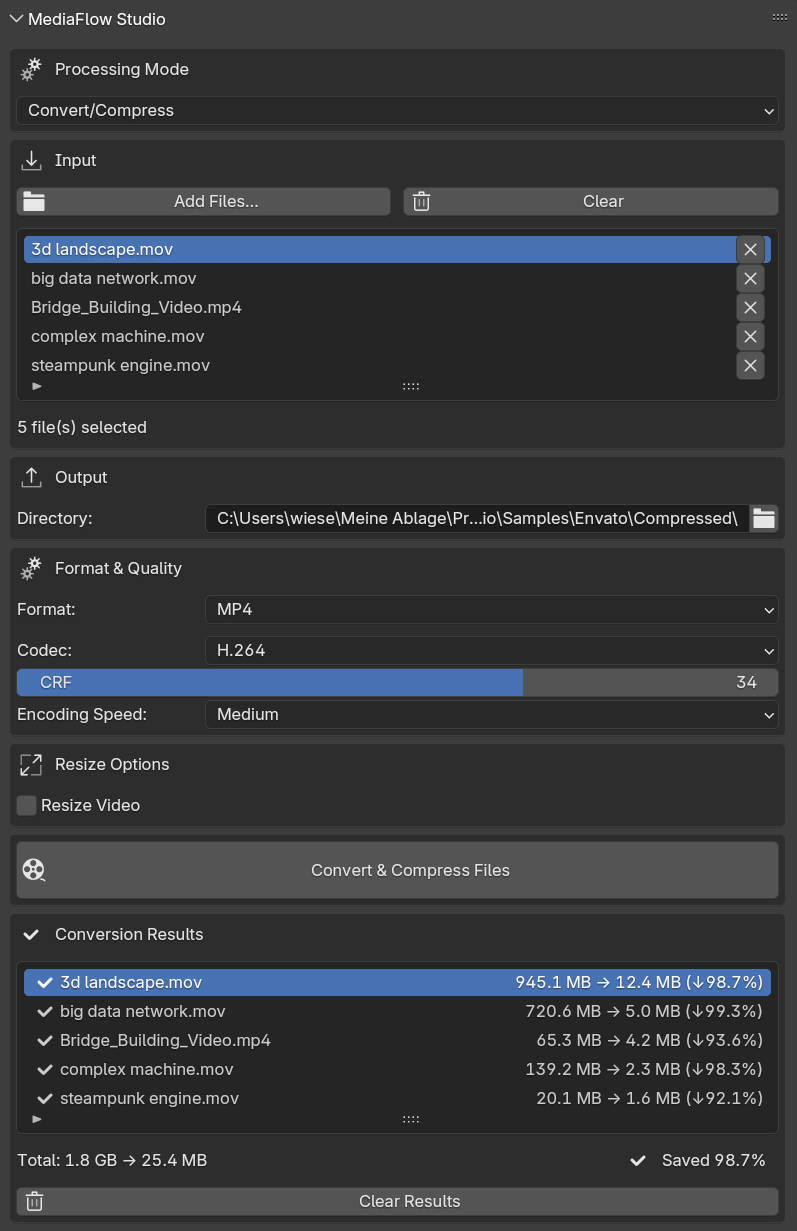
Complete control over video compression with intelligent presets and advanced customization options
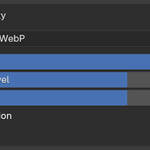
WebP Animation Studio
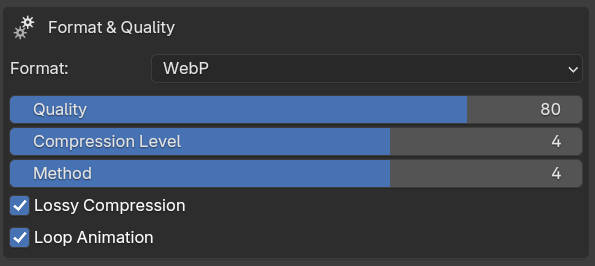
Advanced WebP animation processing with precision frame control and intelligent compression
Professional Features
Smart FFmpeg Integration
Automatic detection and installation guidance. Portable FFmpeg installer for Windows with cross-platform support.
Batch Processing Power
Process unlimited files simultaneously with queue management and visual progress tracking for maximum efficiency.
Professional Quality Controls
Precise control over CRF values, bitrates, compression levels, and encoding speed presets from Ultra Fast to Placebo.
Universal Format Support
Support for MP4, WebM, MOV, WebP, PNG, JPG, TIFF, EXR, AVI, MKV and many more professional formats.
Real-Time Processing Insights
Live progress tracking with file size monitoring, compression ratios, and detailed conversion statistics.
Native Blender Integration
Clean, professional interface in Blender's 3D viewport with drag-and-drop file management and context-sensitive help.
Perfect For Professionals
Content Creators
Optimize videos for social media, streaming, and web delivery. Create lightweight assets without sacrificing quality.
Web Developers
Create optimized media assets for websites and applications with precise file size control and format conversion.
Small Studios & Freelancers
Cost-effective alternative to expensive compression software with professional-grade tools and no subscription fees.
Your Professional Workflow
Select & Queue Files
Use the smart file browser to select multiple media files. The interface shows file sizes and formats with visual queue management.
Configure Settings
Choose processing mode, adjust quality settings, select codecs, and fine-tune compression parameters for your specific needs.
Process & Monitor
Start batch processing and monitor real-time progress with detailed statistics, compression ratios, and time estimates.
Measurable Results
90% File Size Reduction
Achieve up to 90% file size reduction while maintaining professional quality standards for your media files.
10x Faster Processing
Process files 10 times faster than external tools with optimized workflows and batch processing capabilities.
25+ Supported Formats
Work with over 25 professional formats including MP4, WebM, MOV, PNG, JPG, TIFF, EXR, and many more.
Unlimited Batch Queue
Process unlimited files in your batch queue with intelligent queue management and progress tracking.
System Requirements
Minimum Requirements
- Blender 4.2.0 or higher
- Windows x64, macOS x64, or Linux x64
- 4GB RAM (8GB+ recommended)
- FFmpeg (automatic installation guidance)
- Adequate storage for processing
FFmpeg Integration
- Automatic detection and setup
- Portable installer for Windows
- System PATH integration
- Cross-platform compatibility
- No additional software required
Trusted by Professionals
Alex Rivera - Motion Graphics Studio
"MediaFlowStudio revolutionized our video pipeline. We process hundreds of files daily without leaving Blender. The compression quality is outstanding!"
Sarah Chen - Content Creator
"The batch processing and real-time progress tracking saved us countless hours. Professional results with an intuitive interface."
Marcus Weber - Web Developer
"Finally, professional-grade compression tools integrated directly into Blender. The quality controls are exactly what we needed."
Ready to Transform Your Media Pipeline?
Join professionals worldwide who trust MediaFlowStudio for their video processing and compression needs.