Mega Character Pack - 27+ Rigged Stylized 3D Characters for Games (Blender/FBX/GLB)
 Salman Animator


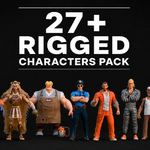
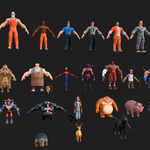
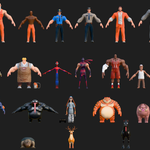
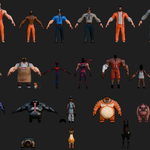
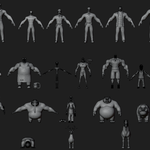
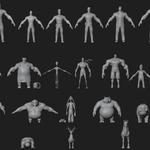
1. What's in the download
Mega Rigged_Characters_Pack.blend      -> all 27+ characters in one file
All characters Blends/                 -> one folder per character, each with:
   [Name].blend                        -> source file, rigged
   [Name].fbx
   [Name].glb
   [Name].obj + [Name].mtl
   textures.zip                        -> that character's textures
2. Requirements
- Blender 3.x or newer to open the
.blendfiles (no third-party addon required to view or pose the rig) - Any engine/DCC app that reads FBX, GLB, or OBJ if you're not using Blender (Unity, Unreal, Godot, Maya, 3ds Max, Cinema 4D, etc.)
- Familiarity with Auto-Rig Pro's control naming is helpful but not required - you can pose and animate the rig with standard Blender pose mode regardless of whether you own the ARP addon
3. Installation / setup
- For Blender: open the individual
[Name].blendfile for the character you want, or openMega Rigged_Characters_Pack.blendto access all of them in one scene - Textures are not embedded as loose linked files inside the folder - unzip
textures.zipinside that character's folder first, then relink in Blender's Shading tab if any texture nodes show as missing (File > External Data > Find Missing Files works for this) - For FBX/GLB/OBJ workflows: import the file into your engine/app as usual; textures referenced by the material need to be pointed at the unzipped
textures.zipcontents
4. Usage
- Enter Pose Mode on the character's armature to animate it using the IK/FK control bones (hand and foot IK/FK switches are included per limb)
- Because every character shares a similar stylized proportion system, they can be placed together in one scene without looking mismatched
- The combined mega-file is large; if you're only working with 1-3 characters, delete the unused ones from your working file or just open the individual per-character
.blendinstead, to keep file size and load times down
5. Customization
- Materials use standard image texture + Principled BSDF setups, so recoloring is a matter of swapping or repainting the base color maps
- Because the rig follows Auto-Rig Pro's naming convention, users with the ARP addon installed can re-import the rig into ARP's edit mode for further control changes (this is optional, not required to use the pack)
6. Troubleshooting
-
Pink/missing textures: you likely haven't unzipped
textures.zipyet, or the file was moved out of its original folder - unzip it in place and use Blender's File > External Data > Find Missing Files -
Character loads without a rig in a game engine: make sure you're importing the
.fbxor.glb, not the.obj- OBJ does not carry rig/animation data by design - Mega pack file is slow to open: that file holds all 27+ characters at once; use the individual per-character files for day-to-day work
Have questions about this product?
Login to message
| Published | about 2 months ago |
| Blender Version | 2.6x - 5.2 |
| Render Engine Used | Cycles, Eevee, Freestyle |
| Misc Data | Uvs-Unwrapped, Rigged, Textured |
| License | Royalty Free |
