Megascans Library Importer
 Cool Addons


Megascans Library Importer — Documentation
Overview
Megascans Library Importer lets you browse and import your locally-downloaded Megascans library directly inside Blender, without switching to a separate application. Point it at your downloaded library, scan once, and you get a full browsing window with thumbnails, filtering, search, and one-click import with automatic PBR material setup.
Important: This add-on works only with assets you have already downloaded. It does not connect to, log into, or download from any online service. It reads your existing local files.
Requirements
Blender 4.2 or newer (including the 5.x series)
A locally-downloaded Megascans/Bridge library on your computer
Your library must contain the original folder structure and metadata (the .json files that come with each asset)
Installation
Download the .py file.
In Blender, go to Edit → Preferences → Add-ons.
Click Install from Disk (in the dropdown at the top-right of the Add-ons panel).
Select the downloaded .py file.
Enable the add-on by ticking its checkbox.
In the 3D Viewport, press N to open the sidebar and find the Megascans tab.
Getting Started
1. Set your library folder
In the Megascans panel, set the Library path.
Critical: the path must point to your Downloaded folder — the folder that directly contains your asset folders. Selecting a parent folder will not work. This is the single most common setup mistake.
2. Scan your library
Click Scan Library. The add-on reads each asset's metadata to identify its type, subcategory, size, tags, and other information. This builds the browsable index. You only need to re-scan when you add new assets or change the folder.
3. Browse and import
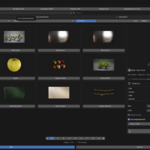
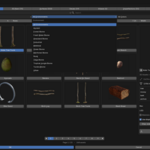
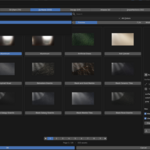
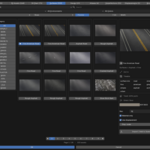
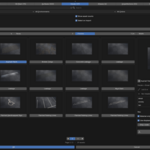
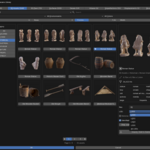
Click Browse Library to open the main window. From there you can:
Switch between the eight asset categories (tabs across the top, with live counts)
Filter by subcategory, size, environment, and color
Search by name or tags
Select an asset to see its details, choose resolution and LOD, and import
Select an asset, set your options, and click Import / Add to Scene.

Discover more products like this
addon bridge asset Bridge to blender Megascan asset-browser megascan to blender blender