 Cole 3D


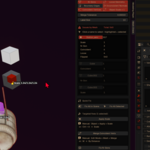
What does Mesh Check do?
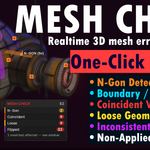
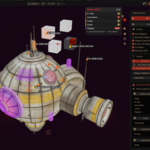
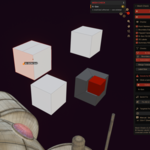
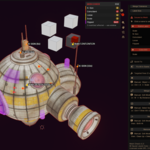
It scans your meshes in real time while you model and highlights common topology problems directly in the 3D viewport — n-gons, boundary/open edges, coincident (double) vertices, loose geometry, inconsistent normals and non-applied object scale. Each issue is color-coded and grouped per mesh, with one-click fixes available.
Will it slow down my viewport?
Scanning is throttled so it stays responsive during normal work, and the heavier normals check is automatically skipped on extremely dense meshes above an internal face limit. If you work with very heavy scenes, you can disable individual checks you don't need, limit scanning to selected objects only, or pause monitoring entirely with one click.
Can I turn it off when I don't need it?
Yes. Click the status badge in the viewport (or the panel button) to toggle monitoring on or off at any time. When it's off it uses no processing.
Does it modify my mesh automatically?
No. Detection is read-only and never changes your geometry on its own. Fixes only run when you press a fix button, and every fix is fully undoable using Blender's native operators.
Why should I buy this if Blender already has a 3D-Print toolbox?
Mesh Check is built for live, in-viewport feedback while you model — issues appear exactly where they are, in 3D, color-coded and grouped per mesh, with instant selection and one-click fixes across many objects. It's a continuous workflow tool, not a one-off report you have to run manually.
How do the fixes work?
You get targeted fix buttons for the issues on your current selection, plus Fix All Selected and Fix All in Scene for batch cleanup. Every fix also shows the manual Blender equivalent, so you can learn to do it yourself without the add-on.
Does it work with multiple objects at once?
Yes. It inspects all visible meshes (or only the selected ones, if you prefer), lists issues per object by name, and can fix every affected mesh in the scene in a single pass.
What's the license — can I use it on commercial projects?
Yes. The add-on is licensed under the GPL (as required for Blender add-ons) and there are no restrictions on the artwork or projects you create with it. Use it freely in personal and commercial work.
$29.99
 Included
Includes 12 months of
- Support from Cole 3D
- Product updates
Extend this product’s Support Period +12 months: 50% of product price
Have questions before purchasing?
Login to message
| Blender Extension Compatible | Yes |
| Published | 3 months ago |
| Blender Version | 5.0 - 5.2 |
| Extension Type | Add-on |
| Render Engine Used | Blender-Internal |
| License | GPL |
