 3DMAGIC






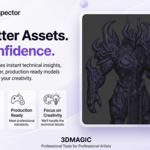

AI Mesh Inspector Documentation
Overview
AI Mesh Inspector is a professional quality assurance add-on for Blender that analyzes your selected 3D assets and helps identify technical issues before export or publication.
It is designed for 3D artists, game developers, freelancers, and marketplace creators who want to produce clean, production-ready assets with confidence.
Getting Started
- Install the add-on.
- Enable AI Mesh Inspector from Blender Preferences.
- Select the object you want to analyze.
- Make sure Blender is in Object Mode.
- Open the AI Mesh Inspector panel in the N-Panel.
- Click Scan to begin the analysis.
Features
- Topology Analysis
- UV Inspection
- Texture & Material Validation
- Mesh Optimization Analysis
- PBR Validation
- Transform Verification
- Asset Organization Check
- Production Quality Score
Quality Score
Every scan generates an overall quality score based on all inspection systems.
90–100 — Production Ready
75–89 — Good
50–74 — Needs Review
Below 50 — Critical Issues Detected
Requirements
- Blender 4.x
- Object Mode is required before starting a scan.
Have questions about this product?
Login to message
| Blender Extension Compatible | Yes |
| Published | 3 months ago |
| Blender Version | 3.6 - 5.2 |
| Extension Type | Add-on |
| Render Engine Used | Cycles, Eevee |
| License | GPL |
Discover more products like this
quality uv addon 3d modeling techniques 3D Game Assets 3d-game-ready blender 3D Pipeline topology PBR blender mesh inspector asset validation Production mesh Game