 hodgson3d




Couple of common issues when getting started:
- Make sure your rotations and scale are applied on the deform mesh before running mesh magnet (In all modes).
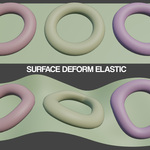
- If you are using elastic mode, make sure the magnet objects origins/transforms match the deform mesh
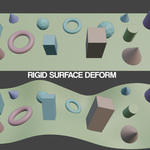
- If you are using rigid mode, make sure the origins of your magnet
objects are close to the surface of the deform mesh as this is where the
objects get anchored.
- If you objects are unexpectedly jumping after running mesh magnet,
you may need to refresh your bind pose. (For example if you moved your
deform mesh origin point after creating a bind pose, everything will
jump as the bind pose remembers its position.
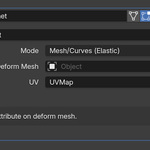
- In the pop up panel when you run mesh mesh magnet, it will prompt you if you want to apply bind pose (or keep it live as a modifier). The only time you would want to keep it as a live modifier is if you are binding objects to geometry which is being manipulated by simulation, armatures or modifiers. Otherwise, you will always want to apply the bind pose if you are making direct changes to the deform mesh in edit mode (such as shapekeys, proportional editing or sculpt brushes for example).
