 3DAssetsKit


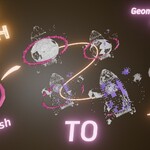
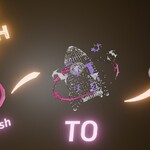
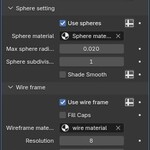
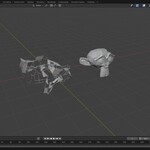
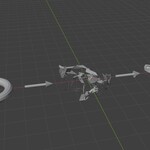
Mesh Morph Animator
Geo Node
Mesh-to-Mesh Transformer Animation Tool for Blender
Create eye-catching animations by seamlessly transforming one mesh into another — with location fading and curve path morphing for even more creative control. This Geometry Nodes setup is fully procedural, beginner-friendly, and performance-optimized.

💡 Key Features:
🔁 Morph any mesh into another with smooth procedural animation
🌀 Follow a curve path – morph along any direction or shape
🟣 Fade transform between different 3D locations for dynamic scene movement
⚙️ Easy to customize: Simple, easy, path shape, and origin/destination
🧩 Works with any mesh topology.
🎬 Perfect for motion graphics, scene transitions, abstract animation, and experimental VFX
Demo Videos
Basic Morph Animation:

Fading transformation between positions

Curve-based directional morphing

-
Installation
This is blender geometry node setup, so there is no installation required. Just download the blender file after purchasing the product.
Usage documentation
There are two ways to use this modifier setup, both are listed below
Direct use
- Download the blender file and open it. You will see a complete ready to use scene.
- Just place/import your required objects in the scene and set them up in the modifier, and done.
- You can play with the modifier parameters to get your best looking results.
Appending into another blender file.
You can also append this modifier into any other file by following the below steps:
- Open blender.
- Select the downloaded geo-node blender file and drag and drop it into the new blender file. Click Append.
- Find and click on node tree. Select the node(Mesh Morph).
- Select and 3d object in the scene and open modifier panel.
- Click on add modifier and select geometry nodes.
- Click on browse and select mesh morph.
- The modifier is completely setup in you scene.
Tutorial Video
Geo - Node
Modifier

What’s Included:
Blend file with ready-to-use Geometry Node setup
Bring your mesh transitions to life with ease — no scripting or plugins required!
