 Hisoka852


🧩 Overview
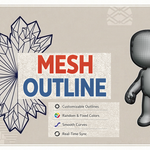
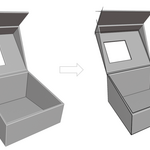
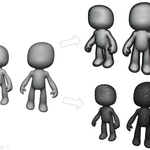
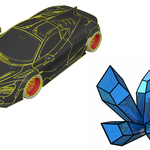
Mesh Outline is a high‑performance Blender add‑on that generates colored, thick outline boundaries and silhouettes for meshes. It’s designed for artists, designers, and technical visualizers who want crisp, customizable outlines with real‑time sync and smooth curve control.
📦 What It Includes
Full outline generation modes: Face Boundary, Mesh Boundary, View Silhouette, and Silhouette Outline
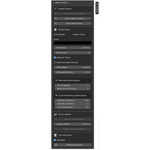
Adjustable parameters: thickness, color, bevel resolution, curve resolution, and visibility
Random or fixed color generation
Live Sync for multi‑object updates
Occlusion hiding, smoothing, and simplification tools
Automatic material creation with emission shader setup
⚙️ Installation
Download the .zip file from SuperHiveMarket.
In Blender, go to Edit > Preferences > Add‑ons > Install.
Select the downloaded file and enable Mesh Outline in the add‑on list.
📍 Where to Find It
After installation, open View3D > Sidebar > M‑Outline.
All outline controls and live‑sync settings are available in the Mesh Outline panel.
🧠 Recommended Workflow
Select your mesh and choose an outline mode.
Adjust thickness, color, and curve resolution.
Enable Live Sync for real‑time updates while modeling.
Use Hide Occluded and View Offset to refine visibility.
Apply smoothing or simplification for clean silhouette curves.
⚠️ Safety Notes
Avoid excessive thickness values to prevent geometry overlap.
When using Live Sync, ensure your scene isn’t overloaded with high‑poly meshes.
Always save your project before applying large batch updates.
🔄 Compatibility
Blender 3.0 and above
Works with both Eevee and Cycles render engines
Supports modifiers and multi‑object outlines
👤 Author
Developed by Hisoka852
• Current Production Revision: Version 1.0.0
Have questions about this product?
Login to message
| Blender Extension Compatible | Yes |
| Published | 3 months ago |
| Blender Version | 4.2 - 5.2 |
| Extension Type | Add-on |
| Render Engine Used | Cycles, Eevee |
| License | GPL |