 Bevel_3d



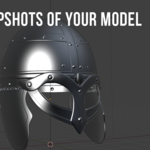
Mesh Snapshots — Version Control for Your Meshes inside Blender
Push your creativity, not your undo stack. Mesh Snapshots lets you capture the entire state of a mesh—geometry, modifier stack and object transforms—with a single click. Jump back to any milestone instantly, experiment fearlessly, and keep your scene history tidy without bloated .blend files.
Why You’ll Love It
-
Iterate without anxiety – Sculpt, boolean, or remesh to your heart’s content knowing you can roll back at any time.
-
One-click restore – Snap back to exactly the saved geometry, transforms, and modifier settings—no detective work required.
-
Unlimited checkpoints – Store as many snapshots per object as you need, them, and prune the ones you’re done with.
-
Beyond Blender’s Undo – Keep versions even after closing the file; snapshots live with your object, not your session.
-
Lean & native UI – Lives in the 3D Viewport sidebar for zero-friction access.
-
Future-proof – Written in pure Python and tested with Blender 4.4+.
Perfect For
-
Hard-surface modeling iterations
-
Destructive sculpt passes you might rethink later
-
Non-linear look-dev on shading or modifiers
-
Kit-bashing and rapid concept exploration
-
Anyone who’s ever thought “I wish I’d saved a copy before that…”
How It Works
-
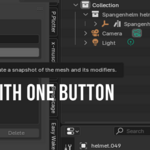
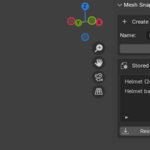
Create Snapshot – Select a mesh, name your checkpoint, click Create.
-
Tweak Away – Model, sculpt, add modifiers… go wild.
-
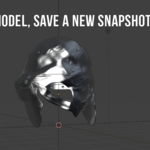
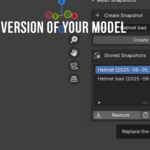
Restore – Pick a snapshot, hit Restore, and boom—your object, exactly as it was.
-
Delete – House-clean with one click when a snapshot’s no longer needed.
Take Control of Your Workflow
Stop duplicating objects and stuffing your file with backups. Install Mesh Snapshots today and model with the confidence of real version control—right where you work.
