 AnimPal

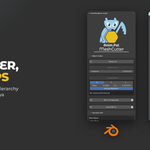

and get named parts in a clean hierarchy.

Production models often have to be split into separate parts. In Blender that means selecting faces, separating, renaming the result, then doing it again for the next piece, and again, until the outliner is a pile of Body_Geo.001 entries nobody can read.

I built MeshCutter to make that one pass instead of fifty. Mark the edges where the model should come apart, cut, and every marked loop becomes its own object. The mirrored side is handled for you, the parts are named by the side they are on, and the whole lot can be dropped into a hierarchy you planned in advance.
| Blender | 2026.01 | Lower than 1 MB |
Select the faces, separate, rename, next piece. For a model with twenty parts that is twenty rounds of the same thing, and one distracted moment leaves you with a part you cannot find later.

Mark the loops where the model should come apart, the way you would mark a seam, then click Sharp Cut. Every marked loop becomes its own piece, all in one go, so a whole arm can be split at the shoulder, the elbow and the wrist in a single pass.


Cutting is usually the point of no return. Reverse Cut takes a cut back without undoing the rest of the work, so you can try a split, look at it, and change where the model comes apart.


Cut one side, then Mirror and Separate gives you the other. Check Mirror compares the two halves and tells you what did not match, with the actual error, so a part that sits a millimetre off is something you find now rather than in the rig.


Type one name, set the prefixes you use for each side, and click Rename Parts. MeshCutter works out which part is on which side and names them as a pair, so Arm03 becomes L_Arm03 and R_Arm03 without you checking each one.


Plan the group structure in the panel, with as many levels as your pipeline uses, then click Build Empty Hierarchy. The groups are created and every part lands where it belongs, so the model leaves your hands already organized.

Quick Mirror for a fast mirrored copy when you do not need to separate.
Rename by position and rename with mirror pair, plus find and replace across part names.
Copy, paste and duplicate rows while planning the hierarchy, with indent and unindent.
