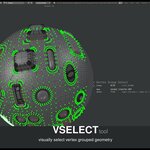
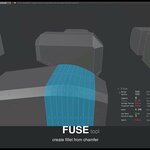
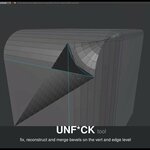
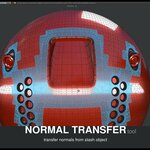
MESHmachine

MACHIN3 in Addons


Item Rating

This item has an average rating of 5 from 110 ratings by the community.

91%
4%
2%
3%
1%

Purchase this item to leave a review!

  • Matthew
    about 1 month ago

    It's powerful, but the choice to override the Split shortcut (Y) without at least including it in the Y menu means I can't give it a 5. I'm on 0.21.0 and Blender 5.2

    • MACHIN3

      about 1 month ago

      There's literally the option to add it to the menu, allowing you to douple tap Y to split. Always has been.

  • Nick
    over 2 years ago

    Great tool to have, If you are after the plug and other handy Tools, with great support services,
    could give a five .
    But the chamfer / fuse Tools have rules to follow in order to work like charm, good for certain modeling workflow that applies that rules.
    Not good at fixing model that comes from other software which doesn't always use such modeling cases.
    If you are looking to fix the bevel from chaos, I won't recommend it at the moment.
    I would suggest to use rebevel for the fixing job.
    Other than that the addon works great .

    • MACHIN3

      over 2 years ago

      I don't really follow the critique. Nowhere does MESHmachine advertise itself as being able to fix Bevels from external software. I will assume you mean CAD?, because you didn't specifiy about the problem you are facing.
      Either way, MESHmachine provides a re unique feature set aimed at MODELING, and does exactly what it sets out to do and what it claims to be able to do.

  • Jan
    about 4 years ago

    Makes life easier :) But is there a hack on how to use that with emulate Numpad? On a laptop, with emulated mouse alt works differently so the scroll selection of Meshmachine. Would be lovely if you do something about that. Same with some Hard Ops and Boxcutter features.

    • MACHIN3

      about 4 years ago

      You are talking about a Blender limitation but are faulting MESHmachine for it. HardOps and BoxCutter are not developed by me either.

  • BA
    over 8 years ago

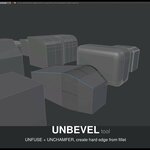
    At first I had doubt if I would use this addon frequently enough, but gave it a go. After two days it turned out that this is the addon I would use to model nearly every hardsurface object that use bevels. It might be a bit confusing at first what every function is good for and what you have to select in order to use a particular function. Also if you use another addon or the bevel modifier you will get triangles easily. Therefore it might be eassier to use Ctrl-B. Very usefull addon, that gives you the experience you can controll bevels. Not only that, you could unbevel (unfuse) and unchamfer and re-arrange the bevels. Unf*ck tool comes in very handy.
    Things that could be improved in next version:
    - Would be nice if the fuse function remember last settings. This, when I want to give the four corner-edges of a cube the same bevel.
    - Not having to go to the Tool-panel or pressing F6 after pressing Y and clicking one of the available functions like Unfuse.
    - The possibility to select all triangle corners at once and adjust them in one go.
    - A simple cheatcheet for those who start with the addon. It might not be very intuitive for them what each function is and what they have to select. It's in the manual though, but probably for some a cheatcheet is enough or eassier.

    • MACHIN3

      over 8 years ago

      1. Fuse already does remember the settings and always did.
      2. Modal operators are being worked on
      3. Multi Island selection are also coming, but in the case of resolving the triangle corners is tricky, because each corner can be resolved in 3 ways. So, should it just be randomized? No, it take you the designer to tell how the chamfer should flow.
      4. There's built in tutorial scene, directly accessible from the Menu. There's also a direct link to offline docs, in the menu (which you didn't read, at first).
      I've also very quickly responded to your message and forum post and even replied with a demo vid.

      I'm a bit disappointed by the 4 stars to be honest.

  • Filip
    3 months ago

    its good bet it can better :D Few of the fanctions are really good and i think i will use them a lot: L select, boolean cleanup
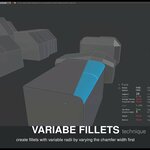
    Bewel or fillet or fuse :D lots of names for one thing, profile shape cant go upwards. On other hand there is key for average tension, you dont need to tipe it.
    Chamfer from native Blender cannot be turned into the fillet using Machine, there is no cooperation, thats really hurt
    Honestly in my opinion its a bit overpriced. But its hobby why not :D
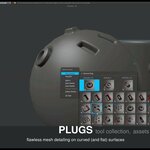
    Plugs? I dont know it seems like ordinary libray with models with snaping. okok
    Sashing works only with max two models at same time, what more it removes modifiers from stashed model. On the other hand you can even stash part of model with in edit mode.

    Maybe it can be changed in the settings, waiting for creators answer..........

    • MACHIN3

      3 months ago

      You seem to misunderstand the entire toolset, please take some time withe the extensive docs at https://machin3.io/MESHmachine/docs/

  • kwarn41
    over 2 years ago

    For now :
    - complicated to use (and I don't care about the author's response who says that everything is well explained! I'm French and hard of hearing). Even if text explanations are included, you really need to clearly understand the work to be done. so I strongly advise against this add-on for beginners. I am actively looking for videos in French with subtitles but at the moment I have none.
    - I tried to make a boolean. Whatever the order or I select the 2 objects and I make the boolean with MesMachine, I have a panel that appears with information on the type of boolean, among other things. But it disappears very quickly (around 3 seconds)... erf... Please come back to me on this subject.
    I will change this rating depending on my progress on this add-on since I cannot have a refund.
    This will also allow you to see the quality of the support.
    Last thing, it is not because you produce precise documentation that everything that is written is easily assimilated. It's always easy for the author because he has played with his add-on for a long time. For those who are new, it is much less obvious and understandable!

    • MACHIN3

      over 2 years ago

      You really are rating yourself more than the product here. Is MESHmachine aimed at novice users? No, it's provides and advanced toolset, that goes far beyond Blender's native modeling tools. Tools you will not find in any other 3D package either. Tools you will appreciate when you are a more experienced modeller.

      You bought MESHmachine, then got overwhelmed and freaked out when you used the Chamfer tool on a single edge, as opposed to on a cyclic edge loop on a Boolean intersection, which is the purpose this tool was made for, and you immediately asked for a refund claiming it didn't work correctly, when it worked exactly as you'd expect, and as is explained in the docs.

      Then you got upset, when I denied the refund, and pointed you to the documentation to learn more about the features.
      I hope you give MM another chance over time, as you gain experience and it will be use use to use. Thanks for your support!

  • Snader Lavert
    4 months ago

    About 8 years ago, I bought this one and two other plugins from this developer. Suddenly, I can no longer download updates. I asked what was going on. He indicated that my plugins had been taken off the internet and therefore disabled. This is absolutely not true. I asked where they could be found and if he could indicate on how many PCs the plugin had been installed in the past six months. I work on multiple PCs, you see. He never responded to that. I paid 15.00 at the time. He probably needs more money. It's a shame things are going this way. They were nice plugins to work with, though.

    • MACHIN3

      4 months ago

      You paid $15 8 years ago, you got dozens and dozens of free feature updates for free from me, and then decided shared my addons on pirate sites too. Yeah, I'll cut people like you off from future free updates if I find out. I'll be stupid not too.

  • tabert444
    over 1 year ago

    So overpriced! Been working with it to try to get some value, but so i'm not getting any. Think twice before buying this. Also there are no realistic tuts, there are some explaining all the pie menus but very monotonous going thru all them, prob easier just to use stock blender menus.

    • MACHIN3

      about 1 year ago

      Dis-ingenious review done in bad faith in response to MACHIN3tools (a different addon) pricing change. There are no pie menus in MESHmachine and there are like 50 feature videos explaining every detail of MESHmachine in the docs. 🤡

  • taha
    over 2 years ago

    Yes it has a few trick but not for 39.99 dollars

    • MACHIN3

      over 2 years ago

      MESHmachine has oveer 40 tools, and has been constantly updated for over 6 years. It has extremely comprehensive documentation too explaining everything. It's loved and appreciated by thousands, and is an absolute steal for 40 dollars.
      You rating tells me nothing and is of no use to anyone.

  • Travis
    over 3 years ago

    I bought the plugin after my colleague had trouble with his copy.
    Machin3 ignored all support requests when asking for support.
    He has private hosting for his plugin and "bans" you from downloading the plugin. (Best not leave a negative review)

    When elevating the ticket blatantly lies to staff to avoid dealing with it. (He actually said I tried to hack his servers?)

    It has some solid functionality, I wanted to recommend it, but it had a broken DRM built-in and bans everyone who complains. He obfuscated his code, breaches his license and refuses to explain why.

    I let it go for a long time, but jeez. The creator is insanely immature.

    • MACHIN3

      over 3 years ago

      Get some help Travis, you clearly need it.

  • $44.99
  • $169.99
  • $344.99
$44.99

Have questions about this product?
Login to message

Details
Sales 24000+
Rating
110 ratings
Published over 8 years ago
Blender Version 4.2 - 5.2
License GPL