 Mr Can


Overview
MeshTabs is a professional Blender add-on that lets you stream your Blender viewport to any web browser in real time.
MeshTabs is currently designed for Windows systems with an NVIDIA CUDA-capable GPU.
AMD GPUs, Intel integrated GPUs, macOS, and Linux are not supported in this release. A CPU fallback is not included in the current submitted version.
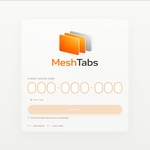
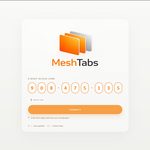
No installation, account creation, or technical setup is required for viewers. Simply click Start Stream, copy the generated link or 9-digit access code, and share it instantly.
Viewers can open the stream from a desktop, tablet, or mobile browser without installing Blender or the MeshTabs add-on.
Installation
Open Blender.
Go to Edit → Preferences → Add-ons.
Click Install and select the MeshTabs ZIP file.
Enable the MeshTabs add-on.
Activation
Enter the same email address used for your Superhive Market purchase.
Enter the Order ID from your purchase receipt.
Click Activate.
Wait for approval if your license is still pending.
MeshTabs uses an online activation system. Activation requires an internet connection and is validated through MeshTabs servers.
Usage
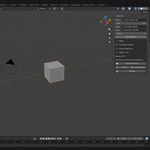
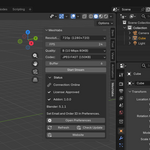
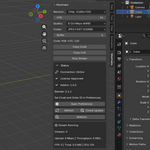
Open the MeshTabs panel from the 3D Viewport sidebar.
Adjust resolution, FPS, and quality settings.
Click Start Stream.
Copy the generated viewer link or 9-digit access code.
Share it with anyone to view your Blender viewport live in a web browser.
Supported Blender Versions
Blender 4.2 and newer.
This release is aligned with the minimum Blender version listed in the add-on manifest. Older Blender versions are not advertised as supported for this release.
System Requirements
Windows
Blender 3.6 or newer
NVIDIA CUDA-capable GPU
Internet connection
Approved MeshTabs license
Active connection to MeshTabs servers while activating or streaming
AMD GPUs and Intel integrated GPUs are not supported by the included GPU encoding path in this release. macOS and Linux are not supported in this release. No CPU fallback is included in the current submitted version.
Native Binary Disclosure
MeshTabs includes Windows-native binary components used for GPU-accelerated viewport frame encoding before streaming.
Included native components may include:
cudart64_12.dll
nvjpeg64_12.dll
nvjpeg_bridge.pyd
These files are used for the NVIDIA CUDA / nvJPEG encoding pipeline. Their purpose is to encode Blender viewport frames efficiently before they are transmitted through the MeshTabs streaming system.
The native bridge file allows the Blender Python add-on to call the NVIDIA nvJPEG encoding path. It is not used for independent account access, remote control, licensing bypass, or hidden background behavior.
These binary components are included only to support the MeshTabs frame encoding pipeline on compatible Windows + NVIDIA CUDA systems.
Server Dependency and Data Transmission
MeshTabs requires external MeshTabs servers for activation, session management, and browser-based streaming.
When using MeshTabs, the add-on may transmit the following data to MeshTabs servers:
purchase email / activation email entered by the user
Order ID entered by the user
machine/device identifier used for license and device-limit control
Blender version
MeshTabs add-on version
activation status
stream/session state
connection status
viewport frame data while streaming is active
viewer/session routing data required to connect browser viewers to the active stream
Viewport frame data is transmitted only when the user starts a stream from the add-on.
Privacy Clarification
MeshTabs does not provide the developer or admin with remote access to the customer’s computer.
The developer/admin cannot view the customer’s desktop, control the customer’s machine, open Blender remotely, or access the customer’s screen through the admin panel.
The server/admin side is used only for operational and licensing purposes, such as activation status, device records, session state, connection status, and approximate bandwidth/data usage.
MeshTabs may calculate how much streaming data a user or session consumes in order to monitor server load, bandwidth usage, and service limits. This is based on server-side traffic and session metrics, not on manually viewing or inspecting the customer’s screen content.
Device and Session Limitations
Each purchase is associated with the email address and Order ID entered during activation.
MeshTabs uses machine/device registration to manage license usage and prevent excessive device sharing. Device limits may apply.
Streaming requires a working internet connection and access to MeshTabs servers. MeshTabs is not a fully offline product.
Important Notes
Streaming quality, frame rate, and latency depend on the user’s hardware, NVIDIA GPU capability, Blender version, graphics drivers, scene complexity, selected stream settings, and internet connection quality.
Higher resolutions and higher FPS settings may require stronger hardware and a stable internet connection.
Have questions about this product?
Login to message
| Blender Extension Compatible | Yes |
| Published | 5 months ago |
| Blender Version | 3.6 - 5.1 |
| Extension Type | Add-on |
| Render Engine Used | Cycles, Eevee |
| License | GPL |

Discover more products like this
remote Real-Time Preview Realtime Rendering live stream live streaming browser viewer remote collaboration review tool viewport sharing web viewer viewport streaming screen share