 Nicolai


# MIDI Music Visualizer Pro for Blender
An advanced, professional-grade Blender add-on that transforms MIDI files into stunning 3D musical visualizations with cinematic effects, high-performance geometry, and one-click professional styling.
## Installation
1. **Download** the `blender_midi_gen_advanced.py` script.
2. **Open Blender** (4.0+ recommended for best results).
3. Go to **Edit > Preferences > Add-ons**.
4. Click **Install...** and select the `.py` file.
5. **Enable** the add-on by checking the box next to "Animation: MIDI Music Visualizer".
6. The tool will appear in the **3D Viewport Sidebar (N-Panel)** under the **MusicGen** tab.
> **Note:** This add-on requires the `mido` library. It will attempt to install it automatically the first time you run a generation. If it fails, please run Blender as Administrator/Root once.
## Quick Start Guide
1. **Select MIDI**: In the **File Selection** box, browse for your `.mid` file.
2. **Select Audio (Optional)**: Browse for your `.mp3` file to sync audio with the animation.
3. **Choose Layout**: Pick a **Layout Mode** (Side-Scroller, Piano Roll, or Waterfall).
4. **Pick a Theme**: Select a professional **Color Theme** (e.g., Cyberpunk or Sunset).
5. **Generate**: Click the large **GENERATE ANIMATION** button.
---
## Core Features
### 1. Layout Modes
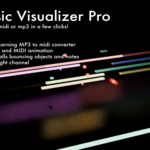
* **Side-Scroller (Horizontal)**: A classic 2D perspective where notes move from left to right. Perfect for "Synthesia" style videos.
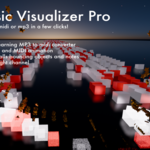
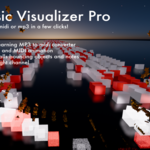
* **Piano Roll (Deep)**: Notes roll in from the distance toward the camera (Y-axis).
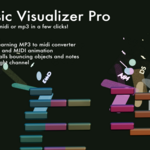
* **Waterfall (Vertical)**: A unique "staircase" layout where horizontal bars fall away and down. Balls bounce vertically from bar to bar.
### 2. Professional Styles
* **Material Styles**:
* **Neon**: High-emission glowing edges.
* **Glass**: Transparent, refractive bars (automatically enables Screen Space Refraction).
* **Metallic**: Shiny, reflective surfaces.
* **Color Themes**: Instant professional palettes like **Cyberpunk** (Pink/Cyan), **Sunset** (Orange/Gold), and **Ocean** (Blue/Teal).
### 3. Cinematic Effects
* **Bass Camera Shake**: Automatically detects low MIDI notes (Kick/Bass) and adds a physical "jolt" to the camera for impact.
* **Pro FX Compositor**: Automatically builds a render-ready node chain with **Bloom (Fog Glow)**, **Chromatic Aberration**, and **Color Balancing**.
* **Retro Grid**: Generates a scrolling neon wireframe floor that matches your music's speed exactly.
---
## Advanced Customization
* **Corner Rounding**: Use "Bevel" to round the edges of the bars. The add-on automatically "bakes" this geometry to keep the viewport lightning-fast.
* **Invert Pitch**: Toggle this to flip high and low notes (useful for specific artistic layouts).
* **Piano Mode**: A specialized mode for the first channel that splits notes between "Left Hand" and "Right Hand," each with its own pool of balls.
* **Ball Splitting**: If a chord is played, the "Main Ball" will instantly split into sub-balls to hit every note, then merge back together when the chord ends.
---
## Organization & Cleanup
* **MusicGen_Output**: All generated objects are grouped into this dedicated collection. You can hide or delete everything at once.
* **Clear Scene First**: When enabled, the add-on intelligently deletes previous generations and cleans up orphaned data (unused meshes/materials) to keep your file size small.
---
## Pro Tips for Better Renders
1. **Lighting**: The **Neon** and **Glass** styles look best in a dark environment. The add-on sets the world to black by default.
2. **Camera Offsets**: If you want a more dramatic angle, adjust the **X, Y, Z Offsets** in the **Scene & Effects** section before generating.
3. **Render Engine**: This add-on is optimized for **EEVEE**. For the **Glass** style, ensure "Screen Space Reflections" and "Refraction" are enabled in your Render Settings (the add-on tries to do this for you!).
4. **Font**: For the **Song Info** labels, you can choose any `.ttf` or `.otf` font from your computer to match your branding.
Have questions about this product?
Login to message
| Blender Extension Compatible | Yes |
| Published | 7 months ago |
| Blender Version | 4.0 - 5.0 |
| Extension Type | Add-on |
| Render Engine Used | Cycles, Eevee |
| License | GPL |