 Nicolai






How to install?
1. **Download** the `blender_midi_gen_advanced.py` script.
2. **Open Blender** (4.0+ recommended for best results).
3. Go to **Edit > Preferences > Add-ons**.
4. Click **Install...** and select the `.py` file.
5. **Enable** the add-on by checking the box next to "Animation: MIDI Music Visualizer".
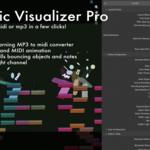
6. The tool will appear in the **3D Viewport Sidebar (N-Panel)** under the **MusicGen** tab.
> **Note:** This add-on requires the `mido` library. It will attempt to install it automatically the first time you run a generation. If it fails, please run Blender as Administrator/Root once.
$14
Have questions about this product?
Login to message
| Blender Extension Compatible | Yes |
| Published | 7 months ago |
| Blender Version | 4.0 - 5.0 |
| Extension Type | Add-on |
| Render Engine Used | Cycles, Eevee |
| License | GPL |