Midi Piano Motion Tools Pro Max
 blenderVfxMaster


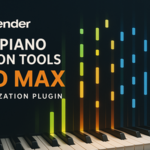

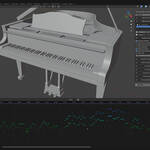
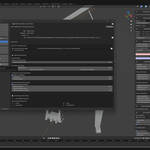
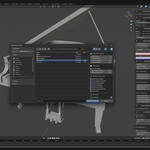

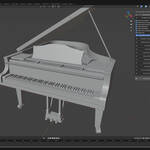
MIDI Piano Motion Tools Pro Max - Transform Music into Visual Magic
Bring your music to life with MIDI Piano Motion Tools Pro Max, the ultimate Blender addon for creating stunning piano animations from MIDI files. Whether you're creating music videos, educational content, or artistic visualizations, this powerful tool makes professional piano animation accessible to everyone.
KEY FEATURES:
🎹 Complete Piano Animation System
- Automatic piano key animations with realistic timing
- Hammer strike animations synchronized with notes
- Pedal animations (sustain, soft, sostenuto)
- Support for 88-key piano range (MIDI notes 21-108)
🎨 Advanced Visual Effects
- Dynamic key emission effects with customizable colors
- Rainbow gradient and velocity-based color schemes
- Per-channel and per-key color customization
- Falling ball effects for music visualization
- Multi-channel color management (16 MIDI channels)
🎵 Audio Integration
- Built-in SF2 soundfont support for audio generation
- Split audio export by MIDI channel
- Custom soundfont library management
- FluidSynth integration for high-quality audio rendering
⚡ Professional Animation Controls
- Multiple interpolation modes (Linear, Constant, Bezier, Smart)
- Velocity-sensitive animation duration
- MIDI controller support (pitch bend, modulation)
- Frame-accurate timing synchronization
- Batch animation clearing and management
🎛️ Flexible Workflow
- Intuitive sidebar panel interface (View3D > Sidebar > Piano)
- Real-time MIDI channel enable/disable controls
- Per-channel mute/unmute for audio and animation
- Visual sequence editor integration
- Automatic animation data organization
🔧 Advanced Customization
- Custom key naming conventions support
- Adjustable animation timing and duration
- Configurable emission intensity and fade
- Smart interpolation for natural movement
- Comprehensive MIDI information display
PERFECT FOR:
✓ Music video producers and content creators
✓ Music educators creating visual learning materials
✓ Artists exploring music visualization
✓ Animation studios requiring piano scenes
✓ Musicians showcasing their performances
✓ Anyone wanting to visualize MIDI music beautifully
WORKFLOW:
1. Import or append the included piano model (or use your own custom piano)
2. Load your MIDI file through the Piano panel
3. Configure animation options (keys, hammers, effects, colors)
4. Generate animation with a single click
5. Fine-tune using the built-in channel controls
6. Export audio if needed using SF2 soundfonts
7. Render your beautiful piano animation
TECHNICAL HIGHLIGHTS:
- Supports Blender 4.2.0 and above
- Includes bundled libraries (mido, numpy, scipy, fluidsynth)
- Comes with default SF2 soundfont
- Custom soundfont library support
- Efficient F-curve management and organization
- Material node-based emission system
- Full 16-channel MIDI support
INCLUDED ASSETS:
- High-quality piano 3D model (piano5.blend)
- Default SF2 soundfont (Plants vs Zombies Nintendo DS)
- FluidSynth binaries for audio rendering
- All required Python libraries
Get MIDI Piano Motion Tools Pro Max today and turn your MIDI files into breathtaking animated performances that captivate your audience!
-
$36
1 seat. For individual creators or small commercial projects.
-
$86.40
Up to 3 seats / single studio team. 20% off vs buying 3 individual licenses.
-
$432
15+ seats / company-wide. 20% off vs buying 15 individual licenses.
Have questions about this product?
Login to message
| Blender Extension Compatible | Yes |
| Published | 10 months ago |
| Blender Version | 3.6 - 5.2 |
| Extension Type | Add-on |
| License |
Discover more products like this
Music controller Visualization music video procedural soundfont keyboard piano import animation