Mineral Forge - Procedural Minerals & Crystals
 SARASURRANO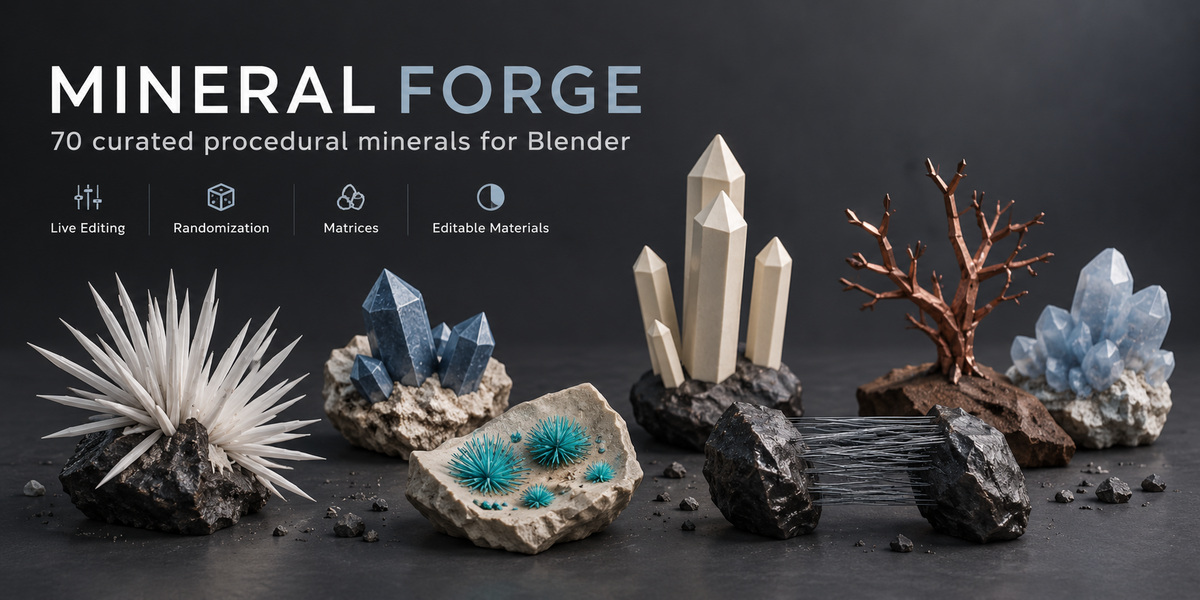




Can I convert the generated specimen into normal Blender geometry?
Yes. You can keep a specimen procedural while designing it and convert it to regular Blender geometry when you are ready for further editing, sculpting, export or use in another workflow.
Which Blender versions are supported?
Mineral Forge is designed for Blender 4.2 LTS through Blender 5.2 LTS.
Does Mineral Forge also generate rocks and matrix specimens?
Yes. Mineral Forge includes procedural rock generation and optional host matrices for compatible mineral specimens. Matrix controls allow you to modify properties such as shape, scale, surface detail, fractures and crystal placement.
Do I have to use the included materials?
No. The included mineral materials are provided as editable starting points. You can use the default Mineral Preset, generate without a material, or use your own custom Blender material. Materials can also be edited normally in the Shader Editor.
Can I create different versions of the same mineral?
Yes. Mineral Forge includes seed-based variation and several randomization tools, including Randomize All, Shape, Crystals, Distribution, Matrix, Surface and Material. You can also lock parts of a specimen that you want to preserve.
Can I edit the generated minerals after creating them?
Yes. Mineral Forge uses a live procedural workflow. Relevant controls remain editable after generation, allowing you to adjust shape, proportions, crystal distribution, matrix properties, surface variation, materials and more directly in the viewport.
How many minerals are included?
Mineral Forge includes 70 curated procedural minerals. Each mineral is designed with its own morphology profile, material settings and relevant procedural controls rather than relying on a single universal crystal shape.
$24
 Included
Includes 12 months of
- Support from SARASURRANO
- Product updates
Extend this product’s Support Period +12 months: 50% of product price
Have questions before purchasing?
Login to message
| Blender Extension Compatible | Yes |
| Published | 4 days ago |
| Blender Version | 4.2 - 5.2 |
| Extension Type | Add-on |
| Render Engine Used | Cycles, Eevee |
| License | GPL |
Discover more products like this
mineral generator procedural environment art crystal generator blender addon materials randomization crystals minerals geology gemstones rocks