 HB Studio



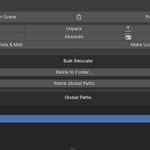
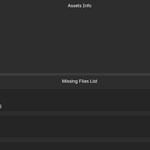
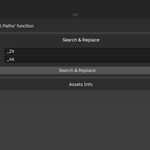
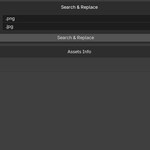
Manage missing Assets in Blender like a pro! Relocate, Consolidate, Deduplicate Linked assets like Textures, Caches, Alembic, VDBs. Set global paths per project to search for missing assets.
Installation
Drag the ZIP file into Blender.
Access: Open the N-Panel (sidebar) in the 3D Viewport and look for the Asset Manager tab.
Key Features
- All Functions you need to Manage Assets in one location.
- Deep scan for missing images, Environment maps, Linked Libraries (.blend), Alembic caches, and OpenVDB volumes.
- Bulk Relocate: Point to a folder and let the addon automatically match missing filenames.
- Global Search Paths: Define a list of "Standard Libraries" in your preferences to relink assets across multiple directories at once.
- Search & Replace: Batch update path strings (e.g., changing drive letters or server paths).
- Visual Asset Hunter: Identifies exactly which material, object, or node group is using a missing file.
- Focus Function: Instantly selects the affected object and frames the specific shader node in the editor.
- Detailed Assets Statistics: View a breakdown of texture resolutions (1K, 2K, 4K+), total file sizes, and path types (Relative vs. Absolute).
- Scene Cleanup & Optimization: Consolidate: Copy all external assets into a custom folder.
- Deduplicate: Merge duplicate data-blocks that point to the same external file.
- Purge & Localize: Quickly remove orphan data or embed linked data-blocks into the current file.
Clipboard Export: Copy a full list of missing paths to your clipboard for external troubleshooting.
- Made with Love and Care for Details ;-)
