Missing Asset Manager
 HB Studio



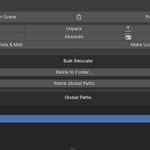
Access: Open the N-Panel (sidebar) in the 3D Viewport and look for the Asset Manager tab.
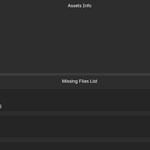
- Scan Scene: Scan Blendfile for any missing Assets. You will see a list of missing Assets below with options to find the object using the asset.
- Purge: Blenders Internal Purge
- Pack: Blenders internal Pack
- Unpack: Blenders internal Unpack
- Consolidate: Copy all external and internal assets into a single folder and update paths
- Relative: Blenders internal make paths relative
- Absolute: Blenders internal make paths absolute
- Dedupe: Point duplicate filenames to a single valid source path to reduce redundacy
- Seletected (Data & Mat): Make selected library linked data blocks local to this file
- Make Local (all): Make all library linked data blocks local to this file
- Relink to Folder: Search a choosen folder and subfolder to find and relink missing assets.
- Relink Global Paths: Relink missing Paths using the active global paths defined in preferences.
- Global Paths: Set Global Paths for assets which is used by the Relink global paths Option to search for assets.
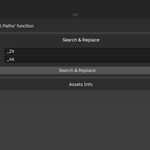
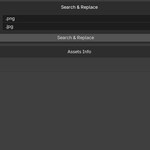
- Search & Replace: Replaces strings from Assets paths. (eg. _4k with _2k or .png with .jpg)
- Asset Info: Get informations about all used assets in the file.
Have questions about this product?
Login to message
| Dev Fund Contributor | |
| Published | 6 months ago |
| Blender Version | 5.1 |
| Extension Type | N/A |
| Render Engine Used | Blender-Internal, Blender-Game-Engine, Cycles, Eevee |
| License | GPL |
