 Penfantasi


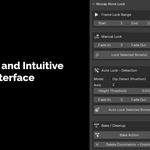
Mocap Bone Lock
🆕Update 1.1: Compatibility with AutoRigPro and Similiar RIG (Mar 03, 2026)
- Bake action now keep the original constrain intact and try to account of its affect on the motion
- Bake Action will only delete constrain created by MBL
- Variant 1.1.1 for Blender 5.x
Update: Blender 5.0 Support (Jan 31, 2026)
- New variant ver 1.0.1 fully tested and working on Blender 5.0 (released Nov 2025).
- Fixing unable to delete leftover Constrain and Empty because legacy action.fcurves was fully removed
- If you're on Blender 5.0+, grab the latest version.
- Notify me if some problem with the version
Fix Foot Sliding in Mocap & Animation
1 step? Okay.
2 steps? Hmm… maybe.
100 Steps? WHAT?!?
Mocap Bone Lock is a Blender add-on designed to lock bones in place over time, making mocap cleanup fast, predictable, and editable.
Perfect for fixing foot and hand sliding after retargeting — without fighting automation or doing repetitive manual work.
Built by animators, for animators. No gimmick. No clutter.
Why Mocap Bone Locker?
Fix foot sliding in a few clicks
Preview placement before baking
Works on long mocap clips
Scales to hundreds or thousands of frames
Built for real cleanup workflows
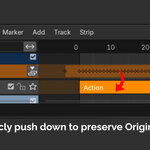
Preserve original Motion using NLA ( Non-Linear Animation)
How it work? Two Locking Methods
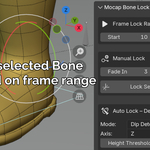
Manual Mode — Simple and Precise
A fast, precise way to lock bones exactly where you want.
Steps:
Select one or more bones
Set frame range and fade
Click Manual Mode
Adjust placement using the Empty
Click Bake when satisfied
Auto Mode — Fast for Long Motions
Optimized for common mocap scenarios like foot contact on flat ground.
Steps:
Select bone (foot-optimized)
Set frame range and fade
Adjust threshold (default works for most cases)
Click Auto Mode
Fine-tune or undo and relock if needed
Click Bake when satisfied
Not Satisfied with current result? Adjust threshold the threshold!
Shared Controls (Both Modes)
Both Manual and Auto modes use the same core settings:
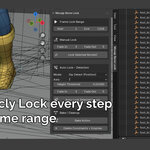
Frame Lock Range
Choose when the bone locks (Manual) or when detection runs (Auto)
Fade In / Fade Out
Smooth transition from original motion to locked motion
Detection Types (Auto Mode)
Dip Detect (Default)
Detects contact based on bone position (Z axis by default).
Ideal for foot locking on flat surfaces (Works for Most Usecase).
Velocity Detect (Experimental)
Locks bones based on movement speed.
Can be used on any bone, not just feet.
Non-Destructive Workflow
Mocap Bone Lock uses a non-destructive NLA workflow:
Original motion is preserved
Locking is fully reversible
No deep NLA knowledge required
Notes
Optimized for IK bones
Manual mode works for hands and other bones
Auto Dip Detect Best results on flat surfaces (common mocap case), While Velocity Detect could do any bone and any surface
Tested on Blender 4.2, 4.5, 5.0 (New Support!)
Support
Questions, bugs, or feature requests?
📧 [email protected]
