Mocap Bone Lock
 Penfantasi


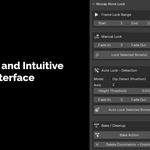
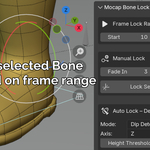
Mocap Bone Lock DocumentationWelcome to the documentation for Mocap Bone Lock, a Blender addon designed to simplify mocap cleanup by locking bones (especially feet) to prevent sliding or drifting. This guide covers installation, setup, usage, and tips for best results.1. Installation
[stylesheet-group="0"]{}body{margin:0;}html{-ms-text-size-adjust:100%;-webkit-text-size-adjust:100%;-webkit-tap-highlight-color:rgba(0,0,0,0);}input::-webkit-search-cancel-button,input::-webkit-search-decoration,input::-webkit-search-results-button,input::-webkit-search-results-decoration{display:none;}[stylesheet-group="1"]{}.css-146c3p1{background-color:rgba(0,0,0,0.00);border:0 solid black;box-sizing:border-box;color:rgba(0,0,0,1.00);display:inline;font:14px -apple-system,BlinkMacSystemFont,"Segoe UI",Roboto,Helvetica,Arial,sans-serif;list-style:none;margin:0px;padding:0px;position:relative;text-align:start;text-decoration:none;white-space:pre-wrap;word-wrap:break-word;}.css-175oi2r{align-items:stretch;background-color:rgba(0,0,0,0.00);border:0 solid black;box-sizing:border-box;display:flex;flex-basis:auto;flex-direction:column;flex-shrink:0;list-style:none;margin:0px;min-height:0px;min-width:0px;padding:0px;position:relative;text-decoration:none;z-index:0;}.css-1jxf684{background-color:rgba(0,0,0,0.00);border:0 solid black;box-sizing:border-box;color:inherit;display:inline;font:inherit;list-style:none;margin:0px;padding:0px;position:relative;text-align:inherit;text-decoration:none;white-space:inherit;word-wrap:break-word;}.css-9pa8cd{bottom:0px;height:100%;left:0px;opacity:0;position:absolute;right:0px;top:0px;width:100%;z-index:-1;}[stylesheet-group="2"]{}.r-13awgt0{flex:1;}.r-1adg3ll{display:block;}.r-1jkafct{border-bottom-left-radius:2px;border-bottom-right-radius:2px;border-top-left-radius:2px;border-top-right-radius:2px;}.r-1phboty{border-bottom-style:solid;border-left-style:solid;border-right-style:solid;border-top-style:solid;}.r-1udh08x{overflow-x:hidden;overflow-y:hidden;}.r-1xfd6ze{border-bottom-left-radius:8px;border-bottom-right-radius:8px;border-top-left-radius:8px;border-top-right-radius:8px;}.r-4iw3lz{border-bottom-width:0;border-left-width:0;border-right-width:0;border-top-width:0;}.r-4qtqp9{display:inline-block;}.r-6koalj{display:flex;}.r-bztko3{overflow-x:visible;overflow-y:visible;}.r-crgep1{margin:0px;}.r-hvic4v{display:none;}.r-krxsd3{display:-webkit-box;}.r-rs99b7{border-bottom-width:1px;border-left-width:1px;border-right-width:1px;border-top-width:1px;}.r-sdzlij{border-bottom-left-radius:9999px;border-bottom-right-radius:9999px;border-top-left-radius:9999px;border-top-right-radius:9999px;}.r-t60dpp{padding:0px;}.r-wwvuq4{padding:0;}.r-xoduu5{display:inline-flex;}.r-ywje51{margin:auto;}.r-z2wwpe{border-bottom-left-radius:4px;border-bottom-right-radius:4px;border-top-left-radius:4px;border-top-right-radius:4px;}[stylesheet-group="2.1"]{}.r-1559e4e{padding-bottom:2px;padding-top:2px;}.r-1fkl15p{padding-left:32px;padding-right:32px;}.r-3o4zer{padding-left:12px;padding-right:12px;}.r-3pj75a{padding-left:16px;padding-right:16px;}.r-cnw61z{padding-bottom:4px;padding-top:4px;}.r-cxgwc0{padding-left:24px;padding-right:24px;}.r-dd0y9b{padding-bottom:20px;padding-top:20px;}.r-ddtstp{margin-bottom:0px;margin-top:0px;}.r-dp7rxi{padding-bottom:40px;padding-top:40px;}.r-f8sm7e{margin-left:auto;margin-right:auto;}.r-is05cd{padding-left:8px;padding-right:8px;}.r-n7gxbd{padding-left:4px;padding-right:4px;}.r-s49dbf{margin-bottom:1px;margin-top:1px;}.r-sjygvo{padding-left:1em;padding-right:1em;}[stylesheet-group="2.2"]{}.r-15peodp{right:-9999px;}.r-19qo34d{left:-9999px;}.r-1ca1ndr{margin-left:0.5em;}.r-1ez5h0i{margin-left:4px;}.r-1gs4q39{margin-right:4px;}.r-1kkk96v{margin-left:8px;}.r-1kpi4qh{margin-left:0.075em;}.r-1l2kgy{margin-right:0.5em;}.r-1q6cnnd{right:-2px;}.r-1wron08{margin-right:8px;}.r-3t4u6i{margin-left:2px;}.r-45ll9u{left:50%;}.r-5f1w11{left:-2px;}.r-k4bwe5{margin-right:0.075em;}.r-o59np7{padding-right:8px;}.r-ocobd0{right:50%;}.r-qjj4hq{padding-left:8px;}.r-x1x4zq{margin-right:2px;}[stylesheet-group="3"]{}.r-105ug2t{pointer-events:auto!important;}.r-109y4c4{height:1px;}.r-10ptun7{height:16px;}.r-10v3vxq{transform:scaleX(-1);}.r-117bsoe{margin-bottom:20px;}.r-11c0sde{margin-top:24px;}.r-11j9u27{visibility:hidden;}.r-12181gd{box-shadow:0 0 2px rgba(0,0,0,0.03) inset;}.r-12sks89{min-height:22px;}.r-12vffkv>*{pointer-events:auto;}.r-12vffkv{pointer-events:none!important;}.r-12ym1je{width:18px;}.r-135wba7{line-height:24px;}.r-13qz1uu{width:100%;}.r-13wfysu{-webkit-text-decoration-line:none;text-decoration-line:none;}.r-146iojx{max-width:300px;}.r-1472mwg{height:24px;}.r-14j79pv{color:rgba(83,100,113,1.00);}.r-14lw9ot{background-color:rgba(255,255,255,1.00);}.r-15ysp7h{min-height:32px;}.r-16dba41{font-weight:400;}.r-16y2uox{flex-grow:1;}.r-176fswd{transform:translateX(-50%) translateY(-50%);}.r-1777fci{justify-content:center;}.r-17bb2tj{animation-duration:0.75s;}.r-17leim2{background-repeat:repeat;}.r-17s6mgv{justify-content:flex-end;}.r-18jsvk2{color:rgba(15,20,25,1.00);}.r-18tzken{width:56px;}.r-18u37iz{flex-direction:row;}.r-18yzcnr{height:22px;}.r-19wmn03{width:20px;}.r-19yznuf{min-height:52px;}.r-1abnn5w{animation-play-state:paused;}.r-1acpoxo{width:36px;}.r-1ad0z5i{word-break:break-all;}.r-1awozwy{align-items:center;}.r-1b43r93{font-size:14px;}.r-1betnmo{max-width:672px;}.r-1blnp2b{width:72px;}.r-1blvdjr{font-size:23px;}.r-1ceczpf{min-height:24px;}.r-1cmwbt1{gap:8px;}.r-1cwl3u0{line-height:16px;}.r-1d2f490{left:0px;}.r-1ddef8g{-webkit-text-decoration-line:underline;text-decoration-line:underline;}.r-1dn12g7{line-height:48px;}.r-1ebb2ja{list-style:none;}.r-1ff274t{text-align:right;}.r-1gkfh8e{font-size:11px;}.r-1h0z5md{justify-content:flex-start;}.r-1h8ys4a{padding-top:4px;}.r-1hjwoze{height:18px;}.r-1iln25a{word-wrap:normal;}.r-1inkyih{font-size:17px;}.r-1ipicw7{width:300px;}.r-1iusvr4{flex-basis:0px;}.r-1janqcz{width:16px;}.r-1jaylin{width:-webkit-max-content;width:-moz-max-content;width:max-content;}.r-1k78y06{font-family:Tahoma, Arial, sans-serif;}.r-1kihuf0{align-self:center;}.r-1ldzwu0{animation-timing-function:linear;}.r-1loqt21{cursor:pointer;}.r-1mlwlqe{flex-basis:auto;}.r-1mrlafo{background-position:0;}.r-1muvv40{animation-iteration-count:infinite;}.r-1mwlp6a{height:56px;}.r-1nao33i{color:rgba(231,233,234,1.00);}.r-1niwhzg{background-color:rgba(0,0,0,0.00);}.r-1ny4l3l{outline-style:none;}.r-1oifz5y{background-color:rgba(170,17,0,1.00);}.r-1oszu61{align-items:stretch;}.r-1otgn73{touch-action:manipulation;}.r-1p0dtai{bottom:0px;}.r-1pi2tsx{height:100%;}.r-1ps3wis{min-width:44px;}.r-1qd0xha{font-family:-apple-system,BlinkMacSystemFont,"Segoe UI",Roboto,Helvetica,Arial,sans-serif;}.r-1qi8awa{min-width:36px;}.r-1r5jyh0{min-height:130px;}.r-1r8g8re{height:36px;}.r-1s2hp8q{min-height:26px;}.r-1sxrcry{background-size:auto;}.r-1tl8opc{font-family:"Segoe UI",Meiryo,system-ui,-apple-system,BlinkMacSystemFont,sans-serif;}.r-1to6hqq{background-color:rgba(255,212,0,1.00);}.r-1ttztb7{text-align:inherit;}.r-1udbk01{text-overflow:ellipsis;}.r-1v2oles{top:50%;}.r-1vmecro{direction:rtl;}.r-1vr29t4{font-weight:800;}.r-1wb8bfx{text-decoration-thickness:2px;}.r-1wbh5a2{flex-shrink:1;}.r-1wvb978{font-feature-settings:'ss01' on;}.r-1wyyakw{z-index:-1;}.r-1xcajam{position:fixed;}.r-1xk2f4g{clip:rect(1px, 1px, 1px, 1px);}.r-1xnzce8{-moz-user-select:text;-webkit-user-select:text;user-select:text;}.r-1xvli5t{height:1.25em;}.r-1y7e96w{min-width:22px;}.r-1ye8kvj{max-width:600px;}.r-1yef0xd{animation-name:r-11cv4x;}.r-1yjpyg1{font-size:31px;}.r-1ykxob0{top:60%;}.r-2o02ov{margin-top:40px;}.r-2tavb8{background-color:rgba(0,0,0,0.60);}.r-2yi16{min-height:36px;}.r-36ujnk{font-style:italic;}.r-37tt59{line-height:32px;}.r-3cgu77{background-image:
linear-gradient(90.38deg,
#6739C6 0.23%,
#4040BF 32.73%,
#473DC0 50.37%,
#1E3DA1 98.27%);}.r-3s2u2q{white-space:nowrap;}.r-417010{z-index:0;}.r-4gszlv{background-size:cover;}.r-4hwcpe{font-family:Vazirmatn, Tahoma, Arial, sans-serif;}.r-4wgw6l{min-width:32px;}.r-54znze{color:rgba(239,243,244,1.00);}.r-56xrmm{line-height:12px;}.r-6026j{background-color:rgba(255,255,255,0.85);}.r-633pao{pointer-events:none!important;}.r-6416eg{-moz-transition-property:background-color, box-shadow;-webkit-transition-property:background-color, box-shadow;transition-property:background-color, box-shadow;}.r-64el8z{min-width:52px;}.r-7q8q6z{cursor:default;}.r-8akbws{-webkit-box-orient:vertical;}.r-8jfcpp{top:-2px;}.r-92ng3h{width:1px;}.r-a023e6{font-size:15px;}.r-adyw6z{font-size:20px;}.r-agouwx{transform:translateZ(0);}.r-ah5dr5>*{pointer-events:none;}.r-ah5dr5{pointer-events:auto!important;}.r-aqfbo4{backface-visibility:hidden;}.r-b88u0q{font-weight:700;}.r-bcqeeo{min-width:0px;}.r-bnwqim{position:relative;}.r-bt1l66{min-height:20px;}.r-bvlit7{margin-bottom:-12px;}.r-clrlgt{animation-name:r-imtty0;}.r-deolkf{box-sizing:border-box;}.r-dflpy8{height:1.2em;}.r-dnmrzs{max-width:100%;}.r-ea455c{border:none;}.r-ehq7j7{background-size:contain;}.r-emqnss{transform:translateZ(0px);}.r-eqz5dr{flex-direction:column;}.r-ero68b{min-height:40px;}.r-fdjqy7{text-align:left;}.r-fm7h5w{font-family:"TwitterChirpExtendedHeavy","Verdana",-apple-system,BlinkMacSystemFont,"Segoe UI",Roboto,Helvetica,Arial,sans-serif;}.r-gf0ln{-webkit-filter:brightness(1);filter:brightness(1);}.r-h9hxbl{width:1.2em;}.r-icoktb{opacity:0.5;}.r-ifefl9{min-height:0px;}.r-impgnl{transform:translateX(50%) translateY(-50%);}.r-iphfwy{padding-bottom:4px;}.r-ipm5af{top:0px;}.r-jmul1s{transform:scale(1.1);}.r-jwli3a{color:rgba(255,255,255,1.00);}.r-kemksi{background-color:rgba(0,0,0,1.00);}.r-lp5zef{min-width:24px;}.r-lrsllp{width:24px;}.r-lrvibr{-moz-user-select:none;-webkit-user-select:none;user-select:none;}.r-m6rgpd{vertical-align:text-bottom;}.r-majxgm{font-weight:500;}.r-n1ft60{dynamic-range-limit:standard;}.r-n6v787{font-size:13px;}.r-nhe8su{animation-duration:0.5s;}.r-nvplwv{animation-timing-function:ease-out;}.r-nwxazl{line-height:40px;}.r-o7ynqc{transition-duration:0.2s;}.r-orgf3d{opacity:0;}.r-peo1c{min-height:44px;}.r-poiln3{font-family:inherit;}.r-pp5qcn{vertical-align:-20%;}.r-q4m81j{text-align:center;}.r-qlhcfr{font-size:0.001px;}.r-qvk6io{line-height:0px;}.r-qvutc0{word-wrap:break-word;}.r-rjixqe{line-height:20px;}.r-rki7wi{bottom:12px;}.r-s67bdx{font-size:48px;}.r-sb58tz{max-width:1000px;}.r-tjvw6i{text-decoration-thickness:1px;}.r-u6sd8q{background-repeat:no-repeat;}.r-u8s1d{position:absolute;}.r-ueyrd6{line-height:36px;}.r-uho16t{font-size:34px;}.r-vkv6oe{min-width:40px;}.r-vlxjld{color:rgba(247,249,249,1.00);}.r-vqxq0j{border:0 solid black;}.r-vrz42v{line-height:28px;}.r-vvn4in{background-position:center;}.r-wkklz9{background-color:rgba(194,241,220,1.00);}.r-wy61xf{height:72px;}.r-x3cy2q{background-size:100% 100%;}.r-x572qd{background-color:rgba(247,249,249,1.00);}.r-xigjrr{-webkit-filter:blur(4px);filter:blur(4px);}.r-yc9v9c{width:22px;}.r-yfoy6g{background-color:rgba(21,32,43,1.00);}.r-yn5ncy{animation-fill-mode:both;}.r-yy2aun{font-size:26px;}.r-yyyyoo{fill:currentcolor;}.r-z7pwl0{max-width:700px;}.r-z80fyv{height:20px;}.r-zchlnj{right:0px;}.r-8ldgrg{position:absolute;visibility:hidden;top:0;width:50px;pointer-events:none}.r-8ldgrg.loaded{visibility:visible;top:50vh;width:50px}- Download the .zip file from your purchase.
- In Blender, go to Edit > Preferences > Add-ons.
- Click Install and select the downloaded .zip.
- Search for "Mocap Bone Lock" and enable it.
- The panel will appear in the 3D Viewport sidebar under Mocap Bone Lock (N-panel > Mocap Bone Lock tab).
- Compatible with Blender 4.2+ (tested up to 4.5+).
- Armature in Pose Mode with selected pose bones (optimized for IK bones like feet).
- Existing action/animation data on the armature (mocap import/retargeting done).
- For auto mode, ensure your mocap has reasonable noise levels; threshold tweaks may be needed for very noisy data.
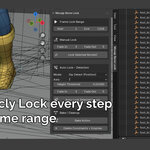
- Frame Lock Range: Set Start/End frames for manual locking or auto detection.
- Manual Lock: Fade In/Out props + "Lock Selected Bone(s)" button.
- Auto Lock – Detection: Mode (Position/Dip or Velocity), axis/threshold props + "Auto Lock Selected Bones" button.
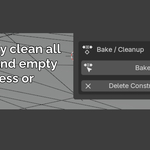
- Bake / Cleanup: "Bake Action" and "Delete Constraints + Empties" buttons.
- Select pose bone(s) in Pose Mode.
- Set Frame Lock Range (Start/End).
- Adjust Fade In (e.g., 3 frames) and Fade Out (e.g., 5 frames) for smooth transitions.
- Click Lock Selected Bone(s).
- An Empty is created at the bone's world-space position/rotation (named e.g., "bone.Lock").
- Switch to Object Mode, select the Empty, and move/rotate it to fine-tune the lock position (bone follows via constraints).
- Repeat for other ranges/bones.
- When ready, select bones and click Bake Action to commit (visual keying, clears constraints, deletes unused Empties).
- Select pose bone(s) (optimized for feet).
- Set Frame Lock Range (detection scan range).
-
Choose Mode:
- Position (Dip Detect): Locks when bone drops below Height Threshold (default 0.003) on selected Axis (default Z). Ideal for foot plants on flat ground.
- Velocity Detect: Locks when speed falls below Speed Threshold (default 0.003), averaged over Smoothing Frames (default 3). Experimental; works on any bone (e.g., hands).
- Adjust Fade In/Out for transitions.
- Click Auto Lock Selected Bones.
- Empties are created per detected segment (named e.g., "bone.AutoP_123" for Position mode at frame 123).
- Review: Switch to Object Mode, adjust Empties as needed (world-space, bone updates live).
- If results aren't ideal, undo, tweak threshold/window, and re-run.
- Bake as in Manual Mode.
- In Pose Mode, select the pose bone(s) you want to reset.
- In the Bake / Cleanup section of the panel, click Delete Constraints + Empties.
-
The operator will:
- Remove all COPY_LOCATION and COPY_ROTATION constraints created by the addon (named "LockLoc", "LockRot", or starting with "AutoLoc_", "AutoRot_").
- Delete the associated influence F-Curves from the current action (if any exist).
- Remove the target Empties if they are no longer referenced by any armature/constraint in the scene.
- Result: The selected bones are now free of addon constraints — ready for a fresh manual lock or auto detection run.
- Note: This does not bake or modify keyframes. If you have already baked once, the baked keyframes remain (use Undo or reload file if needed to revert).
- Auto detection created too many / poor segments → clean and re-run with adjusted threshold.
- Manual locks need repositioning or complete redo.
- You switched modes (e.g., from dip to velocity) and want to start over on specific bones.
- Select locked bones in Pose Mode.
- Click Bake Action: Bakes visual keyframes over scene frame range, clears constraints, removes leftover influence curves, and deletes unused Empties.
- Optional: Delete Constraints + Empties can also be used standalone (as described in section 6) without baking.
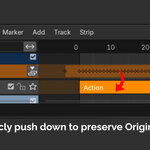
- First use auto-protects original action: Pushes it to an "Original Mocap" NLA track (unmuted, placed after existing strips or at scene start).
- Creates a new action (e.g., "your_action_autolock") for edits.
- If already processed (detects by constraints or name), continues on current action.
- No deep NLA knowledge needed — just tweak in the new action and bake.
- World-Space Locking: Empties use world-space, so baked motion matches preview (no jumps).
- Performance: Tested on 1000+ frames; detection may take time on very long ranges, but viewport stays responsive.
- Threshold Tweaks: Start with defaults. For noisy mocap, increase Velocity Window or lower thresholds. Dip mode best on flat surfaces; Velocity for uneven or non-feet.
- Multiple Bones: Works on selections (e.g., both feet at once).
- Edge Cases: Short segments (<1 frame) skipped. For looping anims, manually adjust end/start fades.
- Limitations: Local detection (matrix_basis), but world-space empties for placement. Constraint stack grows with many segments — use reset (section 6) or bake early.
- Updates: Check for versions; future may add previews, single-empty mode.
- No panel? Ensure addon enabled and in 3D View sidebar (N-key).
- Errors on run? Check armature in Pose Mode, bones selected, action exists.
- Bake fails? Scene frame range may need adjustment; check console for cycles.
- Constraints not removing? Make sure only addon constraints are targeted (named correctly); manual ones stay untouched.
- Bugs/requests? Email [email protected].
Thanks for using Mocap Bone Lock! Built by an animator for real workflows. Feedback helps improve it.
$12
Have questions about this product?
Login to message
| Blender Extension Compatible | Yes |
| Sales | 70+ |
| Published | 8 months ago |
| Blender Version | 4.2 - 5.0 |
| Extension Type | Add-on |
| Render Engine Used | Cycles, Eevee |
| License | GPL |

Discover more products like this
animation cleanup animation mocap cleanup 3danimation motioncapture mocap