Mocap Bone Lock
 Penfantasi


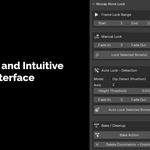
Does it work with Rigify, Auto-Rig Pro, or Mixamo rigs?
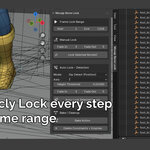
Yes — optimized for IK bones (common in these rigs). Manual mode works on any pose bone; auto modes best on foot IK controllers.
Why too many/few segments in auto mode? How to fix?
Adjust threshold (lower = more locks, higher = fewer) or smoothing frames (Velocity mode). Use Delete Constraints + Empties to reset selected bones and re-run.
How do I restart locking on a bone after bad results?
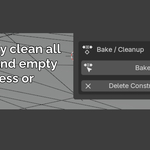
Select the bone(s) and click Delete Constraints + Empties. It will removes addon constraints and unused Empties for a clean slate, then re-apply manual or auto.
Can I lock hands, props, or non-foot bones?
Yes! Manual mode works on any bone. Velocity Detect mode is ideal for non-feet (locks on low speed); Dip mode is foot-optimized but usable elsewhere.
Is the original mocap preserved?
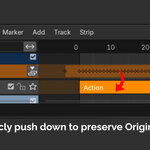
Yes, first use of Manual or Auto mode will pushes the original action to an NLA track ("Original Mocap"). You edit a new action; everything stays reversible until bake.
$12
Have questions about this product?
Login to message
| Blender Extension Compatible | Yes |
| Sales | 70+ |
| Published | 8 months ago |
| Blender Version | 4.2 - 5.0 |
| Extension Type | Add-on |
| Render Engine Used | Cycles, Eevee |
| License | GPL |

Discover more products like this
motioncapture 3danimation mocap cleanup animation cleanup animation mocap