 MeshMind



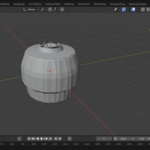
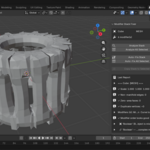
Modifier Stack Fixer Pro — Auto-Fix, Reorder & Diagnose Blender Modifier Stacks
Are you tired of broken renders, shading errors, and failed exports caused by a messy modifier stack? Whether you're working on a complex character rig, a hard surface model, or an architectural scene — a single modifier in the wrong order can waste hours of your time.
Modifier Stack Fixer Pro detects the problem, explains it, and fixes it in one click.
🔧 The Problem It Solves
Every Blender artist has run into these:
- Boolean placed before Subdivision Surface — causing mesh artifacts
- Bevel applied before Solidify — breaking edge flow
- Mirror added after Array — producing unexpected geometry
- Armature stacked in the wrong position — destroying deformations on export
These aren't rare edge cases. They're everyday workflow killers. And manually hunting them down across 20+ objects in a production scene is not a viable solution.
⚡ What Modifier Stack Fixer Pro Does
Live Modifier Analysis
Every time you select an object, the panel instantly scans your modifier stack and flags ordering violations based on real-world production rules used by professional modelers. You see the problem before it breaks your render or export.
One-Click Auto Fix
Hit "Fix Modifier Order" and the addon takes over. It creates a full backup of your object, saves every modifier's settings, clears the stack, rebuilds it in the correct optimized order, and restores everything — no settings lost, no manual dragging, no headaches.
Non-Destructive by Default
Every fix automatically creates a backup object named YourObjectName_Backup with full geometry and modifier data intact. If anything ever looks wrong, you can revert instantly.
Batch Processing
Fix an entire scene in one pass. Select multiple objects and run the fix across all of them simultaneously — essential for production pipelines where time is money.
Export Readiness Checks
Before you send your file to a client or game engine, Modifier Stack Fixer Pro flags any modifiers that will cause problems on export — so you never ship a broken asset again.
Built-In Learning Tool
Every flagged issue comes with a plain-English explanation of why it's a problem. You don't just get a fix — you understand what went wrong, making you a better modeler over time.
✅ Who It's For
- Hard surface modelers dealing with complex Boolean and Bevel workflows
- Character artists managing Armature, Subdivision, and Corrective Smooth ordering
- Archviz artists working with large multi-object scenes
- Game artists who need clean, export-ready assets every time
- Freelancers and studios where broken exports cost client relationships
Stop debugging modifier stacks manually. Let Modifier Stack Fixer Pro handle it — and get back to creating.

