 MeshMind


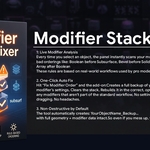
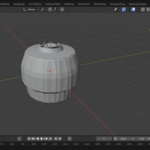
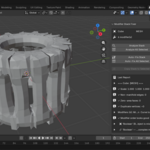
Modifier Stack Fixer - DocumentationOverviewModifier Stack Fixer is a powerful yet simple Blender add-on that analyzes and repairs problematic modifier stacks on your mesh objects. It prevents common issues like shading artifacts, broken geometry, or unwanted deformations caused by incorrect modifier ordering.Designed with artist workflows in mind, it uses reliable, rule-based logic to optimize stacks safely and non-destructively — keeping your creative work fully intact.Ideal for hard-surface modeling, character work, architectural visualization, or any project with complex modifier setups in Blender.Key FeaturesSmart Modifier Stack AnalysisScans the modifier order on selected objects and instantly detects common failure patterns that lead to:Shading issues (e.g., normal flips, smoothing errors)Broken topology (e.g., boolean overlaps or crashes)Unexpected deformation (e.g., armature or curve modifiers applied too early)Highlights risks before they cause problems in viewport, render, or animation.Rule-Based Stack RepairAutomatically reorders modifiers according to proven best practices:Subdivision safety: Correct placement of Subdivision Surface relative to generators and deformers.Boolean stability: Optimal positioning to avoid artifacts and instability.Deformation hierarchy: Proper sequence for armature, lattice, curve, and other deformers.All repairs follow established topology rules — no random guesses, just consistent professional results.Non-Destructive by DesignNever forces you to apply modifiers.No permanent or irreversible changes to your data.Preserves your original setup and artistic intent completely.You stay in full control with easy undo and full editability.Clear Warnings & SuggestionsIf a stack cannot be safely auto-repaired (e.g., due to unusual configurations or conflicts), the tool explains:Exactly what the issue is.Why automatic repair was not performed.Practical suggestions for manual correction.Protects you from catastrophic failures like exploding geometry.Clean, Focused UIMinimalist and uncluttered interface.Placed intuitively in the Modifiers tab sidebar.Only the essential controls — no unnecessary options or hidden settings.Everything you need, nothing you don’t.InstallationDownload the add-on ZIP file from Superhive (do not extract).In Blender: Edit > Preferences > Add-ons > Install...Select the ZIP file and install.Enable "Modifier Stack Fixer" by checking the box.Save Preferences to keep it active.Compatible with Blender 3.0 and later (tested on current versions).UsageAccessing the ToolSelect one or multiple mesh objects in Object Mode.Go to Properties Editor > Modifiers tab.Find the "Stack Fixer" panel (typically at the top or bottom of the modifier list).You can also search "Fix Modifier Stack" in the F3 menu.Basic WorkflowAnalyze: Click "Analyze Stack" to scan current modifiers.Results show color-coded feedback (green = safe, yellow = caution, red = critical).Repair: If safe, click "Repair Stack" to automatically reorder.Changes are made by reordering only — fully non-destructive.Review: For warned stacks, read the detailed messages and adjust manually if desired.Batch Support: Works on multiple selected objects simultaneously.Pro TipsRun analysis after adding booleans, subdivisions, or deformers.Use alongside modifier visibility toggles for quick visual checks.Standard Undo (Ctrl+Z) works perfectly if you want to revert.Support & UpdatesAvailable on Superhive. For support, bug reports, or suggestions, reach out via the product page comments or contact section.Thank you for using Modifier Stack Fixer — keep your stacks clean and your models perfect! 🚀
-
$20
Modifier Stack Fixer Pro is a smart Blender utility that helps artists detect, diagnose, and repair modifier stack issues before they cause broken geometry, shading errors, or failed exports. The add-on automatically analyzes modifier order, identifies common workflow mistakes, and provides one-click fixes to optimize stack performance. Built-in explanations help users understand why problems occur, making it both a productivity tool and a learning resource. With batch processing, backup protection, stack transfer tools, and export readiness checks, Modifier Stack Fixer Pro saves time, improves reliability, and helps maintain clean, professional Blender workflows.
 Included
Includes 12 months of
- Support from MeshMind
- Product updates
Extend this product’s Support Period +12 months: 50% of product price
Have questions before purchasing?
Login to message
| Published | 9 months ago |
| Blender Version | 4.0 - 4.5 |
| Extension Type | N/A |
| Render Engine Used | Cycles, Eevee |
| License | Mit |

Discover more products like this
auto-fix 3d_hard_surface modifier modifier stack 3D asset optimization diagnostic cleanup Workflow