 Hoa Vu


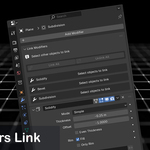
Modifiers Link Addon - Documentation
Modifiers Link - A simple Blender addon that links modifiers between multiple objects and keeps them in sync automatically
1. Key Features
Link All / Unlink All: Link or unlink ALL modifiers with a single click.
Link / Unlink Single: Full control over individual modifiers.
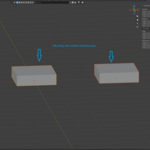
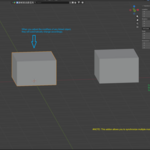
Live Sync: Change a setting (like Solidify Thickness) on one object, and all linked objects update instantly.
Additive Linking: Easily select new objects and add them to an existing group.
Auto-Cleanup: Automatically removes dead links if an object or modifier is deleted.
Link All / Unlink All: Link or unlink ALL modifiers with a single click.
Link / Unlink Single: Full control over individual modifiers.
Live Sync: Change a setting (like Solidify Thickness) on one object, and all linked objects update instantly.
Additive Linking: Easily select new objects and add them to an existing group.
Auto-Cleanup: Automatically removes dead links if an object or modifier is deleted.
2. Installation
Download the
.zipfileIn Blender, go to Edit > Preferences > Add-ons.
Click Install, select the downloaded
.zipfile.Enable Object: Modifiers Link by checking the box.
3. How to Use
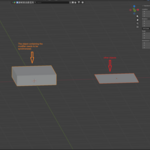
Selection: Select all objects you want to receive the modifiers (Targets).
Active Object: Finally,
Shift + Selectthe object that already has the configured modifiers (Source). This must be the Active object (highlighted in a lighter orange).Go to the Modifiers tab, In the Link Modifiers panel, press Link All
Adjustment: Change any value on the Source object’s modifiers. All Target objects will update in real-time.
Have questions about this product?
Login to message