 Agor2012

















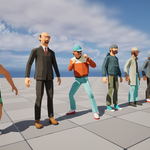
How to change the color scheme?
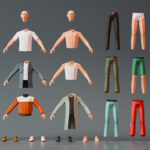
1. Enter the UV editing mode. Select a Main_colors atlas

2. Enter character editing mode. Select all polygons. You'll see where they're grouped in the color atlas. Move the polygon groups around the color atlas to achieve the desired color and surface type.

Have questions about this product?
Login to message
| Published | 4 months ago |
| Blender Version | 4.2 |
| Render Engine Used | Cycles, Eevee |
| Misc Data | Rigged, Animated, Textured |
| License | Royalty Free |
Discover more products like this
3d animated cartoon characters customizable 3d characters modular polyart low poly npc citizen 3d-game-ready casual-clothes Rigged modular man 3d low poly asset