 kunemann


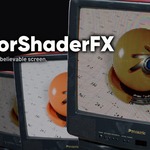
MonitorShaderFX —
10 Screen Shaders in One Node
Turn any image, video or texture into a believable screen — CRT, LCD, OLED, LED wall, Matrix rain, E-Ink, Plasma, Flip-Dot and more — with a single shader node.
Overview
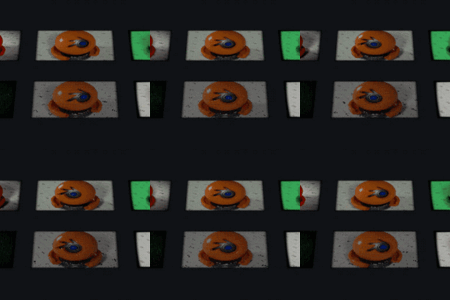
MonitorShaderFX is a procedural Blender shader that rebuilds real display technology at the sub-pixel level. Feed it any texture and flip one Mode dial to jump between 10 classic screen looks. No image sequences, no baked textures, no add-on — just two node groups you drag from the Asset Browser. Works in Cycles and EEVEE.
Perfect for TVs, sci-fi UIs, arcade cabinets, LED billboards, product mock-ups, motion graphics and title cards.
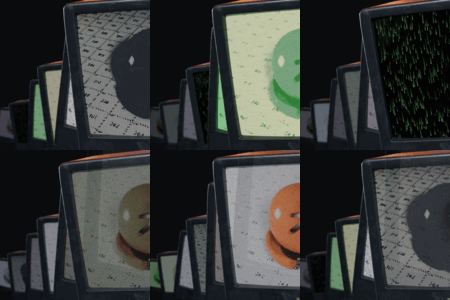
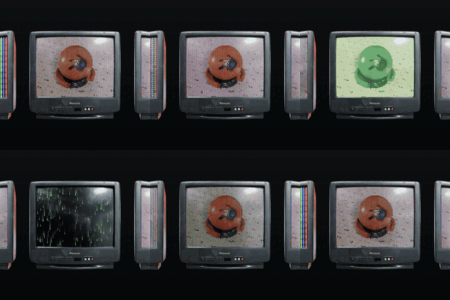
The 10 screen modes
-
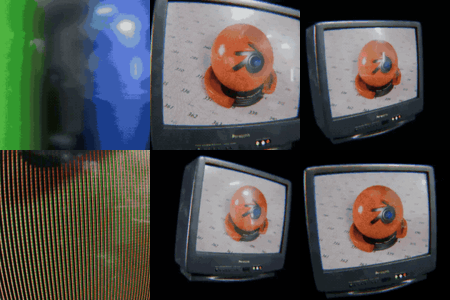
0 — CRT: Aperture-grille RGB stripes, soft scanlines, screen curvature and bloom
-
1 — LCD: Crisp back-lit RGB sub-pixel grid
-
2 — OLED: Deep-black RGB dot matrix with per-pixel emission
-
3 — Phosphor: Monochrome green terminal with phosphor persistence glow
-
4 — Retro: Warm amber monochrome vintage terminal
-
5 — E-Ink: High-contrast grayscale electronic paper — matte, no glow
-
6 — Matrix: Falling green glyph rain (animated)
-
7 — LED: Chunky round LED dot-matrix / video-wall panel
-
8 — Plasma: Fine RGB plasma cells with warm ambient glow
-
9 — Flip-Dot: Mechanical black/white flip-disc board
Full control
Every look is tunable from the node interface — nothing is hard-coded:
- Pixels — Gap, edge Softness, sub-pixel Grid
- Screen character — Scanline strength, Glow/bloom, Vignette, background Color
- Color grade — Tint, Contrast, Brightness, Emission strength
- Content — Image Contrast & Offset to fit your source
-
Animation — drive Time (e.g.
#frame/24), Speed scales the rate, Flicker adds noise. Powers the Matrix rain, rolling scanline and CRT flicker.
Monitor Coords (included helper)
A second node group that prepares your UVs before the image texture:
- Curvature — real barrel screen bulge
- Resolution — snap content to a crisp pixel grid
- Cell Aspect / Image Aspect — match any panel or source ratio
- Scale · Offset X/Y · Flip X/Y — frame the content exactly
What's included
-
MonitorShaderFX.blend — everything below, textures packed, ready to use.
-
2 Asset-Browser node groups with custom thumbnails, filed under the "Monitor FX" catalog:
-
FX Monitor — the shader (all 10 modes).
-
Monitor Coords — the UV / curvature / pixel-snap helper.
-
Demo scene — 10 labelled screens, one per mode, plus a Hero beauty-render rig so you can shoot your own product thumbnails.
- Works in Cycles & EEVEE. Built in Blender 5.1, compatible with Blender 4.2 LTS and newer.
- FX Monitor — the shader (all 10 modes).
- Monitor Coords — the UV / curvature / pixel-snap helper.
How to use
- Open MonitorShaderFX.blend, or add the folder as an Asset Library (Preferences → File Paths) to drag the nodes into your own projects.
- Drag FX Monitor into a material.
- Chain it as shown in the demo:
Texture Coordinate → Monitor Coords → Image Texture → FX Monitor → Material Output.
- Plug in your image or video, pick a Mode (0–9), and dial in Gap / Scanline / Glow / Curvature.
- For animated modes, add a driver on Time (
#frame/24).
Texture Coordinate → Monitor Coords → Image Texture → FX Monitor → Material Output.#frame/24).Requirements
- Blender 4.2 LTS or newer (created and tested in 5.1)
- Cycles or EEVEE
- Any image, image-sequence or movie texture as content
License & support
Royalty-free for use in your own renders, animations, games and client work under the Superhive marketplace license. Please don't redistribute or resell the shader itself.
Questions or requests? Reach out through the Superhive message system — happy to help.
Have questions about this product?
Login to message
| Dev Fund Contributor | |
| Published | 3 months ago |
| Blender Version | 4.2 - 5.2 |
| Extension Type | N/A |
| Render Engine Used | Cycles, Eevee |
| License | Mit |
Discover more products like this
CRT shader OLED shader TV screen material screen shader scanline effect procedural shader monitor shader pixel effect retro screen node group LCD shader Shader Pack