
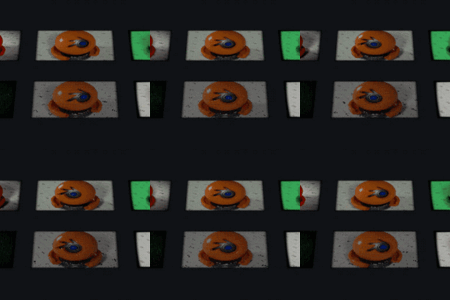
Monitorshaderfx

kunemann in Presets


Launch offer — 20% off MonitorShaderFX.kunemannat checkout.
10 Monitor Shaders · One Node

MonitorShaderFX

Turn any image, video or texture into a believable screen —
CRT, LCD, OLED, LED, Matrix & more — from a single shader node.

MonitorShaderFX — one clip through all 10 shaders
MonitorShaderFX flythrough
How it works

Drop-in screen shaders for Blender.

One node group, ten real display types. Drag it from the Asset Browser, feed it a texture, flip the Mode dial. No add-on, no baked maps, nothing to install — works in Cycles & EEVEE.

Screen character
  • —Pixel Gap, edge Softness & sub-pixel Grid
  • —Scanline, Glow / bloom, Vignette
  • —Tint, Contrast, Brightness, Emission
Animation
  • —Drive Time for Matrix rain, rolling scanline & flicker
  • —Speed scales rate, Flicker adds noise
  • —One driver — #frame/24 — and it plays
The node setup

One chain. Texture in, screen out.

Texture Coordinate → Monitor Coords → your Image Texture → FX Monitor → Output. Pick a Mode, add a Time driver, and it plays — shown live:

MonitorShaderFX node setup — from nodes to screen
The library

10 Screens, one Mode dial.

Every look is rebuilt at the sub-pixel level and lives inside one shader.
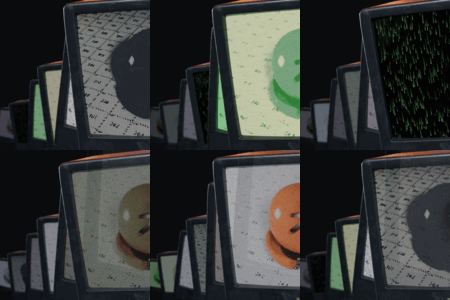
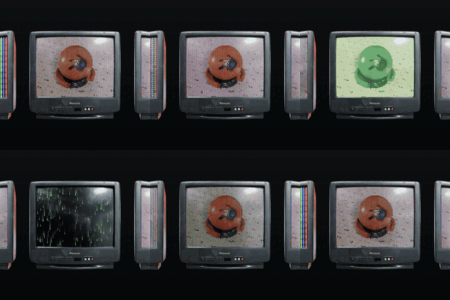
Flip Mode from 0 to 9. (Shown: the same clip through each.)

CRT screen shader
CRT
Aperture-grille RGB stripes, soft scanlines, screen curve & bloom.
LCD screen shader
LCD
Crisp back-lit RGB sub-pixel grid.
OLED screen shader
OLED
Deep-black RGB dot matrix, per-pixel emission.
Phosphor screen shader
Phosphor
Monochrome green terminal with persistence glow.
Retro screen shader
Retro
Warm amber monochrome vintage terminal.
E-Ink screen shader
E-Ink
Matte high-contrast electronic paper — no glow.
Matrix screen shader
Matrix
Falling green glyph rain. Animated.
LED screen shader
LED
Chunky round LED dot-matrix / video-wall.
Plasma screen shader
Plasma
Fine RGB plasma cells with warm glow.
Flip-Dot screen shader
Flip-Dot
Mechanical black / white flip-disc board.
Floating CRT demo scene
Demo Scene

Real, down to
the sub-pixel.

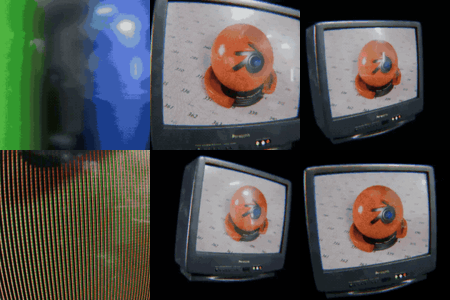
Push right up to the glass: every RGB sub-pixel, scanline and screen curve is generated in-shader — not painted on, not a texture. Feed the panel a movie and it plays it back pixel for pixel. Drop FX Monitor on any screen in your scene and it just works.

From download to first render

Five steps.

01   Open MonitorShaderFX.blend, or add the folder as an Asset Library to use the nodes anywhere.
02   Drag FX Monitor into a material.
03   Wire it: Texture Coordinate → Monitor Coords → Image Texture → FX Monitor → Output.
04   Plug in your image or video, pick a Mode (0–9), and dial Gap / Scanline / Glow / Curvature.
05   For animated modes, add a driver on Time — expression #frame/24.
In the box

Everything, packed.


$12

Have questions about this product?
Login to message

Details
Dev Fund Contributor
Published 3 months ago
Blender Version 4.2 - 5.2
Extension Type N/A
Render Engine Used Cycles, Eevee
License Mit