Morph Target Pro — Complete Shape Key Workflow for Character Morphs
 blenderustad
Does this replace Blender's Shape Keys with its own system?
No. Every morph you create with Morph Target Pro is a standard Blender Shape Key (key_block). You can turn the addon off entirely and your morphs, values, and animation still work exactly as before — nothing is stored in a proprietary format inside the .blend file.
My mirror tool isn't matching vertices on one side. What's going on?
This usually means the mesh isn't symmetric enough at the current Mirror Tolerance, or Character Left is set to the wrong axis for your mesh's orientation. Increase the tolerance slightly (it's a fraction of the bounding box diagonal) or check whether your character's left side is actually local +X or −X. The tool reports how many vertices matched and how many missed, so you can tell immediately if the tolerance needs adjusting.
Can I transfer morphs between two characters with different body proportions?
Only if they share the same vertex count and vertex order (i.e., one was derived from the other, or both come from the same base mesh). Transfer isn't a retargeting or projection tool — it copies offsets by matching vertex index, so it needs topology-compatible meshes. Strict Topology mode adds a connectivity check on top of the vertex count check to catch cases where counts match but the mesh was rebuilt differently.
I have 60+ Shape Keys on an old character file and no idea which ones actually do anything. How do I clean it up safely?
Run Cleanup Scan. It flags near-zero-displacement morphs, morphs with duplicate geometry data, and likely-unused candidates (zero value, no animation/driver, not referenced as a Relative Key) — but nothing is deleted automatically. You check the boxes for what you agree with and click Apply Selected Cleanup. Anything used as another key's Relative Key is protected from deletion regardless.
Will my morphs still export to Unreal/Unity/FBX/glTF correctly?
Yes. Because Morph Target Pro only manipulates native Blender Shape Key data, your existing FBX or glTF export pipeline and any morph-target import setup in your game engine work exactly as they would with manually created Shape Keys.
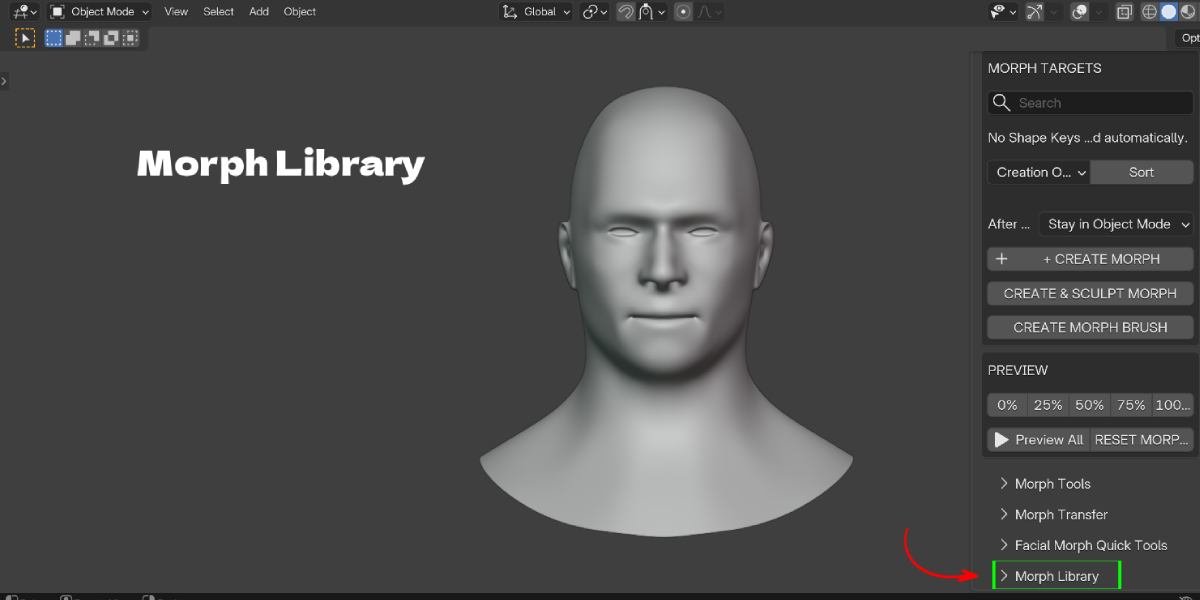
Can I reuse a morph I built on one character on a completely different mesh?
Only if the target mesh has the same vertex count and matching topology (checked automatically via a topology hash when you apply a library preset). It's built for reusing expressions across topology-matched variants of a character — a different base mesh with a different vertex layout will be rejected with a clear error rather than applying incorrectly.
what happens if I close Blender mid-sculpt session?
Session state (which morph you're editing, prior mode, prior values) is stored on the Scene, so it survives typical mode switches within a session. If Blender closes uncleanly during an active sculpt session, save your file regularly as you would with any sculpting work — this add-on doesn't change Blender's normal autosave/crash-recovery behavior.
Have questions about this product?
Login to message
| Blender Extension Compatible | Yes |
| Published | about 2 months ago |
| Blender Version | 3.3 - 5.2 |
| Extension Type | Add-on |
| Render Engine Used | Blender-Game-Engine, Cycles |
| License | GPL |

Discover more products like this
morph target viseme blend-shapes Sculpt shape key transfer addon character morph facial morph facial rig shape key reusable morph library