 Taiga2





Motion Nodes 2.7 is now live
What is Motion Node
Motion Node is a node-based system for Blender, inspired by the simplicity and flexibility of MoGraph in Cinema 4D. It’s built around small, efficient building blocks — generators, selectors, fields, deformers, and more — that help you create motion graphics faster and with less repetition.
Designed to streamline routine tasks, it removes the need for vector math and repetitive node setups. In addition, a set of lightweight add-ons enhances the user experience, making your daily workflow smoother and more intuitive.
Core Idea
As a designer, I value speed and simplicity in everyday tasks. I don’t want to waste time memorizing complex node setups or building multiple test nodes just to check an idea. Even creating 5–10 simple nodes takes time and energy. I prefer to stay focused on creative decisions, not get bogged down in technical details.
Preview file
The preview file is available for study and was built using 35 Motion Node components. It’s based on version 2.1+, which is currently in development.
WorkFlow
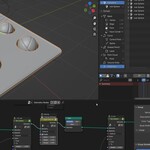
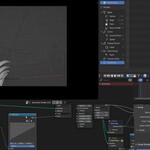
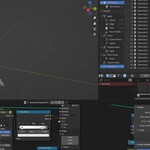
In this short tutorial, I want to draw your attention to workflow, which makes creating animations easier and clearer. I recommend watching at x2 speed — I also added explanations to the subtitles.
Node list Lite version
- Linear, Spherical, Box, Curve Fields
-
Time Offset
-
Hex Grid Cloner
-
Align Object
-
Linear Cloner
-
Control Instance
Features for addons
- Material list – Shows all the materials in the scene and gives you quick access to editin
- Quick Tabs – Hides all addon tabs and gives quick access to installed addons using the f5 hotkey
- Empties for instance – Creates empty in place of instances created in geonodes
- Bind Texture Coord to Empty – place a empty in a slot with texture coordinates
- Remove all materials – deletes all materials from selected objects
Quick AOV – addition to the output. By default, it adds a color to the type value. The value is the priority, and the addon uses it only if it is greater than 0.
ALT+D – addon now intercepts the function, it creates its own animation for each instance, when previously it was the same for all instances and had to be manually duplicated.
Links:
Documentation | Tutorial | Youtube | Referral
Goal
My goal is to smooth out the rough edges of the workflow in Blender — reducing the number of steps needed to get to the first result. This applies both to working with Geometry Nodes and to improving the overall user experience.
What's Next
I recently switched to smaller Motion Node updates — it's easier for me to maintain and focus on quality. These updates usually include 10–12 fixes or improvements. Between updates, I work on freelance projects or create motion graphics templates. This helps me test the logic and performance of the nodes in real-world use and often give me new ideas for future improvements.
If you have any suggestions or ideas, feel free to reach out — I’d love to hear them.
Updates
- 18 april 2026 – Updated to version 2.7. The changelog read here
- 28 september 2025 – Updated to version 2.2. The changelog read here
- 04 July 2025 – Updated to version 2.1. The changelog read here
- 01 June 2025 – Updated to version 2.0. The changelog read here
- 29 March 2025 – Updated to version 1.9. The changelog read here
- 18 January 2025 – Updated to version 1.8. The changelog read here
- 13 August 2024 – Updated to version 1.5. The changelog read here
- 07 May 2024 – Updated to version 1.3. The changelog can be read here
- 21 December 2023 г – Release 1 vesrion
Examples
Results




Addons
