 Domenas


Animation
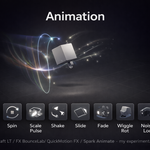
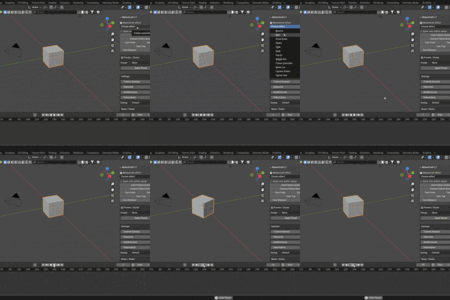
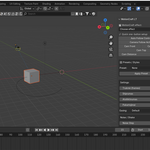
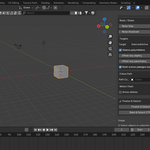
Animation is a compact animation toolset for Blender that creates keyframed motion based on the selected effect. It helps speed up common motion design tasks by reducing repetitive manual keyframing. Suitable for motion graphics, UI elements, product animation, logos, props, and camera movement.
Add-on name in Blender: Animation
Panel location: 3D Viewport → N-panel → MotionCraft
Version: 1.4.5
Author: Domenas
Features
Quick Animation Effects
Apply effects to supported object types (Mesh, Curve, Font, Empty, GPencil, Light, Camera):
• Bounce
• Spin (Z-axis)
• Scale Pulse
• Shake
• Slide (with return)
• Fade (animates material alpha when applicable)
• Pop In (overshoot scale)
• Wiggle Rotation
• Follow Controller (creates AnimFX_CTRL empty objects)
• Noise Location
• Camera Shake
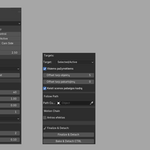
• Follow Path (uses a selected Curve object)
Animation Control
• Apply to selected objects or an entire collection
• Duration, Strength, Randomness
• Loop count
• Object offset (delay between objects)
• Loop offset (delay between repeats)
• Easing modes: Default, Linear, Ease In/Out, Constant
• Optional automatic extension of the scene end frame
Motion Chain
A secondary effect can be applied after the main one:
• Choose any available effect as the second layer
• Adjustable strength multiplier
Noise Tools
• Noise Step (interval between noise keyframes)
• Noise Amplitude (overall intensity)
Camera Tools
Tools for fast camera setup using Blender’s native Track To constraint:
• Auto Follow Control
• Camera Follow Active
• Cam Front / Cam Side / Cam Top
• Cam Distance (relative to object size)
Presets
Presets for MotionCraft settings:
• Logo Bounce
• UI Pop
• Camera Wiggle
Cleanup & Baking
• Finalize & Detach — removes animation curves and (optionally) controllers
• Bake & Detach CTRL — bakes controller animation into the object and can remove the controller
Installation
-
Download the ZIP package
-
In Blender: Edit → Preferences → Add-ons → Install
-
Select the ZIP and enable Animation
-
Open: 3D Viewport → N-panel → MotionCraft
Compatibility
• Blender 3.0 or newer
• Follow Path requires a Curve object
License (GPL-3.0)
This add-on is licensed under the GNU General Public License v3.
You may:
• Use it in personal or commercial projects
• Modify the source code
• Redistribute original or modified versions under the same license
You may not:
• Change the license to a non-GPL license
• Remove the copyright notice “© 2025 Domenas”
• Distribute the add-on without including the license text
If you find this add-on useful, please consider leaving a rating. Your feedback helps support future updates and lets other users know what to expect. Thank you!
