 TAngraFX


MotionGen - The Ultimate Video to Rigged Animation Solution
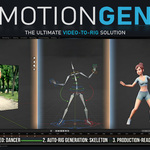
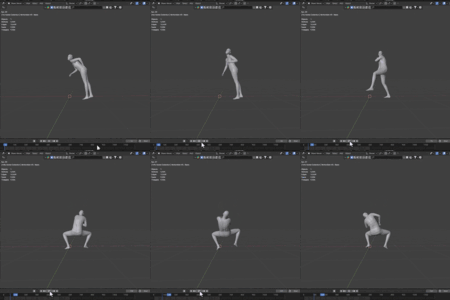
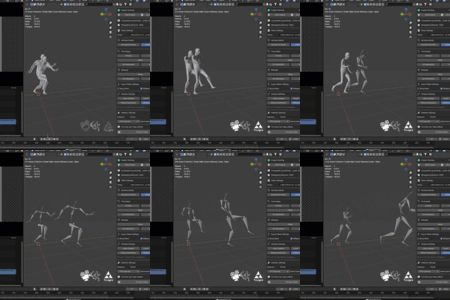
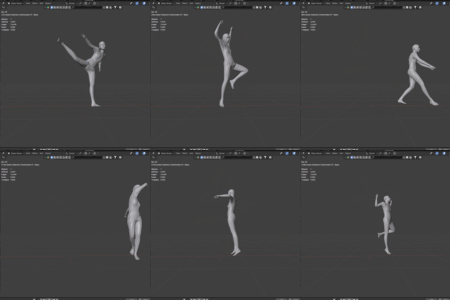
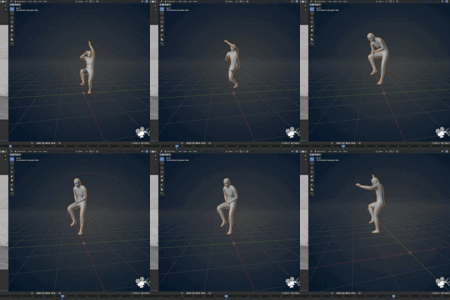
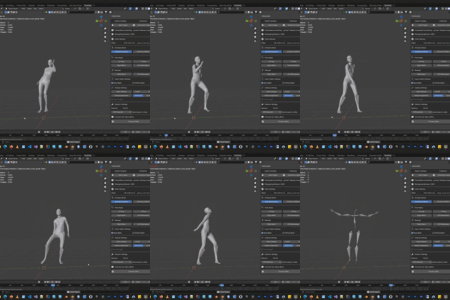
Say goodbye to expensive mocap suits and complex studio setups. MotionGen brings professional-grade AI motion capture straight into your Blender viewport. Just drop in a video—no markers, no sensors, no hassle—and watch it transform into fully rigged, production-ready character animations in seconds.
Before buying this add-on, please read the system requirements on this page. Currently, only Windows and NVIDIA GPUs 2080 or higher (30x or higher recommended) are supported. Linux and Mac are in production. Also check the documentation (our video tutorial) on how to install and activate the addon.
If you’re unable to afford this product or find it too expensive, we've got your back. Please reach out to us. Send us a message explaining your situation, and we’ll be happy to provide you with a discount code or offer the product for free if needed.
Need help with installation our support team is here, you can even ask for remote installation assistance. Just send a message in Superhive, and we'll get in touch with you in minutes. Do not rush for review and do not panic. We are here to help.
KEY FEATURES
All Local 100%
No internet connection or cloud usage, no subscriptions or payments for processing. Fully local. Note: an internet connection is required to set up and license validate (one time only).
Turn any video into a rigged animation
Extract motion data from MP4 or AVI video files with advanced AI detection algorithms. Process videos from 3 seconds to unlimited length depending on your version.
Retarget with a single click
No more manual rigging headaches. Instantly map your animation onto Rigify, Unreal MetaHuman/Mannequin, or Mixamo rigs. It just works.
Clean up your curves effortlessly
Automatic jitter removal smooths out rough motion, while smart keyframe reduction gives you clean, editable animation curves. You stay in full control with adjustable cutoff values and reduction percentages.
Export straight to your game engine
InPlace mode keeps animations locked to the origin, making them plug-and-play for Unreal Engine, Unity, or any major game development pipeline.
Perfect your character's pose
Easily switch between A-Pose and T-Pose setups for retargeting or weight painting workflows. Full control, right when you need it.
Easy Installation
Drag, drop, and you're done. The engine automatically configures all dependencies on first run—zero technical tinkering required.
Permanent License
After validation, the product will be active permanently and forever.
Which version is right for you?
Whether you're just testing the waters or running a full studio pipeline, we've got a tier that fits.
| Feature | Lite | Pro | Gold | Ultimate |
| Video Length Limit per process | 3 seconds per video | 30 seconds per video | Unlimited | Unlimited |
| AI Motion Detection | ✓ | ✓ | ✓ | ✓ |
| Video to Armature | ✓ | ✓ | ✓ | ✓ |
| Armature InPlace Mode | ✓ | ✓ | ✓ | ✓ |
| Pose Apply (A/T-Pose) | ✓ | ✓ | ✓ | ✓ |
| Retarget (Rigify/UE/Mixamo) | ✓ | ✓ | ✓ | ✓ |
| Jitter Cleanup | ✓ | ✓ | ✓ | ✓ |
| Keyframe Reduction | ✓ | ✓ | ✓ | ✓ |
| Commercial Use | ✗ | ✓ | ✓ | ✓ |
| Number of Seats | 1 | 1 | 1 | 10 |
| Studio/Enterprise Use | ✗ | ✗ | ✗ | ✓ |
SYSTEM REQUIREMENTS
- Operating System: Windows (Linux and macOS are in active development, no timeline)
- GPU: Minimum NVIDIA GPU 2080 or up (30x or higher recommended) with at least 8GB VRAM (1080 may come later)
- Blender Version: 3.6 to 5.2
- Disk Space: 15GB for engine and dependencies
- Video Formats: MP4, MOV, AVI
- RAM: 8 GB or higher
- Internet: required only for initial setup and license activation
Roadmap (no deadline, no order):
- Ready to use Animation Asset library: a huge gallery of clean and usable motions ready to use.
- Retarget to rig with controller: Rigify and Unreal Engine
- Static camera mode: Can be used for static camera on
- Camera tracking mode: Determine the camera position and movement.
- Path controller: Animation follows the path based on the curve
- Foot contact modification: Easily detect and modify foot contact to avoid foot sliding.
- Apply Rigid Body Simulation to motion: Any dynamic RDB movement, such as a fall or hitting a car, etc.
LICENSE & LEGAL
Add-on Code (MIT License): Fully open-source. Tweak, modify, and customize it to fit your workflow however you like.
Motion Engine (Perpetual License): Licensed for life and operates via an intermediator connection—no conflicts with GPL3 or other software.
Commercial use guidelines:
• Lite: Personal testing only. Perfect for kicking the tires and making sure the tool works for you.
• Pro: Full commercial use with a single seat.
• Ultimate: Full commercial use for studios and enterprises, with 10 seats included.
