 Tesselune


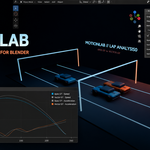
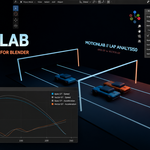
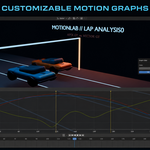
Turn Blender motion into data you can understand
MotionLab records evaluated object motion from Blender animations and Rigid Body simulations, calculates useful motion and energy measurements, and presents the results through interactive graphs.
Instead of judging motion only by eye, you can inspect how an object moves over time, compare multiple objects, locate important moments, jump directly to specific frames, and export structured results for further analysis.
Seven motion and energy measurements
- Speed — inspect how quickly an object moves
- Acceleration — see how velocity changes over time
- Angular Velocity — analyze rotational motion
- Momentum — examine mass-scaled linear motion
- Kinetic Energy — measure energy associated with motion
- Potential Energy — inspect gravitational potential estimates
- Total Energy — view kinetic and potential energy together
Interactive graph workflow
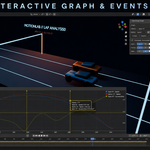
- Zoom and pan through recorded measurements
- Switch the horizontal axis between Frames and Seconds
- Click a graph to jump directly to the corresponding Blender frame
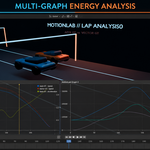
- Display multiple graph series and graph widgets
- Assign graph series to the left or right Y axis
- Adjust graph colors, order, and visible ranges
- Compare the same measurement across multiple objects
- Overlay kinetic, potential, and total energy
Events and important frames
MotionLab creates automatic Events for characteristic measurement points. You can also add manual Event markers, filter Events by object or measurement, control their visibility, and use them to navigate the Blender timeline.
Reusable analytical Sessions
Record one or more objects as a MotionLab Session and return to the analytical data later. Loading a Session restores its measurements and Events for review without recreating or animating the original Blender objects.
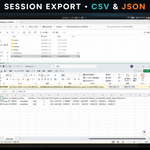
Structured data export
Completed Sessions can include:
- Session manifest and Scene metadata
- Recorded object metadata
- Rigid Body configuration snapshots
- Frame-by-frame transform samples
- Derived motion and energy measurements
- Automatic and manual Events
- Session summary data
- CSV and JSON files for spreadsheets, scripts, and external analysis workflows
Animation and physics workflows
MotionLab works with keyframed animation and Rigid Body simulations. Physics Preflight reports potential cache or frame-coverage problems without changing your Scene. Configurable Physics Pre-roll allows a simulation to warm up before recording begins.
Typical uses
- Technical animation review
- Rigid Body simulation inspection
- Motion studies and visualization
- Physics education and demonstrations
- Comparing the motion of multiple objects
- Finding speed, acceleration, and energy peaks
- Exporting motion data for additional analysis
Quick start
- Select one or more animated or simulated objects.
- Set the Blender Scene start and end frames.
- Open Scene Properties > MotionLab Session.
- Enter a Session name and select an export folder.
- Run Physics Preflight when working with a Rigid Body simulation.
- Press Start Session and let playback reach the final frame.
- Open the MotionLab tab in the 3D View sidebar.
- Select a recorded object and measurement, then press Show.
Requirements
- Blender 4.5 or later
- Windows x64
Installation
- Download the supplied MotionLab ZIP file.
- In Blender, open Edit > Preferences > Get Extensions.
- Open the extension menu and choose Install from Disk.
- Select the MotionLab ZIP file.
- Enable MotionLab.
- Open Scene Properties and the MotionLab tab in the 3D View sidebar.
Privacy and connectivity
MotionLab performs its recording and analysis locally in Blender. No account, license server, or internet connection is required for normal product operation.
Important Session behavior
A loaded MotionLab Session restores analytical data for review. It does not recreate, reposition, or animate the original Blender objects. Mass-dependent measurements use the object and Rigid Body metadata captured during recording.
Record the motion. See the measurements. Find the frames that matter.