 Layerform


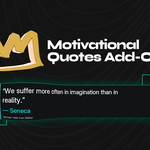
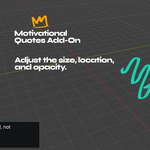
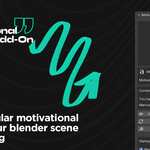

After installing and enabling Motivational Quote Overlay, open the 3D Viewport sidebar by pressing N, then go to the Motivation tab.
Use Show Quote to display the quote overlay in the bottom-left of the viewport. Use Hide Quote to remove it from view. Click Refresh Quote to generate a new random quote, or use Copy Quote to copy the current quote and author to your clipboard.
The add-on also includes startup options. Enable Show Quote on Startup if you want the overlay to appear automatically when Blender opens. Enable Random Quote on Startup if you want Blender to choose a new quote each time it starts.
You can customize the overlay using the sidebar controls:
- X Position — moves the quote left or right
- Y Position — moves the quote up or down
- Width — changes the size of the quote box
- Font Size — adjusts the quote text size
- Panel Opacity — changes how transparent the overlay background is
The add-on is designed to be simple, clean, and lightweight. It does not add objects to your scene and can be hidden at any time.
Have questions about this product?
Login to message
| Published | 5 months ago |
| Blender Version | 3.6 - 5.1 |
| Render Engine Used | Cycles, Eevee |
| License | GPL |
Discover more products like this
blender quote philosophy stoic type quotation script motivation interface workoutmotivation text Motivational