MP2B RealTime AI Tracking in Blender
 Tommaso Malaisi


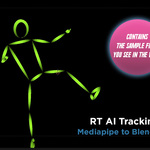
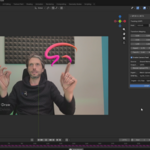
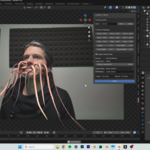
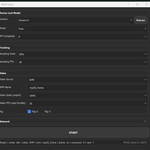
MP2B – Real-Time AI Tracking for Blender
MP2B (MediaPipe to Blender) is a real-time AI tracking system for Blender.
It uses MediaPipe models (Face, Pose, Hands) to generate live tracking data and convert it into vertex inside Blender.
MP2B is composed of two components:
• MP2B Client – standalone application that handles camera access and AI tracking
• MP2B Extension – Blender add-on that receives tracking data and generates live geometry
MP2B is designed for real-time interaction and procedural workflows.
It is not a motion capture recording tool for post-production.
It does not record video or store motion data. Everything happens live.
WHAT MP2B GENERATES
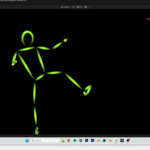
MP2B generates structured meshes composed of vertices aligned with MediaPipe AI landmarks.
Each vertex corresponds to a tracked landmark (face, body, hands) and updates in real time.
These vertices can be used to:
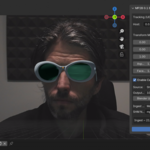
• Attach objects (glasses, masks, props)
• Drive Geometry Nodes setups
• Control modifiers
• Trigger interactions
• Feed constraints
• Drive custom rigs manually
INSTALLATION
MP2B Extension (Blender Add-on)
-
Open Blender
-
Go to Edit → Preferences → Add-ons
-
Click Install
-
Select the MP2B Extension .zip file
-
Enable the add-on
The MP2B panel will appear in the 3D View Sidebar.
MP2B Client
Download and run the standalone application.
No background services are installed.
To remove it, simply delete its folder.
QUICK START
-
Launch MP2B Client
-
Enable your camera and choose one ai model (face, body, hands)
-
Click Start Tracking
-
Open Blender
-
In the MP2B panel, click Start
You should now see:
• Landmark meshes updating in real time
• Optional live camera background
You can now use the generated vertices to drive your scene.
HOW IT WORKS
MP2B Client:
• Accesses your camera (only while running)
• Performs AI tracking using MediaPipe
• Sends landmark data via UDP
• Streams video via Shared Memory (SHM) or MJPEG
MP2B Extension:
• Receives tracking data
• Generates and updates landmark meshes
• Displays video feed inside Blender
• Applies tracking in real time
The Extension does not access system cameras directly.
REAL-TIME ONLY (IMPORTANT)
MP2B is built for live workflows.
It does:
• Real-time tracking
• Real-time mesh updates
• Real-time interaction
It does not:
• Record video
• Record motion data
• Bake animation automatically
• Perform offline motion capture solving
If you need multi-camera mocap recording or post-production tracking, this is not that tool.
MP2B focuses on immediacy and procedural control.
PRIVACY & DATA HANDLING
MP2B Client:
• Uses camera only while running
• Does not record or store video
• Does not save tracking data by default
• Does not transmit data to external servers
Tracking data is ephemeral and exists only in memory during runtime.
MP2B Extension:
• Does not access cameras
• Does not collect user data
• Does not require internet access
LICENSE
MP2B (Client and Extension) is licensed under the GNU General Public License v3.0-or-later.
Third-party libraries are included under their respective licenses (MIT, Apache 2.0, BSD, etc.).
See THIRD_PARTY_LICENSES.txt for full details.
Have questions about this product?
Login to message
| Sales | 10+ |
| Dev Fund Contributor | |
| Published | 8 months ago |
| Blender Version | 4.5 - 5.0 |
| Extension Type | N/A |
| License | GPL |

Discover more products like this
hand tracking mediapipe Interactive animation webcam tracking blender addon pose tracking face-tracking real time tracking live-animation AI Tools