 MNC Development
Work like a studio. Alone or not.
One JSON file at the root of your project defines the folders, the naming and the conventions — and MPipe enforces them, whether you are working on your own or with a team on a shared drive.
Nobody really loses files. They lose track of them. The same character published under three different names, a shot linked to a working file instead of a publish, renders written to a folder you will never think to look in again.
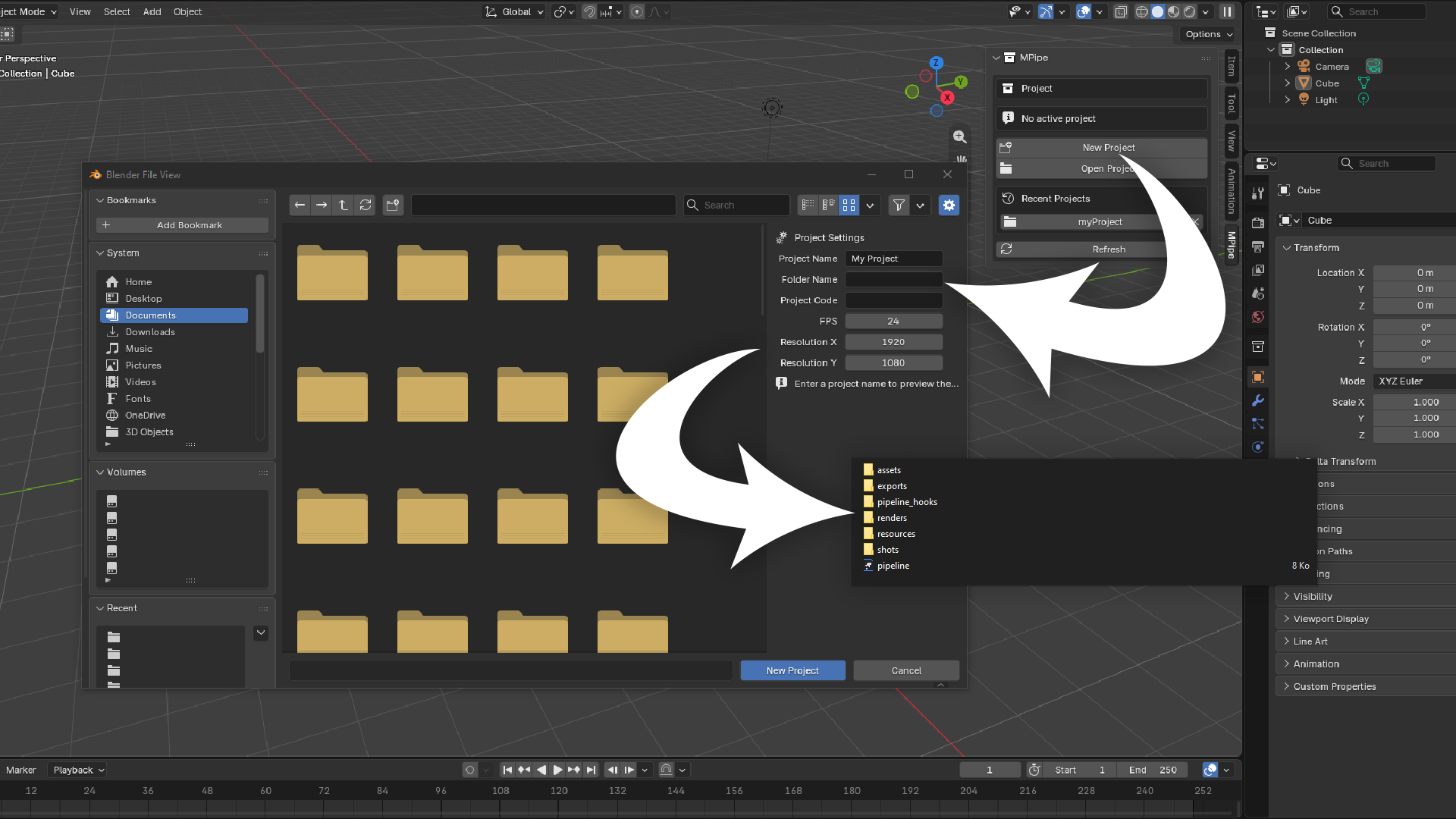
MPipe writes a single pipeline.json at the root of your project. It holds the folder tree, the naming pattern, the asset types, the render presets and the validation rules. Every machine that opens a file inside that folder reads the same rules from the same place.
| assets/ | Working files and published versions |
| shots/ | Shot and sequence files |
| renders/ | Engine output, by shot and version |
| resources/ | References, textures, HDRIs, documentation |
| exports/ | Everything that leaves Blender |
The split between the last two is deliberate. renders/ is what the engine produces inside the pipeline — heavy, regenerable from the .blend files, typically excluded from your backups. exports/ is what leaves it: an FBX for the game engine, an Alembic for another package, a video delivered to the client. The whole tree is customisable per project.
Open any .blend inside the project and MPipe walks up the parent folders until it finds the pipeline.json.
From that alone it knows the project you are in, whether you are working on an asset or a shot, and which one. The sidebar tells you, every time, without you setting anything. Open a file outside any project and the panel simply offers to create one or reopen a recent one.
Every path MPipe stores is relative to the project root.
The naming convention is a token pattern stored in the project, not a rule in a document nobody reads.
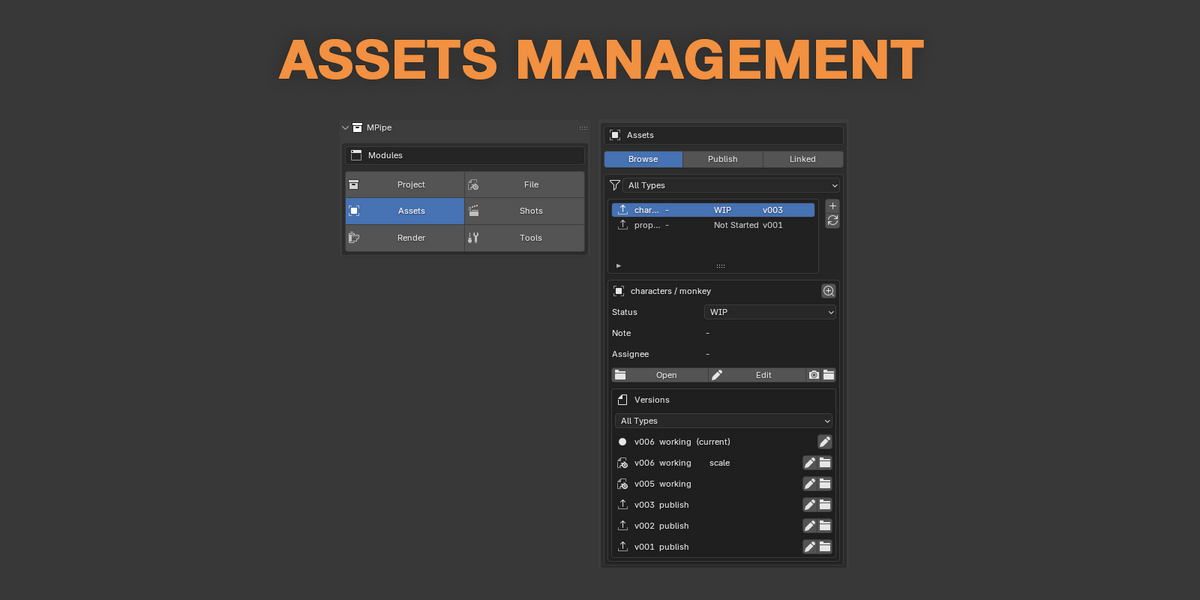
Set something like {project}_{type}_{name}_v{version} with the version padding you want, and files come out as MyProject_characters_monkey_v006.blend every single time. If the file you have open does not match, the panel says so — and one operator renames it to the convention for you.
Save Version Up increments cleanly, every time. The panel lists the version history of the current file, opens any earlier version in one click, and lets you leave a short note on a version so the next person knows what changed in it.

Publishing takes a versioned snapshot of your working file to its canonical place — assets/characters/monkey/publish/monkey_v003.blend — and renders the thumbnail with it.
Shots link the published version, never a working file, with a library override so you can still pose and animate it. Open a shot and MPipe scans its links: anything still pointing at an older publish is flagged. Update it to the latest in one click, or pin that shot to a specific version and it stays there while the asset keeps moving.
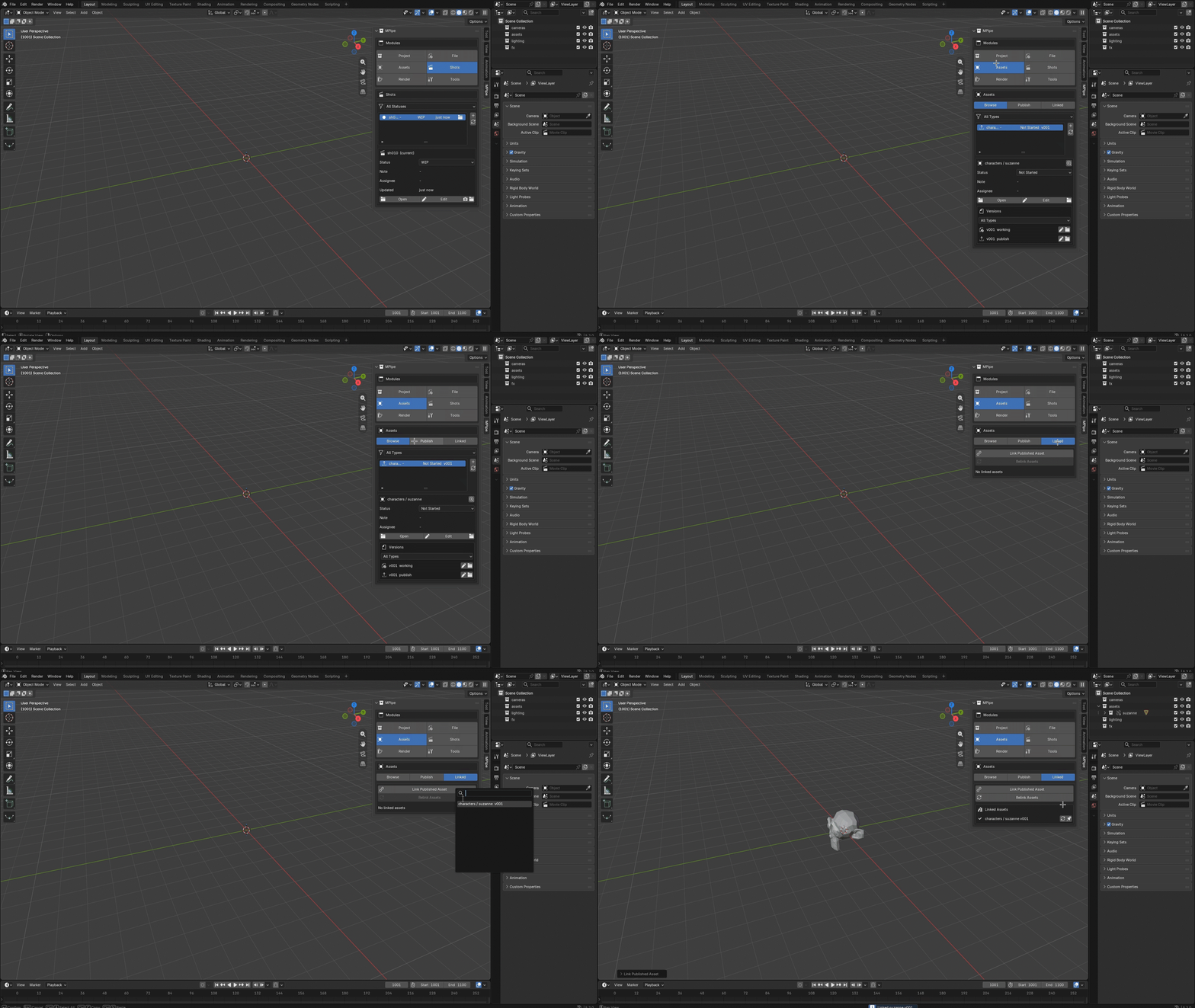
Published collections are marked as Blender assets and filed into catalogs, so they appear in the native Asset Browser. No parallel asset interface to learn — MPipe fills in the one Blender already has.
New shots are created from a template: fps, resolution, frame range and the standard collections are already set, and the assets to link are offered at creation.
Each shot carries a status and a free note, so the state of the production is readable from inside Blender rather than from a spreadsheet somebody forgot to update.
| Not Started | WIP |
| Review | Done |
The Shot Browser lists every shot in the project with its status, thumbnail and last modification, and opens any of them in a click.
Shot metadata lives in a sidecar file next to the shot itself — shots/sh010/sh010.json — never in the central pipeline.json. Two people editing two different shots never write to the same file, which is what keeps this safe on a synced folder.
The output path is derived from where you are: renders/sh010/v003/. Nobody types a render path again, and nobody renders a shot into the wrong folder.
Render presets are stored in the project and applied in one click, so previews and finals always come out with the same settings — across a team, or across the months you spend on a project alone.
MPipe never launches a render itself. No background jobs, no queue, no local farm, nothing running behind your back. You render from Blender the way you always have — MPipe only makes sure the path and the settings are right when you press the button.
A pipeline is not something you need a team to justify. It is what stops you from becoming the person who has to guess which .blend was the good one.
Solo, MPipe does exactly what it does for a studio: it holds the structure, numbers the versions, publishes assets to a canonical place, keeps your shots linked to the right version and refuses a publish that breaks your own rules. You set the conventions once, at the start of the project, and then you stop thinking about them.
The payoff comes later. Six months on, a project still explains itself — every asset in its place, every version numbered, every shot carrying its status and its note. Coming back to a finished job to change one thing takes minutes instead of an afternoon of archaeology.
Nothing about how you work has to change. A second artist, or a freelancer for two weeks, opens the project, reads the same pipeline.json and follows the same conventions from the first file they save.
Opening a project file drops a small lock carrying the artist name and a timestamp. If someone is already inside it, you are told plainly — "Opened by Marie, 24 minutes ago" — and that is all. The lock is informative, never coercive: you can still open the file, because the person who needs to override it usually has a good reason. It clears itself when you close or save.
The Project Dashboard gives you the state of everything at once: shots grouped by status, assets carrying outdated links, files that have not been saved in a long time, and the most recent publishes. Useful for tracking a team — just as useful when the only person you are tracking is yourself.
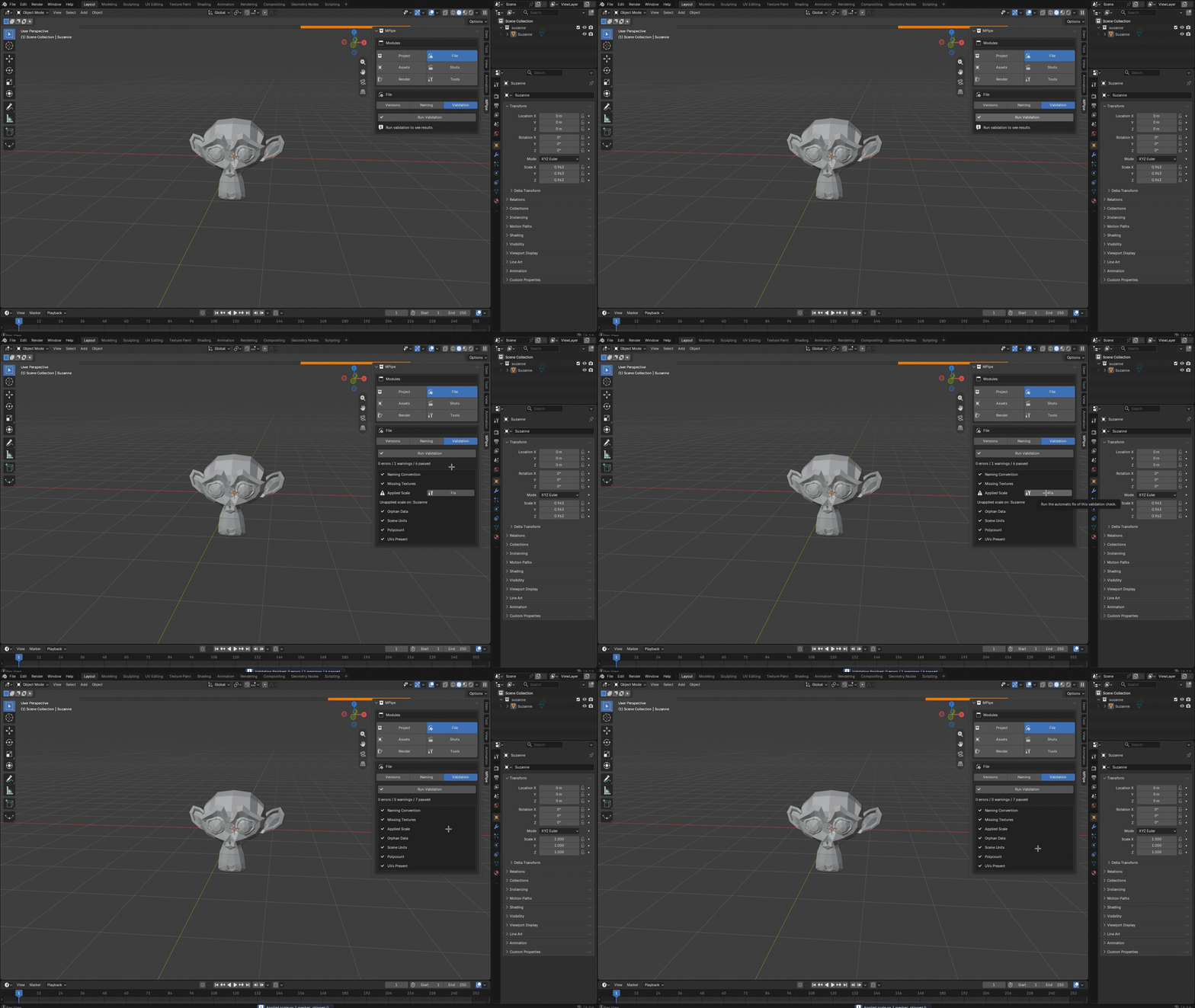
A configurable battery of quality checks runs before every publish, or on demand whenever you want to know where a file stands.
| Naming convention | Scale applied |
| Missing textures | Orphan data |
| Scene units | Polycount threshold |
| UVs present | Collections conform to template |
Each check returns pass, warning or error, with a Fix button wherever a fix can be applied automatically. A publish carrying blocking errors is refused, so broken work never becomes the version everybody links to.
Which checks run, and their thresholds, are set per project. Drop your own Python checks into a pipeline_hooks/ folder at the project root and they join the list — your studio's rules, enforced by the same panel.
The jobs you would otherwise do forty times by hand, done once: republish every modified asset, update the links of every shot, regenerate every thumbnail.
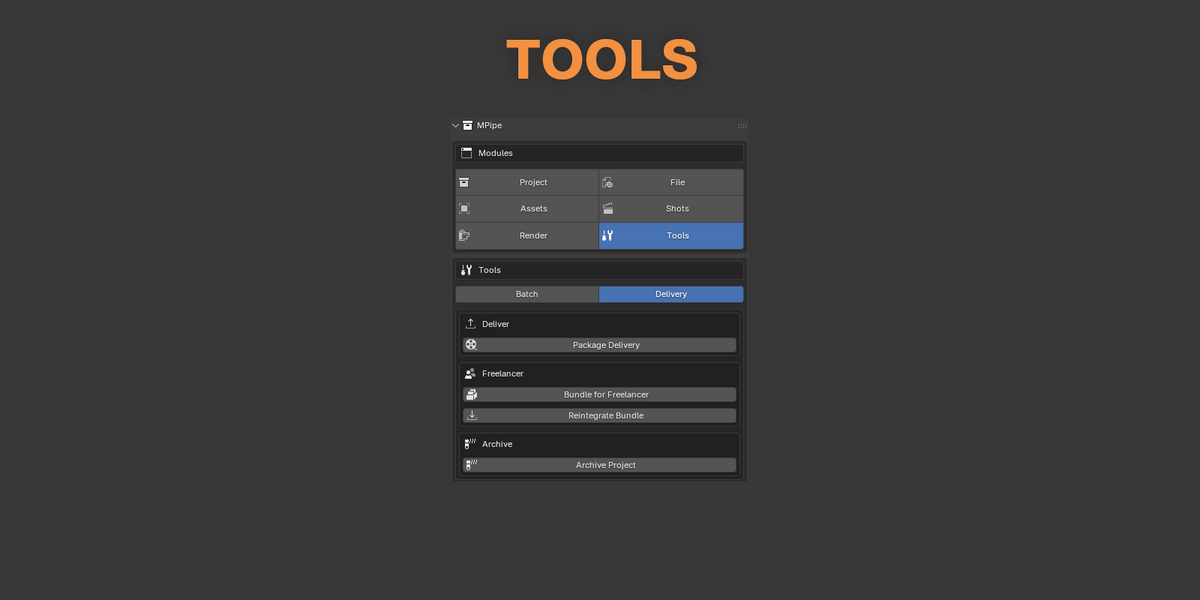
Package Delivery encodes frames you have already rendered into deliverable videos, named to the convention and accompanied by a summary sheet. It encodes what exists on disk — it does not render anything.
Bundle for Freelancer packs an asset or a shot with all of its dependencies — textures packed, links remapped to relative paths — so it can leave the shared drive and still open on a machine that has never seen your project. When the work comes back, reintegration remaps it the other way and puts it where it belongs.
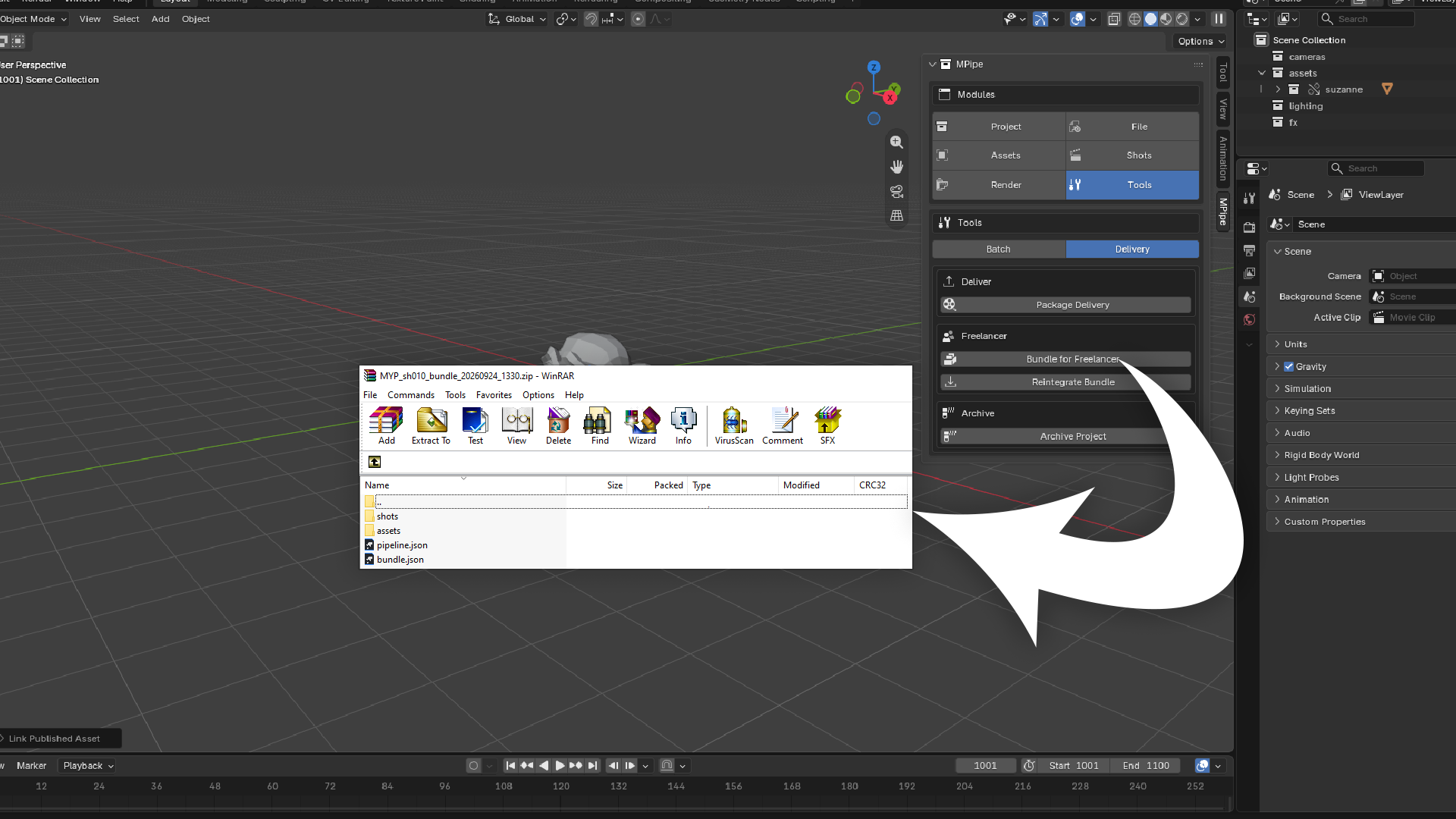
Archive & Cleanup reports disk usage per shot and per asset, purges old versions by policy — keep the last few, keep everything published — and archives the finished project without dragging the regenerable renders along.
| PLAIN FOLDERS | WITH MPIPE |
| final, final_v2, final_REAL — and a guess about which one to open | Numbered versions with a history, notes and one-click reopening |
| A shot linked to a working file breaks the next time it is saved | Shots link published versions, and outdated links are flagged on open |
| Render paths typed by hand, into whichever folder was open last | An output path derived from the shot and its version, every time |
| Mistakes found once the asset is already linked into five shots | Checks that run before the publish, and block it when it matters |
| Six months later, an afternoon of archaeology to change one thing | A project that still explains itself, asset by asset and shot by shot |
Finding your own work again should never be part of the job.