MPlayblast
 MNC Development


Which render engines does it work with?
Shading follows your viewport. Solid and Material Preview are the usual choices for playblasts, but Rendered works too. Rendered is considerably slower, depending on the Render Engine.
Does it render from the camera or from my viewport?
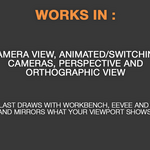
Both, depending on where you are when you launch it. In camera view it uses the exact framing of the active camera. Outside camera view it captures your current viewport angle instead, and the camera overlay reads Perspective View or Orthographic View.
Does it follow animated cameras?
Yes. Animated cameras and camera markers are followed frame by frame, so a sequence that switches cameras mid-shot switches with it.
Which formats can I export?
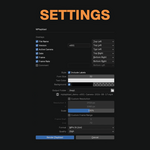
MP4 (H.264), QuickTime (H.264), PNG image sequences and JPEG image sequences. Four quality levels run from perceptually lossless down to a light file for a quick send. PNG is lossless, so quality does not apply to it.
Do I need to install FFmpeg?
No. Encoding uses the FFmpeg that already ships inside Blender.
Have questions about this product?
Login to message
| Blender Extension Compatible | Yes |
| Published | about 2 months ago |
| Blender Version | 5.0 - 5.2 |
| Extension Type | Add-on |
| Render Engine Used | Cycles, Eevee |
| License | GPL |
Discover more products like this
productivity tools Workflow playblast viewport animation review