 MNC Development


Send a playblast, not a guessing game.
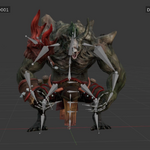
Every playblast carries its file name, version, camera, date and frame number, positioned exactly where you want them.
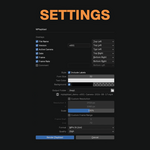
A single dialog in the 3D viewport's View menu: seven overlays you can place anywhere, four output formats, and a file name written for you.
MPlayblast sits in the 3D viewport's View menu, right beside Blender's own playblast. One click opens a single window holding every decision: overlays, style, destination, resolution, frame range and format.
Every setting is remembered per scene inside the .blend, so the next playblast is one click away.
Each overlay can be switched on or off on its own, and each one is placed independently at any of six anchors — top or bottom, left, center or right.
| File Name | Version |
| Active Camera | Date |
| Frame | Frame Rate |
| Comment |
Overlays sharing a corner stack cleanly underneath each other, and the natural pairs sit side by side on one line — File : MyProject | v001 in one corner, Frame : 42 | 24 fps in another.
Text colour and the panel behind it are yours to set, transparency included, and the panel can be switched off entirely. Labels such as File : and Camera : can be dropped to leave bare values. Line spacing is computed so stacked overlays never collide.
No more playblast_final_02_new.mp4. The name is built from the .blend file, your version label, the camera and the date:
MyProject-v001-ShotCam-2026-07-22.mp4
The exact file name is previewed in the dialog before you commit. Illegal characters are stripped automatically, empty parts are simply left out, and image sequences get their frame numbers appended.
By default the playblast follows your scene — its resolution, and its frame range or preview range. Override either one just for this render: a custom resolution, a percentage scale for a fast draft, or a start and end frame to blast a single shot out of a long sequence.
Pick the output that suits your needs.
| MP4 (H.264) | QuickTime (H.264) |
| PNG image sequence | JPEG image sequence |
Four quality levels run from perceptually lossless down to a light file for a quick send. Encoding uses the FFmpeg already inside Blender — there is nothing extra to install.
| NATIVE PLAYBLAST | WITH MPLAYBLAST |
| No overlays | Seven overlays, each placed at any of six anchors |
| Resolution, range and format come from the scene's output settings | Scene's settings or overridden resolution, scale, range and format for this playblast alone |
| Files land on the scene's output path, named after it | Named from file, version, camera and date — previewed before you render. Playblast output path can be different from the scene's output path. |
In camera view, the playblast uses the exact framing of the active camera — animated cameras and camera markers included, so a shot that switches cameras mid-sequence switches with it. Outside camera view it captures your viewport angle, frozen at launch, and labels it as a perspective or orthographic view.
MPlayblast draws with Workbench, EEVEE and Cycles and mirrors what your viewport shows — turn viewport overlays off for a clean frame.
No review should start with "which version am I looking at?"