Camera Shake
 Mergim Sahiti



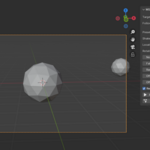
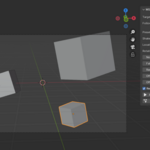
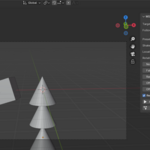
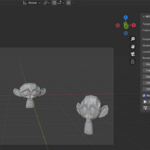
MS Camera Shake is a Blender add-on that allows you to add professional cinematic camera shake effects to your scenes. It includes realtime preview, customizable shake types, presets, curve falloff, and bake-to-keyframe functionality.
Whether you’re creating films, VFX shots, game trailers, or motion graphics, this add-on helps bring realism and impact to your animations quickly and easily.
Getting Started
Installation
-
Download the
.zipfile after purchase. -
Open Blender and go to: Edit > Preferences > Add-ons > Install…
-
Select the downloaded
.zipfile. -
Enable the checkbox next to MS Camera Shake.
-
Access the add-on in 3D View > Sidebar > Camera Shake tab.
First Steps
-
Select a camera in your scene.
-
Open the Camera Shake panel.
-
Assign your Target Camera.
-
Choose a Preset (Handheld, Explosion, Earthquake) or keep it Custom.
-
Pick a Shake Type (Noise, Perlin, Sine, Decay).
-
Enable Realtime Preview to test your shake in the viewport.
-
Once you are satisfied, click Bake Camera Shake to finalize the motion.
Features
-
🎥 Realtime Preview – Instantly see shake applied in the viewport.
-
🎚 Customizable Strength – Control both location and rotation shake individually.
-
🌀 Shake Types – Choose from Noise, Perlin, Sine, or Decay for different motion styles.
-
📦 Presets Included – Handheld, Explosion, Earthquake, plus the ability to create your own.
-
📉 Falloff (Decay) – Make shake naturally fade out for more realism.
-
🔑 Bake to Keyframes – Convert procedural shake to editable animation curves.
-
🔗 Follow Object Support – Make your camera shake relative to a moving object.
-
🎲 Random Seed – Quickly generate variations of the shake pattern.
Customization
-
Target Camera – Assign any camera in your scene.
-
Follow Object – Select an object to link shake motion relative to it.
-
Location Strength – Control translation shake on X, Y, Z.
-
Rotation Strength – Control angular shake in degrees.
-
Scale – Adjust noise frequency for faster or slower shake.
-
Random Seed – Shuffle shake randomness.
-
Offsets – Exclude beginning or ending frames from shake.
-
Falloff – Gradually reduce shake intensity over time.
Workflow Example
-
Create a new scene with a simple camera shot.
-
Add a cube and animate it moving forward.
-
Select the camera, apply the Explosion preset, and enable Realtime Preview.
-
Adjust strength until the shake matches the action.
-
Bake the shake to keyframes.
-
Render your animation – now it has cinematic impact.
Have questions about this product?
Login to message
| Dev Fund Contributor | |
| Published | about 1 year ago |
| Blender Version | 4.0 - 4.5 |
| Extension Type | N/A |
| Render Engine Used | Arnold, Blender-Internal, Cycles, Eevee, Octane |
| License | GPL |
