Mesh Tools
 Mergim Sahiti



ReadMe
Installation:
-
Open Blender and go to Edit > Preferences > Add-ons > Install.
-
Select
ms_mesh_tools.pyand enable the addon. -
Access it from the Sidebar (N-panel) > MS Mesh Tools in Edit Mode.
Usage:
-
Select vertices, edges, or faces in Edit Mode.
-
Use the panel buttons for each operation.
-
Observe live mesh info at the bottom of the panel.
-
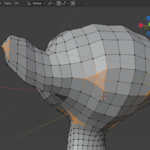
Use “Find Tris/Quads/Ngons” to select specific face types.
-
Use Fill Holes to close gaps in your mesh.
-
Triangulate to convert quads to tris while preserving shape.
Requirements:
-
Blender 4.0.0 or later.
$19.99
Have questions about this product?
Login to message
| Dev Fund Contributor | |
| Published | about 1 year ago |
| Blender Version | 4.0 - 4.5 |
| Extension Type | N/A |
| Render Engine Used | Blender-Internal, Cycles, Eevee |
| License | GPL |

Discover more products like this
quads bend vertex magnet relax ngons extrude smooth Edge Twist triangulate Fill Holes 3d modeling vertex-tools