 Shift4cube


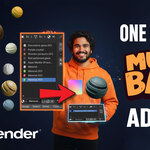
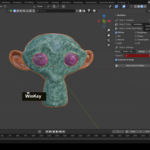
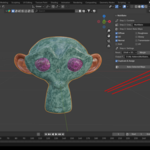
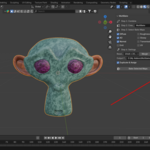
⚙️ Key Features
🧩 Combine Objects
Join selected mesh objects into a single object — just like pressing Ctrl + J — while keeping all UVs and materials intact.
🎛️ Create Packed UV
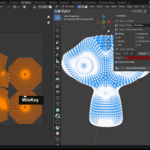
Automatically creates a new UV map called “MultiBake”, selects all UV islands, and packs them neatly into one UV space — ready for baking.
(And if you prefer, you can manually adjust UV islands afterward for perfect placement.)
🎨 Select Bake Maps
Choose exactly which maps you want to bake:
✅ Diffuse (Color only, no light)
✅ Ambient Occlusion (AO)
✅ Normal
✅ Roughness
✅ Glossy
✅ Emission
✅ Transmission
✅ UV Map
⚙️ Smart Settings
Texture Resolutions: 1024, 2048, 4096, or 8192 px
Adjustable margin between UV islands
Custom output folder
-
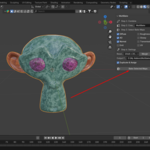
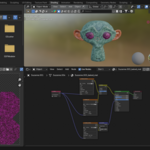
Optional Duplicate & Assign mode: automatically duplicates your baked object and builds a new Principled BSDF material with all baked maps connected.
🧱 Render Engine Compatibility
✅ Cycles (for Baking)
MultiBake automatically switches to the Cycles render engine when baking begins, sets your device to GPU (if available), and then switches back to Eevee when done.
✅ Eevee (for Viewing & Rendering)
All baked textures work perfectly in Eevee because they use Blender’s Principled BSDF shader.
You can bake in Cycles and still render or preview in Eevee seamlessly.
In short:
🧠 Baking happens in Cycles (automatically)
💡 Final materials work in Eevee and Cycles
💾 Output
After baking, all textures are saved as PNG files in your selected folder, e.g.:
MultiBake_DIFFUSE.png
MultiBake_NORMAL.png
MultiBake_AO.png
MultiBake_ROUGHNESS.png
MultiBake_GLOSSY.png
MultiBake_EMIT.png
MultiBake_TRANSMISSION.png
MultiBake_UV.png
The duplicated baked object gets a new material named:
_baked_mat
🧠 Perfect For
Game asset optimization and performance
Baking multi-material props or characters
Reducing draw calls for real-time engines
Exporting clean single-material models to Unity, Unreal, or Sketchfab
🚀 Quick Workflow
Select objects → Combine Objects
Click Create Packed UV
Choose your bake maps
Set resolution and output path
Click Bake Selected Maps
✅ Done — everything baked and ready to render!
📦 What’s Included
multibake.zip(ready to install in Blender Preferences)Video tutorial using the Blender Monkey (Suzanne) demo
Step-by-step quick-start guide
👨💻 Created by S4C
A lightweight, artist-friendly Blender addon designed to make material baking fast, simple, and reliable.