 IZ.MdVerz


How can I add a new export preset?
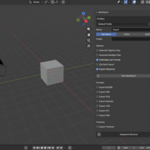
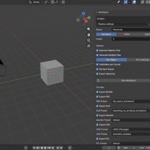
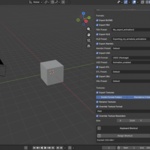
Export presets are derived from your own Blender export presets. You create presets by going to File > Export > (Select your format)
There you will find and add/remove your presets.
The addon doesn't ship with or create presets; it just shows your own created presets.
How does naming work in multi-export mode?
When Generate Multiple Files is enabled:
Each object or collection is exported as its own file
Naming is automatically derived from the object or collection name for each file
When rename textures is enabled, each exported texture is renamed according to its corresponding object (not collection)
Will MultiXport overwrite existing files?
Yes. Existing export files with the same names are automatically overwritten if you run the export again.
My export preset does not appear in the addon
Restart Blender after creating or editing export presets. Blender only registers presets on startup.
-
$14.99
Commercial Use – Single Seat License Full Blender preset integration Export Profiles Smart folder organisation ZIP compression Batch export objects and collections Flexible naming system Full texture exporting and organisation Texture renaming and format conversion Resolution overrides Assignable keyboard shortcuts
-
$69.99
Commercial Use – Multi-Seat License (Up to 10 Users) Priority support for Pipeline-ready integrations
Have questions about this product?
Login to message
| Blender Extension Compatible | Yes |
| Dev Fund Contributor | |
| Published | 10 months ago |
| Blender Version | 5.0 |
| Extension Type | Add-on |
| License | GPL |

Discover more products like this
ready zip usd assetmanagement auto organize usdz Export multi 3dmarketplace preset batch fbx