 CHAD SHOP


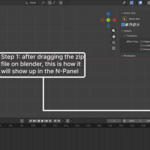
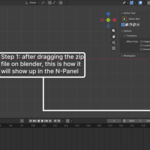
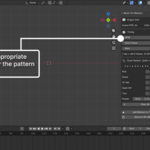
Music Visualizer Markers
Create Music-Synced Animation Markers in Seconds
Draw a drum pattern, enter a BPM, and automatically generate timeline markers aligned to your project's frame rate. Perfect for animators, motion designers, and music video creators who need frame-accurate timing without manual calculations.
What It Does
Music Visualizer Markers reads your scene's FPS, takes a BPM value, and lets you draw a one-bar drum pattern on a visual 16th-note sequencer with five drum lanes:
Kick
Snare
Hi-Hat
Open Hi-Hat
Tom
Once your pattern is created, the addon converts every beat into Blender timeline markers and repeats the pattern across as many bars as needed. All marker positions are calculated automatically based on BPM and scene frame rate.
Key Features
BPM-accurate marker placement based on scene FPS
Visual 16th-note drum sequencer
Kick, Snare, Hi-Hat, Open Hi-Hat, and Tom lanes
Multi-bar pattern generation
Frame-perfect beat-to-marker conversion
Marker preview and confirmation before generation
One-click removal of generated markers
Non-destructive workflow using Blender's standard timeline markers
Works with any BPM and frame rate
Use Cases
Designed for:
Motion designers creating beat-synced graphics
Music video animators
3D artists timing animations to music
Editors planning camera cuts around rhythm
VFX artists synchronizing flashes, impacts, and transitions
Common applications include:
Syncing camera cuts to kick drums
Triggering flashes on snare hits
Timing logo impacts to drum accents
Blocking animation beats before final audio editing
Creating rhythm-driven motion graphics
Why It's Helpful
Eliminates manual BPM-to-frame calculations
Places markers with frame-perfect accuracy
Provides visual distinction between different drum elements
Makes it easy to animate specific events to kicks, snares, or hi-hats
Supports everything from simple four-on-the-floor rhythms to complex trap-style hi-hat patterns
Set a pattern once and automatically repeat it across the timeline
Preview exactly how many markers will be created before committing
Easily remove generated markers at any time using the Remove MV Markers function
Output
The addon generates standard Blender timeline markers that integrate seamlessly with existing animation workflows. Use them to drive camera cuts, keyframes, lighting cues, effects, transitions, and other time-sensitive animation events.
Compatibility
Compatible with Blender 4.2+.
Installation
Install like any Blender addon:
Edit → Preferences → Add-ons → Install
Select the addon ZIP file and enable the addon.
One-Line Description
Draw a drum groove, enter a BPM, and instantly generate frame-perfect timeline markers for music-synced animation in Blender.
Updates
Free updates and improvements for all customers. Feedback is always welcome, and future updates will continue expanding the addon based on real-world animation and motion design workflows.