 CHAD SHOP


Music Visualizer Markers Documentation
Introduction
Music Visualizer Markers is a Blender addon that converts a drum pattern into BPM-synced timeline markers. Instead of manually calculating frame numbers from tempo, simply draw your rhythm and let the addon generate perfectly timed markers across your timeline.
The generated markers can be used to synchronize:
- Camera cuts
- Lighting effects
- Object animations
- Motion graphics
- Character actions
- Visual effects
- Music videos
Installation
- Open Blender.
- Go to Edit → Preferences → Add-ons.
- Click Install...
- Select the downloaded ZIP file.
-
Enable Music Visualizer Markers.
or
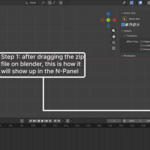
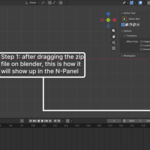
simply drag and drop the downloaded zip in your blender window
The addon will appear in:
Timeline → Sidebar (N) → Music Visualizer Markers
Interface Overview
Explain every button with screenshots.
For example:
BPM
Sets the tempo of the music.
Example:
120 BPM
Higher BPM means markers are placed closer together.
Number of Bars
Determines how many times the pattern repeats.
Example:
1 bar
Generates one measure.
8 bars
Repeats the pattern eight times.
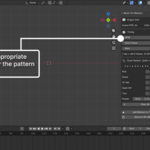
Drum Grid
The sequencer contains five lanes:
- Kick
- Snare
- Hi-Hat
- Open Hi-Hat
- Tom
Each row contains sixteen steps representing sixteenth notes.
Click a square to enable or disable a hit.
Generate Markers
Creates timeline markers based on:
- Scene FPS
- BPM
- Number of bars
- Drum pattern
Preview
Shows:
- Total markers
- Timeline range
- Frames occupied
before generation.
Remove MV Markers
Deletes only the markers created by the addon.
Other Blender timeline markers remain untouched.
Workflow Example
Example:
Suppose you're animating a music video.
Scene:
FPS: 24
BPM: 128
Bars: 8
Pattern:
Kick
| • • •
Snare
• • | •
Hi-Hat
| | | |
Click Generate Markers.
The addon creates correctly timed markers across all eight bars.
Now animate:
- Camera cuts on Kick
- Light flashes on Snare
- Character movement on Hi-Hat
without calculating a single frame number.
Tips
- Match the BPM to your music track before generating markers.
- Lock your project FPS before starting animation.
- Generate markers first, then begin keyframing.
- Use different marker colors (if your Blender version supports them) to organize complex scenes.
Frequently Asked Questions
Can I change the BPM later?
Yes.
Simply remove the existing markers, change the BPM, and generate a new set.
Will this delete my existing markers?
No.
Only markers created by Music Visualizer Markers are removed when using Remove MV Markers.
Can I generate more than one bar?
Yes.
The pattern repeats automatically across any number of bars.
Does it work with any frame rate?
Yes.
The addon uses your current Blender scene FPS, so it works with 24, 25, 30, 50, 60 FPS, and custom frame rates.
Can I animate to individual drum sounds?
Yes.
Each drum lane generates its own markers, making it easy to distinguish kicks, snares, hi-hats, and other percussion when timing animations.
Changelog
Version 1.0
- Initial release
- 16-step drum sequencer
- BPM-based marker generation
- Multi-bar support
- Marker preview
- Remove generated markers
- Blender timeline integration
Support
If you encounter any issues or have suggestions for new features, please contact us through the Superhive product page. Feedback is always appreciated and helps shape future updates.
One extra recommendation
Include annotated screenshots of:
- The addon panel
- The drum grid
- A generated timeline with markers
A visual manual is far more helpful than text alone, and can significantly reduce support questions from customers.
Have questions about this product?
Login to message
| Published | 2 months ago |
| Blender Version | 4.2 - 5.2 |
| Extension Type | N/A |
| Render Engine Used | Cycles, Eevee |
| License | GPL |