 Bill_3D


📋 Table of Contents
🚀 Core Features
🔍
Universal Search & Navigation
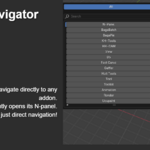
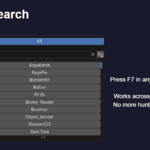
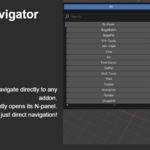
- F7 Hotkey Access: Press F7 in any editor to open the search popup
- Direct Panel Navigation: Click any addon to instantly jump to its panel in the N-area
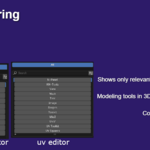
- Cross-Editor Support: Works in 13+ editor types
- Smart Context Awareness: Shows only addons available in the current editor type
🗂️
Custom Tab Organization
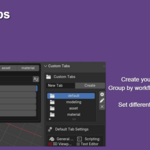
- Create Unlimited Custom Tabs: Organize addons into logical groups
- Editor-Specific Defaults: Set different default tabs for different editors.
- Tab Renaming: Double-click tab names to rename them
⚡
Advanced Search & Filtering
- Real-time Search: Type to instantly filter addon lists
- Alphabetical Sorting: Toggle A-Z or Z-A sorting with visual indicators
- Cross-Tab Search: Search across all tabs when enabled.
- Recent Addons: Quick access to your most recently used addons
🎛️
Panel Organization
Experimental Feature: Panel organization may not work with all addons due to implementation differences in third-party addons.
- Dedicated Sections: Move addon panels to their own categories
- Shared Category Management: Organize addons from crowded built-in categories
- Individual Control: Enable/disable organization per addon.
🖥️ Supported Editor Types
The addon works seamlessly across all major Blender editor types:
General Editors
3D Viewport - Main 3D workspace
Image Editor / UV Editor - Texture and UV editing
Node Editors - Shader, Compositor, Geometry Nodes, Texture Nodes
Video Sequencer - Video editing workspace
Movie Clip Editor - Motion tracking and camera solving
Animation Editors
Dope Sheet / Timeline - Keyframe editing
Graph Editor / Drivers - Animation curve editing
Scripting Editors
Text Editor - Script editing
📖 User Interface Guide
N-Panel Interface
Access the main interface through View3D > N-Panel > N-Panel tab:
Addons List Panel
1
Filter-enabled List: Built-in search and sort functionality
2
Include Checkboxes: Enable/disable addons from appearing in search
3
Organize Checkboxes: Individual panel organization control
4
Move Buttons: Reorder addons in the list
5
Refresh Button: Update the addon list manually
Search Popup (F7)
The search popup follows your preferred layout: tabs at the top, followed by a search bar, a scrollable list section for addons, and a recent section at the bottom.
- Tab Row: Switch between "All" and your custom tabs
- Search Field: Type to filter addons instantly with accurate mouse detection
- Sort Controls: Alphabetical sorting with direction toggle
- Recent Section: Grid layout showing recently used addons (max 10)
- Addon List: Scrollable list with precise clickable boundaries
⚙️ Setup & Configuration
Initial Setup
1
Install the addon and enable it in Preferences
2
Press F7 in any editor to test the search functionality
3
Go to N-Panel > N-Panel tab to access full settings
4
Click "Refresh List" to populate the addon database
Creating Custom Workflows
Example: Animation Workflow Tab
1
Create a new tab called "Animation Tools"
2
Add animation-related addons to this tab
3
Set it as default for Graph Editor and Dope Sheet
4
Now F7 in animation editors will show your curated tools
📋 Workflow Examples
⚡
Quick Access Workflow
- Working in Shader Editor, need to use an addon
- Press F7 - popup shows only addons available in Node Editor
- Type addon name or browse the list
- Click addon - instantly jumps to its panel in the N-area
🎯
Context-Specific Workflow
- Create "Rendering" tab with rendering-related addons
- Set as default for Image Editor and other relevant editors
- Press F7 in Image Editor - automatically shows Rendering tab
- Access specialized tools without switching contexts
🕒
Recent Tools Workflow
- Use several addons throughout your session
- Press F7 - recent addons appear at the top
- Click recent addon for instant re-access
- Maximum 10 recent items for optimal screen space
🚨 Troubleshooting
Search Popup Issues
- F7 not working: Check if keymap conflicts exist, addon auto-fixes most issues
- Empty addon list: Click "Refresh List" in N-Panel settings
- Wrong addons showing: Ensure addons are enabled and have panels in current editor
Panel Organization Issues
Panel organization is experimental and may not work with all addons due to implementation differences.
- Panels not moving: Disable and re-enable organization, some addons resist organization
- UI broken after organizing: Disable organization - panels restore automatically
- Missing panels: Check original categories, try refreshing Blender interface (Tab twice)
Performance Issues
- Slow popup opening: Reduce "Max Addons in Search" in settings
- UI lag: Click "Refresh List" to rebuild cache
- Memory usage: Restart Blender periodically with heavy addon usage
💡 Tips & Best Practices
📁
Organization Tips
- Use descriptive tab names like "Modeling Tools" instead of "Tab1"
- Group by workflow rather than alphabetically for better efficiency
- Keep tab count reasonable - too many tabs reduce effectiveness
- Set editor-specific defaults for context-aware workflows
⚡
Performance Tips
- Refresh addon list after installing/removing addons
- Use filtering instead of scrolling through long lists
- Enable cross-tab search only if you need it - can impact performance
- Regular cleanup - remove unused addons from tabs
🔥
Workflow Tips
- Learn the F7 hotkey - it becomes second nature quickly
- Use recent addons feature for frequently accessed tools
- Combine with Blender's Quick Favorites for complete workflow optimization
- Export settings before major Blender updates
🔧 Technical Features
Cross-System Compatibility
- Legacy Addon Support: Works with traditional Blender addons
- Extension System Ready: Compatible with Blender's new extension system
- Smart Module Resolution: Handles both bl_ext and legacy naming
Performance Optimizations
- Intelligent Caching: Addon discovery cached to prevent UI lag
- Incremental Updates: Only refresh changed data
- Background Processing: Non-blocking operations where possible
Data Management
- Settings Export/Import: Backup and share your configurations
- Automatic Cleanup: Invalid addons removed during refresh
- Persistent State: Settings preserved across Blender sessions
❓ Frequently Asked Questions
Q: Does this work with all addons?
A: It works with any addon that creates panels in supported editors. Some addons without standard panels may not appear.
Q: Can I use this with Blender's Quick Favorites?
A: Yes! They complement each other perfectly. Use Quick Favorites for operators and N-Panel Navigator for panel navigation.
Q: Does this slow down Blender?
A: No, the addon uses intelligent caching and only processes data when needed. The UI impact is minimal.
