 Loki 308


What is N-Panel Tabs?
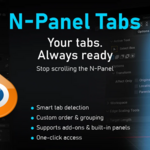
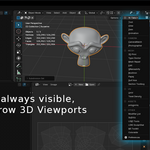
N-Panel Tabs is a Blender 5.0+ add-on that adds a dropdown menu (N-Tabs) in the 3D Viewport header to quickly switch between N-Panel tabs (right sidebar).
Where Does the Menu Appear?
In the 3D Viewport header (top-right part), as "N-Tabs" menu with available tabs list.
If not visible, ensure you are in 3D Viewport.
How to Update the Tab List?
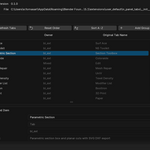
At the bottom of the list, find "Preferences" to open the add-on preferences page.
Click "Refresh Tabs" to detect new tabs from add-ons.
Can I Customize Tabs?
Yes, in preferences: enable/disable tabs, add visual groups, sort alphabetically or move with UP/DOWN.
Tabs are filtered only for those exposed in the current 3D View UI.
$6.50
Have questions about this product?
Login to message
| Blender Extension Compatible | Yes |
| Sales | 10+ |
| Published | 5 months ago |
| Blender Version | 5.1 |
| Extension Type | Add-on |
| License | GPL |

Discover more products like this
Tab Manager Sidebar workflow tools workspace optimization UI efficiency add-on manager tab n-panel