Naming_Convention_Enforcer
 Piano Man's Shop


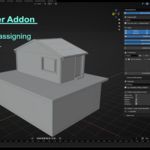
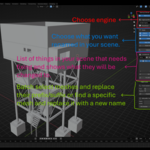
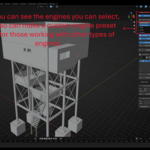
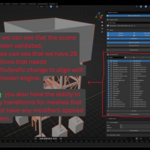
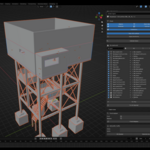
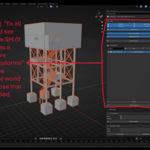
Naming Convention Enforcer
Quick Documentation:
What this add-on does
- Helps keep Blender scenes named correctly for game engine pipelines.
- Supports Unreal Engine, Unity, Godot, and Custom naming profiles.
- Renames new objects as you create them.
- Validates names in the current scene.
- Fixes naming issues in bulk.
- Can apply transforms to eligible objects when enabled.
Where to find it
- Open Blender.
- In the 3D Viewport, press N to open the sidebar.
- Open the NCE tab.
Main workflow
1. Choose an engine profile.
2. Enable or disable the data types you want to check.
3. Turn on Name on create if you want a popup each time you add a new object.
4. Click Validate Scene.
5. Review the violations list.
6. Use Fix This or Fix All Selected to correct the scene.
Profiles
- Unreal Engine: Uses PascalCase with SM_, SK_, M_, and T_ prefixes.
- Unity: Uses PascalCase with Mat_ and Tex_ prefixes.
- Godot: Uses snake_case with no prefixes.
- Custom: Lets you define your own case style and prefixes.
Options
- Strip .001 suffixes:
Removes Blender duplicate suffixes before generating the final name.
Example: Cube.001 can become SM_Cube instead of SM_Cube001.
Apply transforms:
Includes transform issues during validation and applies location, rotation,
and scale when fixed.
Safety rules:
This skips objects with modifiers.
This also avoids risky cases such as linked data, shared data, and some
non-editable objects.
Name on create:
Opens a rename popup when a new object is created.
The popup shows the final name preview before confirming.
What Validate Scene checks
- Objects in the active scene
- Mesh data used by the active scene
- Materials used by the active scene
- Images used by the active scene
- Collections in the active scene
What Fix does
- Renames selected violations to match the active profile.
- Automatically resolves duplicate target names into clean numbered names.
Example:
SM_Wall
SM_Wall1
SM_Wall2
Transform behavior
- If Apply transforms is enabled, objects with unapplied transforms can appear
in the violations list.
- Fixing them applies transforms only when the object is safe to process.
- Objects with modifiers are excluded from transform application.
Abbreviation-aware naming
- Common abbreviations are preserved correctly in PascalCase workflows.
- Examples include UV, LOD, HP, LP, IK, FK, PBR, ID, SM, and SK.
- Example:
uv_rock_low becomes UVRockLow
Notes
- Curves and other non-mesh objects are not forced into Unreal mesh prefixes.
- Validation is scene-based, so deleted scene content should not keep showing up
as active violations.
- A video guide can be used alongside this document for a full walkthrough.
Recommended usage
- For Unreal Engine asset work, use the Unreal profile.
- For Unity asset work, use the Unity profile.
- Run Validate Scene before export or handoff.
- Use Custom profile only when your studio has a specific naming standard.
Have questions about this product?
Login to message
| Dev Fund Contributor | |
| Published | 6 months ago |
| Blender Version | 4.5 - 5.0 |
| Extension Type | N/A |
| Render Engine Used | Cycles |
| License | GPL |
Discover more products like this
engine profiles 3D asset renaming easy-rename naming-convention quick rename