 3DSinghVFX
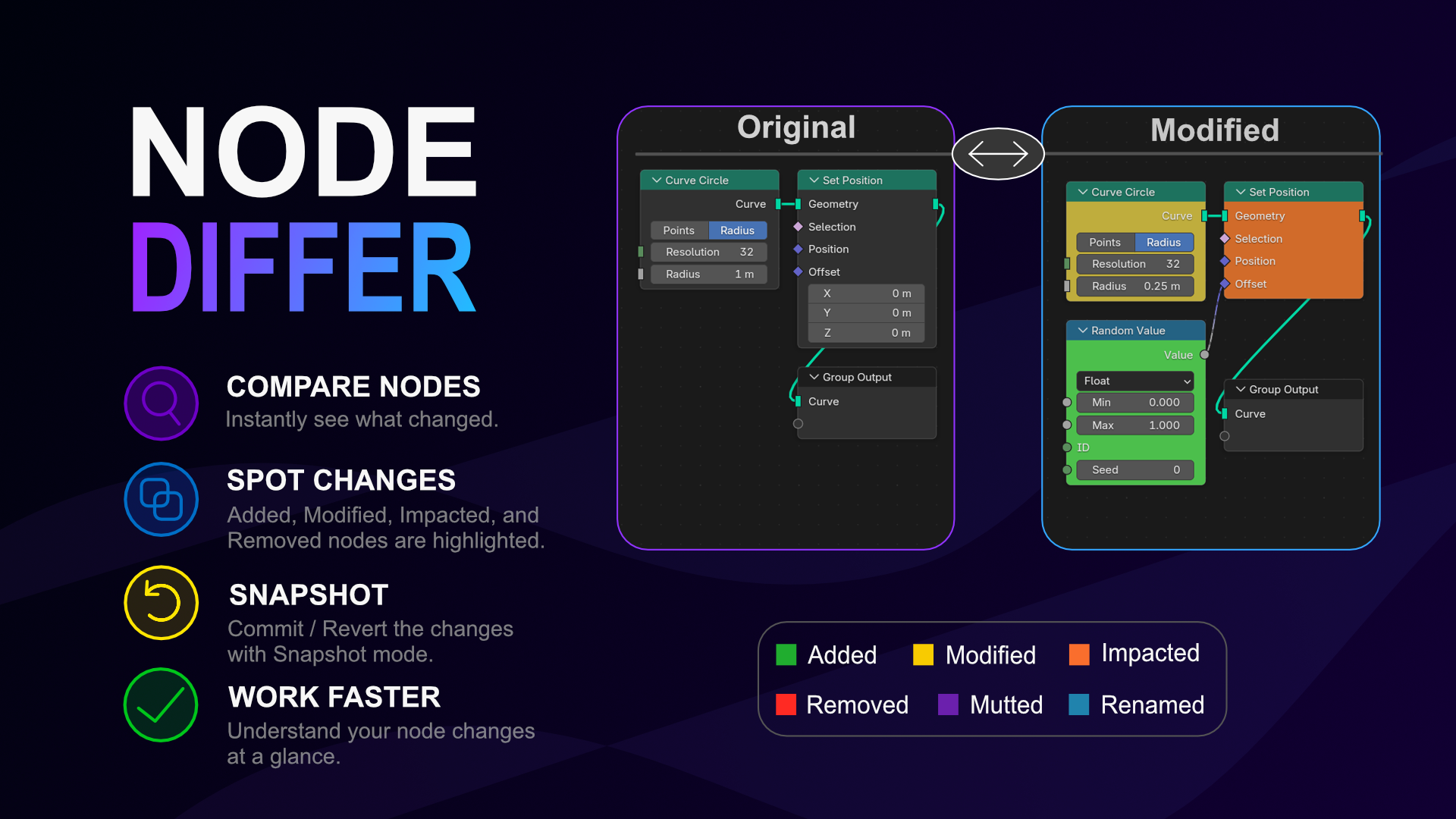
See exactly what changed in your Blender nodes
Node Differ
Ever append an updated node setup, only to realize you have no idea what was actually tweaked? Finding a single changed math operation, a swapped cable, or a shifted curve handle in a massive node tree can take hours.
Node Differ is a structural comparison engine that acts like a visual "diff" tool for Blender. Point it at an external .blend file, an auto-detected older version, or your local project history, and it instantly compares every single node, property, and connection to your active group.
🔥 Key Features
-
🔄 Smart Comparison Modes: Choose from three distinct comparison workflows to match your pipeline. Use Snapshot mode for built-in project history, Version mode to auto-match iteratively saved files (e.g.,
_v01,_v02), or Manual mode to pick any external.blendfile. -
⏪ Built-in Version Control: Acting as a "Git for Nodes," Snapshot mode lets you Commit permanent, hidden snapshots of your current node group with a custom message. You can also use Advanced Actions to Revert your active tree to any previous snapshot or Delete unwanted commits to keep your history clean.
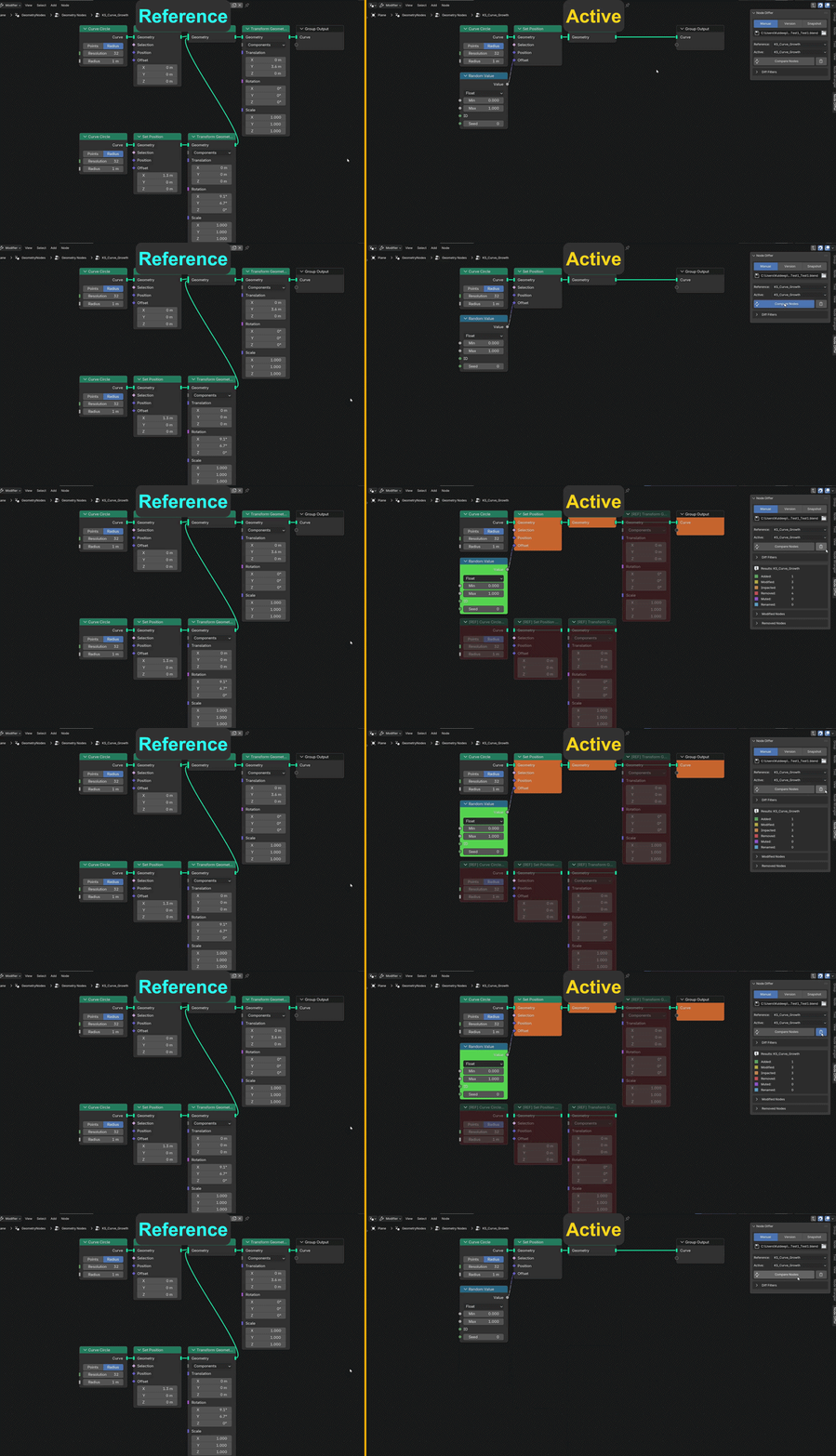
- 🚦 Visual Highlighting: Instantly see Added (Green), Modified (Yellow), Impacted (Red), Muted (Purple), and Removed (Dark Gray) nodes right in your editor.
- 🔍 Deep Data Tracking: Catches microscopic changes in Nodes, Group Nodes, Float Curves, Vector mapping, Color Ramps, and interpolation modes.
- 👻 Ghost Nodes: Never lose track of deleted data. Removed nodes leave behind visual markers detailing their old connections and locations.
- 📊 Detailed Reports: The N-Panel breaks down exactly which inputs, outputs, and complex data shifted.
⚙️ Compatibility
Works flawlessly across Geometry Nodes, Shader Nodes, and Compositor Nodes for Blender 4.5+.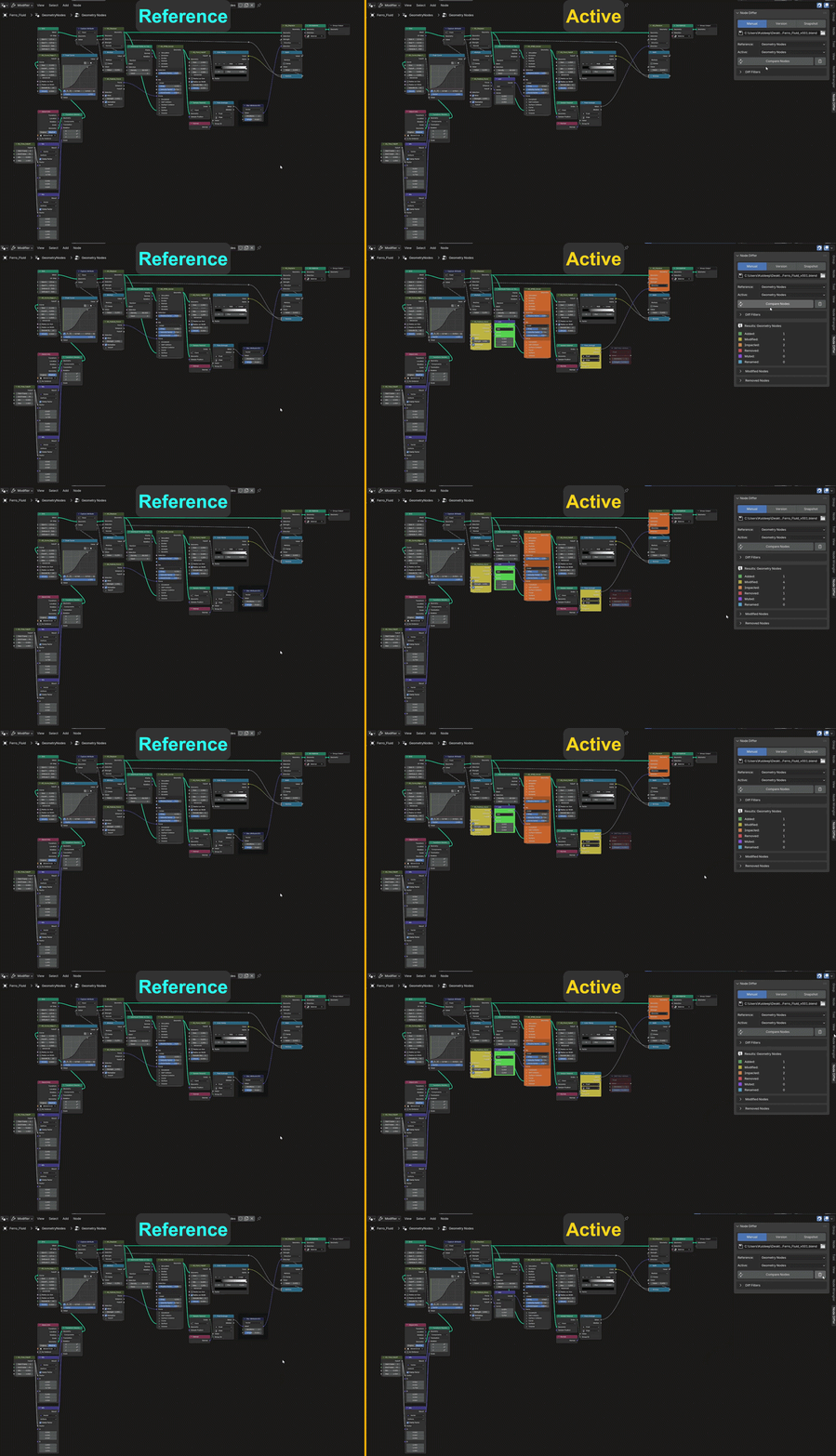
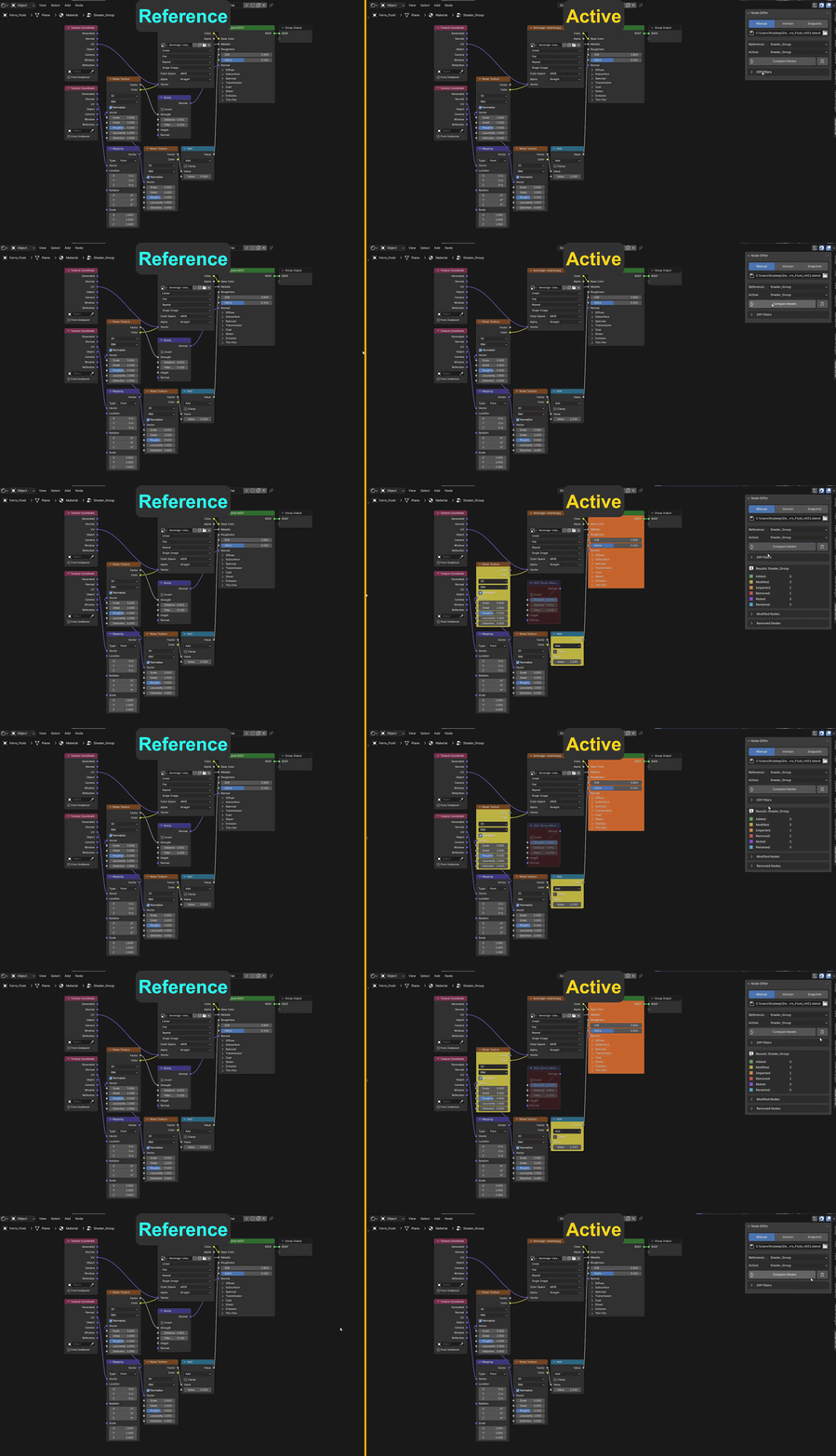
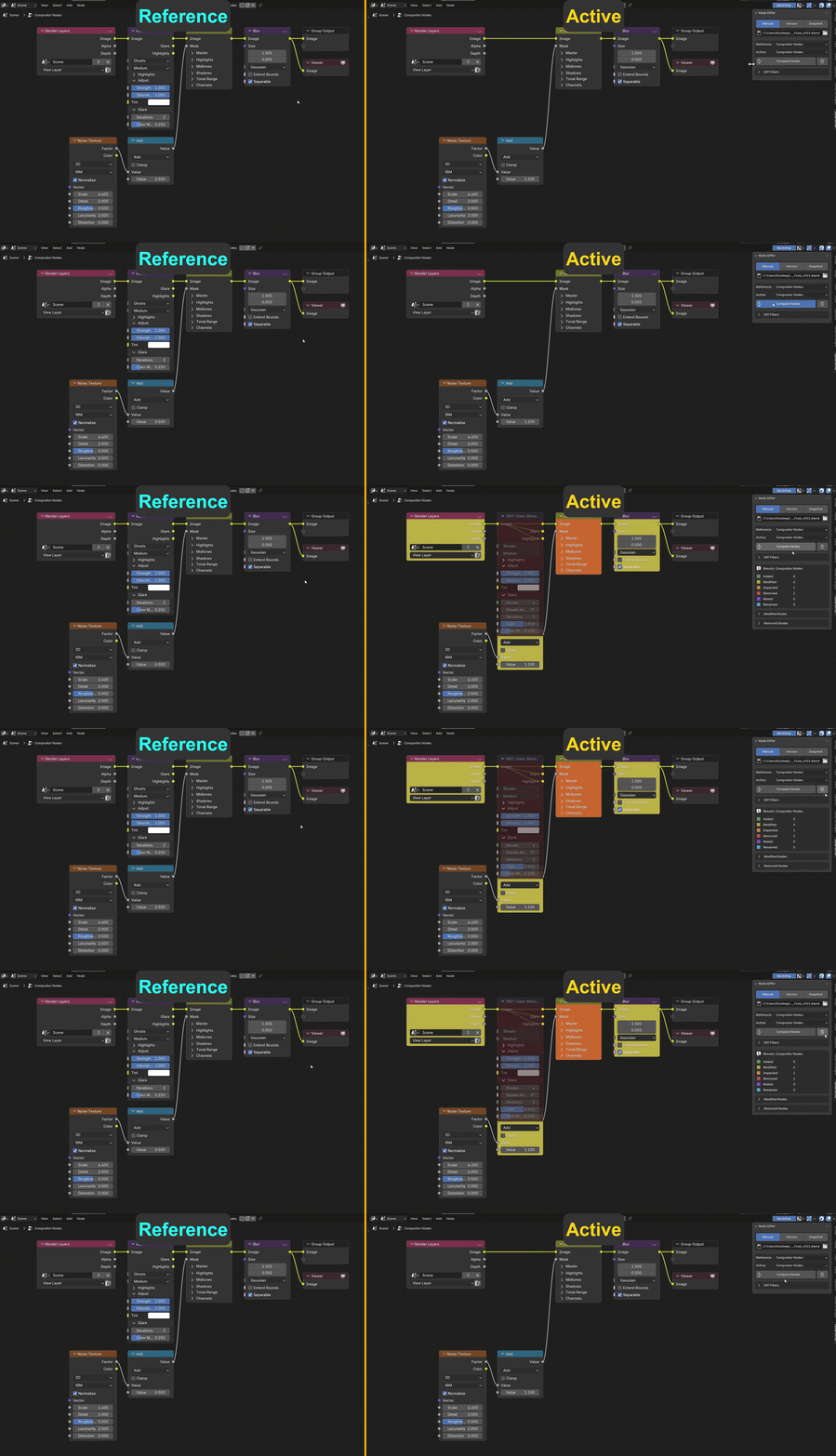
1. Install the Add-on
Navigate to Edit → Preferences → Add-ons → Install.
Select the downloaded ZIP file and click Enable.
2. Choose Comparison Mode & Reference Open the Node Differ panel and select your preferred workflow:
📄 Snapshot: Click Commit to save your current state, or select a previous commit from the Reference dropdown.
↻ Version: Click the Refresh icon to automatically link a previous version of your file (e.g.,
_v01).📁 Manual: Click the folder icon to browse for an external
.blendfile and pick a reference node group.
3. Select Current Node Group
In your scene, select the active node group you want to compare.
4. Run Compare
Click Compare Nodes.
5. Read Highlights
🟢 Green = Added
🟡 Yellow = Modified
🟠 Orange = Impacted
🔴 Red = Removed
🟣 Purple = Muted
🔵 Blue = Renamed
Updates
Released the Node Differ v3.0:
Snapshot Mode: Introduced built-in version control to Commit, Revert, and Delete node group history directly within the project.
Version Mode: Added automatic detection and matching for iteratively saved project files (e.g.,
_v01,_v02).Rename-Proof Tracking: History tracking now uses hidden UUIDs, ensuring snapshots stay linked even if node groups are renamed.
Renamed Nodes: Added detection for internal node name changes, now highlighted in Blue (🔵).
Overhauled UI Filters: Reorganized the Modification Filters into clean, collapsible categories (Core Structure, Math & Data, Shading & Limits, Toggles) for faster navigation.
