Anvil Interactive Solutions


For the next month, you can receive 30% off all our products when you use the coupon code anvil30. Start shopping while the offer lasts!
NodeMaster is an essential Blender add-on tailored for material artists, technical directors, and shader enthusiasts looking to streamline their node-based workflows in the Shader Editor. Designed to save time, reduce frustration, and optimize performance, NodeMaster offers a comprehensive suite of tools to manage, organize, and enhance shader node setups with precision and ease. Whether you're working on a complex PBR material for a game asset or a stylized cartoon shader for animation, NodeMaster empowers you to create cleaner, more efficient node graphs while maintaining creative control.
Key Features
1. Clean Up Graph
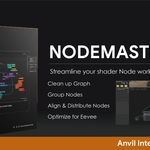
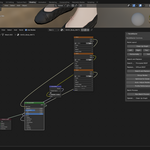
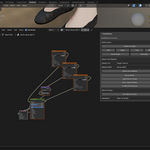
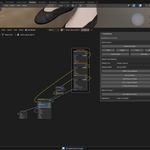
Messy node layouts can slow down your workflow and make collaboration difficult. NodeMaster’s "Clean Up Graph" feature automatically organizes your nodes into a structured, readable layout with a single click. Nodes are arranged based on their dependency hierarchy, ensuring inputs are positioned logically relative to outputs. Say goodbye to tangled wires and overlapping nodes—NodeMaster makes your shader graphs visually clear and professionally structured.
2. Group Nodes
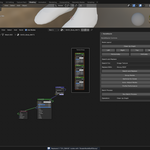
Managing related nodes (e.g., texture setups) can be tedious without proper organization. NodeMaster’s "Group Nodes" tool intelligently identifies related nodes—like Image Texture or Environment Texture nodes—and groups them into labeled frames. For example, all texture nodes can be grouped into a "Texture Group" frame, making it easy to move, adjust, or reuse them as a unit. This feature is perfect for keeping complex materials organized and accessible.
3. Align and Distribute Nodes
Precise node placement enhances readability and workflow efficiency. NodeMaster provides tools to align selected nodes to the left, right, top, or bottom, ensuring a uniform layout. Additionally, the "Distribute" feature evenly spaces nodes horizontally or vertically, eliminating manual repositioning. Whether you're preparing a node setup for a client presentation or simply prefer a tidy workspace, these tools help you achieve a polished look in seconds.
4. Optimize for Eevee
Eevee’s real-time rendering is a game-changer, but complex node setups can lead to performance bottlenecks. NodeMaster’s "Optimize for Eevee" feature analyzes your node tree and replaces resource-heavy nodes—like Subsurface Scattering—with lighter alternatives, such as a Diffuse and Transparent mix. It also simplifies Principled BSDF nodes into Diffuse and Glossy combinations where appropriate, preserving visual quality while boosting viewport performance. This ensures your Eevee renders remain fast and responsive, even with intricate materials.
5. Auto-Adjust Nodes
Achieving the right look for your render style shouldn’t require endless tweaking. NodeMaster’s "Auto-Adjust Nodes" feature lets you switch between realistic and cartoon rendering styles with one click. For realistic renders, it fine-tunes Principled BSDF nodes by lowering roughness (e.g., to 0.3), increasing metallic (e.g., to 0.7), and enhancing specular highlights (e.g., to 0.8). For cartoon styles, it increases roughness (e.g., to 0.9), removes metallic sheen (e.g., to 0.0), and reduces specular intensity (e.g., to 0.1). Mix Shader nodes are also adjusted for stylized blending, ensuring your materials align with your artistic vision effortlessly.
6. Profile Performance
Understanding the performance impact of your node setup is crucial for efficient rendering. NodeMaster’s "Profile Performance" tool analyzes your node tree and provides a detailed report on its impact in both Cycles and Eevee. Metrics include estimated FPS (based on node complexity), memory usage, and a breakdown of heavy nodes (e.g., Subsurface Scattering, Principled BSDF). A popup menu displays the results, helping you identify bottlenecks and make informed decisions—whether you’re optimizing for a real-time viewport or a final render.
7. Batch Process
Working with multiple materials across a project can be time-consuming. NodeMaster’s "Batch Process" feature allows you to apply any operation—cleanup, optimization, grouping, or auto-adjustment—to all materials in your Blender file at once. For example, you can optimize every material for Eevee in a single click, ensuring consistency and performance across your scene. This is a lifesaver for large projects with dozens of materials, such as game environments or animated films.
8. Save and Apply Templates
Reusing node setups across projects shouldn’t require rebuilding from scratch. NodeMaster lets you save your node tree as a reusable template with a custom name (e.g., “My PBR Setup”). These templates are stored as node groups, which you can apply to new materials with a single click, automatically connecting them to a Material Output node. This feature is ideal for maintaining consistency in your workflow, sharing setups with a team, or building a library of go-to shaders for future projects.
9. Search and Replace Nodes
Swapping out node types while preserving connections can be a hassle in Blender. NodeMaster’s "Search and Replace" tool simplifies this process by letting you find nodes of a specific type (e.g., Principled BSDF, Mix Shader, Image Texture) and replace them with another (e.g., Diffuse BSDF, Glossy BSDF). The tool intelligently reconnects inputs and outputs where possible, matching sockets by type and name (e.g., Base Color to Color, BSDF to Shader). It even supports nodes inside groups, ensuring no part of your node tree is missed. This feature is perfect for quickly adapting materials to new requirements, such as switching shaders for a different render engine.
Why Choose NodeMaster?
- Time-Saving: Automate repetitive tasks like node organization, optimization, and batch processing, freeing you to focus on creativity.
- Performance Boost: Optimize materials for Eevee without sacrificing quality, ensuring smooth viewport performance even in complex scenes.
- Workflow Efficiency: Features like templates and search/replace streamline your material pipeline, making it easier to iterate and experiment.
- Professional Results: Clean, organized node-setups are easier to debug, share, and present to clients or collaborators.
Compatibility
- Blender Version: Fully compatible with Blender 4.4 (recommended). May work with versions 4.0 and above, but compatibility is not guaranteed.
- Operating Systems: Tested on Windows, macOS, and Linux.
Future Updates
NodeMaster is actively maintained, with plans for future enhancements based on user feedback. A premium version is in development, featuring advanced tools like AI-assisted node adjustments, real-time performance monitoring, and custom node presets. Stay tuned for updates on Superhive!
Support
For questions, bug reports, or feature requests, contact the developer via Superhive’s messaging system. Be sure to check the included README.md for installation instructions, usage tips, and troubleshooting advice.