Node Navigator
 Mr. Steve 3D


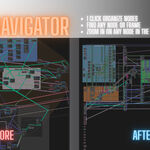
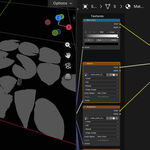
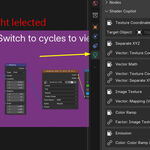
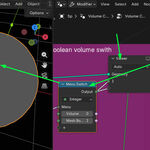

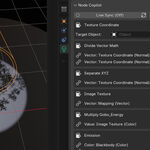
SHADER COPILOT — QUICK START GUIDE
How to Use the Addon:
* Accessing the Interface: Open the N-Panel (sidebar) in either the Shader Editor or Geometry Nodes Editor and select the Shader Copilot tab. Alternatively, click the Quick Controls popover button directly in the editor’s header.
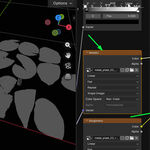
* Navigating Frame Groups: Nodes contained inside Blender Frame nodes are automatically organized into sub-panels labeled with the frame's custom label. These sub-panels are collapsed by default—click the triangle icon next to any frame name to expand it.
* Unframed Nodes: Any active nodes that do not belong to a frame are displayed cleanly at the bottom of the list, below all frame panels.
* Solo Previewing (Star Icon): Click the star icon in a node's box header to solo its visual output directly on your 3D model. Click it again to automatically clean up the preview and restore your original connection.
* Locating Nodes (Magnifying Glass): Click the magnifying glass icon in a node's header to center and comfortably zoom the node editor view on that node and all its linked neighbors.
* Bypassing Calculations (Eye Icon): Click the eye icon in a node's header to instantly mute or unmute its calculations without disconnecting any noodles.
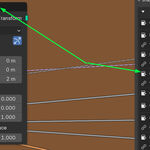
* Loop-Back Socket Cycling (Loop Icon): Click the loop-back arrow next to any linked input connection to cycle through the different output sockets of the upstream node (e.g., swapping coordinate modes instantly).
Benefits for Beginners & Professionals:
For Beginners, Shader Copilot demystifies the intimidating world of complex node trees by translating messy noodle layouts into a clean, readable list of properties and connections. It serves as a visual learning aid, allowing beginners to inspect intermediate node steps instantly and experiment safely with parameters without breaking their networks.
For Professionals, Shader Copilot acts as a high-efficiency look-development command center. By eliminating the constant need to manually zoom out, drag noodles, spawn emission preview shaders, and search through massive node webs, it saves thousands of mouse clicks per project, keeping the focus entirely on creative viewport feedback and look-development speed.
-
$5
Node Navigator is the most complete node layout and workflow optimization addon for Blender. It features instant viewport solo previewing, persistent layout presets, and advanced alignment tools to speed up your creation process.
-
$1
Node Navigator Trial is a free, lightweight version of the node management addon for Blender. It features a flat list navigator, workspace-aware input/output locators, and tree metrics to start speeding up your node workflow.
Have questions about this product?
Login to message
| Blender Extension Compatible | Yes |
| Dev Fund Contributor | |
| Published | 3 months ago |
| Blender Version | 3.6 - 5.2 |
| Extension Type | Add-on |
| Render Engine Used | Cycles, Eevee |
| License | GPL |